
There’s a question people often ask when they hear about full-disk encryption for the first time: “Will it slow down my computer?”It’s a fair concern. We’ve all experienced moments where our devices felt sluggish...
Read More
🧰 How to Safely Open Suspicious PDFs and Images Using Dangerzone
Every one of us has received a sketchy file at some point — maybe a PDF from an unknown sender, a photo attachment from a random email, or even something forwarded by a friend...
Read More
🛡️ Fix Windows Security Not Opening or Crashing on Windows 11
If the Windows Security app on your Windows 11 PC isn’t opening or keeps crashing unexpectedly, don’t worry — you’re not alone. This issue has become increasingly common after certain system updates or registry...
Read More
🧹 Should You Debloat Windows 11? Facts, Trade-offs, and Safer Alternatives (Complete Guide)
We’ve all seen the headlines and viral scripts promising “instant FPS,” “zero latency,” and “super-private Windows” with a single click. Tempting, right? But if you’ve ever run a debloat tool and then wondered which...
Read More
How to Enable HVCI (Hypervisor-Protected Code Integrity) to Fix Valorant’s “HVCI Must Be Enabled” Error
If you’re a Valorant player on Windows, you may have run into an annoying error that prevents the game from launching — a pop-up telling you that HVCI needs to be enabled. This message...
Read More
New Update: Windows 12 (WS1) Is Coming: Features, AI Integration, Release Timeline
The next era of Windows is almost here — and it’s going to be revolutionary. If you’re a tech enthusiast or even a casual user, you’ll want to pay close attention to what Microsoft...
Read More
Clear ALL Cache in Windows 11 (2025) – Boost Your Windows Performance
If your Windows PC has started to feel sluggish, unresponsive, or takes longer than usual to boot up—don’t worry. You don’t need to buy a new system. A little spring cleaning can work wonders!...
Read More
How to Fix the Yellow Exclamation Mark on Windows Defender in Windows 11/10
Have you ever noticed a yellow exclamation mark on the Windows Security (Windows Defender) icon in your taskbar and wondered what it means or how to remove it? You’re not alone. This symbol usually...
Read More
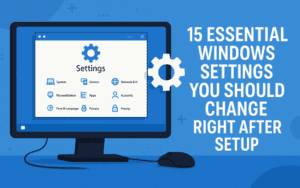
15 Essential Windows Settings You Should Change Right After Setup (Detailed Walkthrough for Beginners and Power Users)
Whether you’ve just unboxed a brand-new PC or performed a clean install of Windows 10 or 11, there’s a crucial list of settings you absolutely should not ignore. These aren’t fancy tweaks meant for...
Read More
15 Common Mistakes That Can Damage Your Windows PC – And How to Avoid Them
Whether you’re a new Windows user or have been using it for years, there’s a high chance you’re unknowingly making mistakes that could harm your computer or compromise your data. In this detailed guide,...
Read More
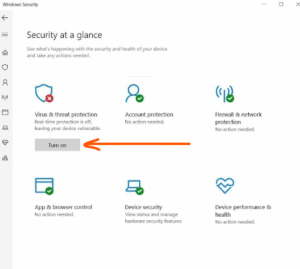
How to Disable Windows Defender in Windows 11 (Temporarily or Permanently)
If you’re a Windows 11 user and need to disable Microsoft Defender (Windows Defender) temporarily or permanently—for example, to install software that’s blocked or to test your system in a different security configuration—this guide...
Read More
💻 How to Make Your Slow Windows PC Fast Again – Step-by-Step Junk Cleanup and Speed Boost Guide (2025)
If your Windows computer has started to feel sluggish lately — taking ages to boot, freezing when you open Chrome, or lagging during basic tasks — you’re not alone. Over time, every PC accumulates...
Read More
How to Restore Quarantined Game Files and Install Without Issues on Windows Security
Installing certain games on Windows can sometimes lead to a frustrating issue where the setup file goes missing or doesn’t launch. This usually happens because Windows Security mistakenly identifies some game files as threats...
Read More
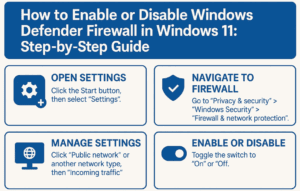
How to Enable or Disable Windows Defender Firewall in Windows 11: Step-by-Step Guide
Windows Defender Firewall is an essential security component in Windows 11. It helps block unauthorized access while allowing legitimate communication to keep your system safe. However, there might be times when you need to...
Read More
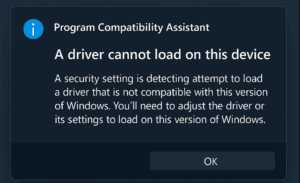
How to Fix “Program Compatibility Assistant – A Driver Cannot Load on This Device” Error in Windows 11/10
If you’re encountering the “Program Compatibility Assistant – A driver cannot load on this device” error on Windows 11 or Windows 10, don’t worry — you’re not alone. This error is often triggered by...
Read More
How to Fix “Couldn’t Start the Game” Error in GTA 5 FitGirl Repack (2025 Guide)
If you’re facing the “Couldn’t Start the Game” error while trying to run GTA 5 using the FitGirl Repack version, you’re not alone. This issue is common due to how some antivirus programs falsely...
Read More

How to Install Need for Speed: Most Wanted (2005) on Windows — Step-by-Step Guide
If you’re looking to enjoy the classic Need for Speed: Most Wanted (2005) on your Windows PC in 2025, this guide will walk you through the correct installation process, including how to avoid false...
Read More
How to Fix “File Contains a Virus FitGirl” Error When Installing Games (2025 Guide)
If you’ve encountered the frustrating Windows Security warning “Operation did not complete because the file contains a virus or potentially unwanted software” while trying to install a game (such as a FitGirl repack), this...
Read More

How to Install FitGirl Repack Games Without Errors in 2025: Step-by-Step Guide
Installing compressed PC games like FitGirl repacks can be tricky if you don’t follow the right process. Errors like ISDone.dll or unarc.dll often occur due to background tasks, antivirus interference, or improper settings. This...
Read More
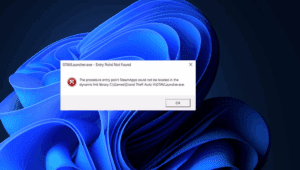
How to Fix “Entry Point Not Found” Error in GTA 5 (2025): A Complete Guide
If you’re trying to launch GTA V on your PC and see an “Entry Point Not Found” error related to FED Gallery Packs or missing DLL files, don’t worry—you’re not alone. This is a...
Read More
The Complete Guide to Removing Malware from Windows (2025 Edition)
Malware infections aren’t as common as they used to be, thanks to Windows Defender and improved security in Windows 10/11. However, malicious software can still slip through—whether it’s adware, spyware, ransomware, or browser hijackers....
Read More