When Microsoft officially ends support for Windows 10, millions of users around the world will face a critical decision: upgrade to Windows 11, switch to Linux, or continue using Windows 10. But what if...
Read More
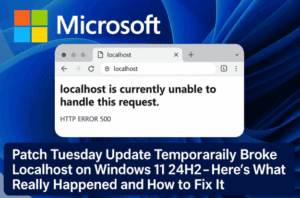
🧩 Microsoft Patch Tuesday Update Temporarily Broke Localhost on Windows 11 24H2 — Here’s What Really Happened and How to Fix It
When Microsoft releases a Patch Tuesday update, it’s supposed to make your system safer and more reliable. But in rare cases, these updates can do the opposite — breaking critical features developers rely on...
Read More
🔒 How to Block a Program from Accessing the Internet on Windows 11 Using Windows Defender Firewall
In today’s connected world, almost every program installed on your computer communicates with the internet — whether for updates, analytics, license verification, or background data sync. While this is often harmless, there are legitimate...
Read More
🛡️ How to Disable Windows Defender Antivirus via Registry in Windows 11
If you’re a Windows 11 user, you might have noticed that Windows Defender (now called Microsoft Defender Antivirus) is built right into the operating system. For most people, it’s a reliable, always-on solution for...
Read More
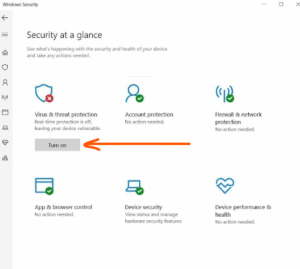
How to Fix the Yellow Exclamation Mark on Windows Defender in Windows 11/10
Have you ever noticed a yellow exclamation mark on the Windows Security (Windows Defender) icon in your taskbar and wondered what it means or how to remove it? You’re not alone. This symbol usually...
Read More
How to Disable Windows Defender in Windows 11 (Temporarily or Permanently)
If you’re a Windows 11 user and need to disable Microsoft Defender (Windows Defender) temporarily or permanently—for example, to install software that’s blocked or to test your system in a different security configuration—this guide...
Read More
Norton vs Windows Defender: Which Antivirus Offers Better Protection in 2025?
As we move deeper into 2025, cybersecurity is no longer optional — it’s essential. With rising threats like ransomware, phishing, zero-day malware, and data leaks, relying solely on built-in protection may not be enough....
Read More
How to Restore Quarantined Game Files and Install Without Issues on Windows Security
Installing certain games on Windows can sometimes lead to a frustrating issue where the setup file goes missing or doesn’t launch. This usually happens because Windows Security mistakenly identifies some game files as threats...
Read More
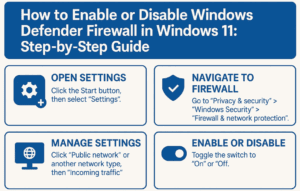
How to Enable or Disable Windows Defender Firewall in Windows 11: Step-by-Step Guide
Windows Defender Firewall is an essential security component in Windows 11. It helps block unauthorized access while allowing legitimate communication to keep your system safe. However, there might be times when you need to...
Read More
How to Install Big FitGirl Repack Games Safely Without Errors (2025 Guide)
FitGirl Repacks are popular for compressing large PC games into smaller installer packages, making it easier to download and store them — especially for users with limited bandwidth or disk space. However, many users...
Read More
Is FitGirl Safe for Game Downloads? A Complete Guide to Antivirus Issues and Installation Tips
Many PC gamers, especially those new to downloading repacked games, often ask a simple question: “Is FitGirl safe?” This article aims to clear all confusion surrounding FitGirl Repacks, installation issues, and antivirus software warnings...
Read More
How to Permanently Disable Windows Defender in Windows 10/11
Windows Defender is Microsoft’s built-in antivirus that runs by default in Windows 10 and 11. While it provides security, some users prefer disabling it—especially if they use a third-party antivirus or need to bypass...
Read More
9 Windows Settings You Should Never Disable: Keep Your PC Safe and Efficient
Windows offers a wide range of settings that users often tweak to improve performance, customize preferences, or troubleshoot issues. However, not all settings should be modified lightly. Some of them are crucial for your...
Read More
How to Completely Disable Windows Defender on Your PC or Laptop (Step-by-Step Guide)
There are times when disabling Windows Defender becomes necessary. Perhaps you’re installing software that Windows Defender mistakenly flags as harmful, or you need to work with files that trigger constant warnings. In this article,...
Read More
What to Do After Installing Windows 11 to Remove Bloatware and Protect Your Privacy
So, you’ve just installed Windows 11, but now you’re faced with a system filled with telemetry, bloatware, and other privacy concerns. If you don’t want to manually go through settings, disabling all the unnecessary...
Read More