Microsoft continues refining how Windows 11 behaves during its installation and first boot process. In late 2025, the company introduced a new OOBE (Out-of-Box Experience) update — officially known as KB5070349 — designed to...
Read More
💻 Another Way to Install Windows 11 Locally — Try This Two-Step Method
For years, Microsoft has been steadily pushing users toward signing in with a Microsoft account when installing Windows 11. That account connects your PC to the cloud for services like OneDrive, BitLocker key recovery,...
Read More

🧩 How to Recover Deleted or Formatted Files for Free UpTo 100+ GB (2025 Full Guide)
Few moments are as stressful as realizing you’ve just deleted or formatted the wrong drive. Maybe it was a collection of precious photos, important project documents, or your favorite videos — and suddenly, it’s...
Read More
💻 How to Fix “This Device Is Currently in Use” When Ejecting a USB Drive in Windows 11
If you’ve ever tried ejecting your USB drive or external hard disk only to be met with the dreaded message — “This device is currently in use. Close any programs or windows that might...
Read More
☁️ How to Recover After Turning Off the OneDrive Backup Feature in Windows 11
OneDrive is Microsoft’s built-in cloud storage service that helps you keep your files safe and synced across devices. It sounds convenient, right? However, there’s one feature that often confuses users and, in some cases,...
Read More
💻 How to Switch from a Microsoft Account to a Local Account on Windows 11 (Step-by-Step Guide)
When setting up a new Windows 11 computer, Microsoft strongly encourages you to sign in using your Microsoft account — the same one you use for Outlook, OneDrive, or Xbox. This makes synchronization easier,...
Read More
Fix Update KB5066835 / KB5066128 Not Installing (Install Error 0x800F0991) on Windows 11 💻
If you’re unable to install Windows 11 updates KB5066835 or KB5066128 and seeing the error code 0x800F0991, you’re not alone. Many users encounter this installation issue after downloading the cumulative update or .NET Framework...
Read More
Dual-Boot macOS and Windows on One PC (Complete Step-by-Step Guide)
Want to run macOS and Windows on the same computer without touching your existing Windows installation? This guide walks you through—calmly and carefully—how to dual-boot macOS alongside Windows 10 or Windows 11 using OpenCore....
Read More
How to Use Quick Machine Recovery on Windows 11: A Step-by-Step Guide
If nothing fills you with dread quite like booting your PC only to be greeted by the “Windows failed to start… attempting to repair” message, then you’ll want to keep reading. This new feature...
Read More
🪟 10 Most Overlooked Windows 11 Features You Should Start Using Today
Windows 11 has come a long way since its original release. With every update, Microsoft quietly slips in new tools and refinements that make the system faster, smarter, and more enjoyable to use.Yet many...
Read More
🕹️ Fix “We Can’t Sync Your Data with the Cloud” or “Stuck on Syncing Data” Error in Xbox & Microsoft Store Games
It can be frustrating when you’re excited to play your favorite Xbox or Microsoft Store game — but instead of launching smoothly, the game gets stuck on “Syncing Data” or shows the error “We...
Read More

Where to Find Game Save Files and Config Files for Xbox Game Pass or Microsoft Store Games on Windows
When you install a game from the Xbox app or Microsoft Store on your PC, it doesn’t store files in the same easy-to-find location as Steam or Epic Games. Instead, save data and configuration...
Read More
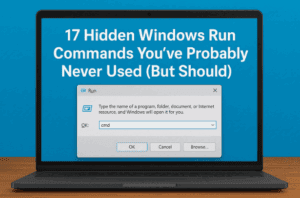
💻 17 Hidden Windows Run Commands You’ve Probably Never Used (But Should)
Windows has hundreds of hidden tools and utilities tucked away inside your system — you just need to know how to access them. One of the simplest ways to reach these secret tools is...
Read More
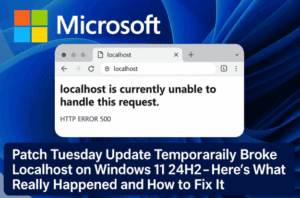
🧩 Microsoft Patch Tuesday Update Temporarily Broke Localhost on Windows 11 24H2 — Here’s What Really Happened and How to Fix It
When Microsoft releases a Patch Tuesday update, it’s supposed to make your system safer and more reliable. But in rare cases, these updates can do the opposite — breaking critical features developers rely on...
Read More
🌈 How to Transform Your Windows File Explorer with Windhawk (Step-by-Step Modern Customization Guide)
If you’ve been using Windows for years, you’ve probably noticed that File Explorer hasn’t changed much. Sure, it’s reliable — but it looks the same, feels outdated, and lacks that modern, sleek touch that...
Read More
How to Fix Windows Update Installation Errors: KB5066835 / KB5066128 Failing with 0x800F0922 or 0x80240069
Sometimes, even when everything seems fine, Windows denies you the simple act of installing a patch. You may see update errors like 0x800F0922 or 0x80240069, especially when trying to install updates such as KB5066835...
Read More
🧠 Microsoft Edge vs Google Chrome: CPU and Memory Usage Comparison (2025 Test Guide)
Web browsers have become our digital homes — we use them to work, watch, study, and stay connected. But when it comes to speed and performance, two browsers have always been at the center...
Read More
💻 Windows 10 is Now DEAD? – Is It Still Safe to Use? Complete Guide & Future Alternatives
Microsoft has finally confirmed what many users feared — Windows 10 is reaching its end of life on October 14, 2025. After that date, regular users will no longer receive free security updates, patches,...
Read More
Why Windows Forcing You to Sign-up? Why You Can’t Install Windows Without Signing In (Explained in Detail)
If you still think Windows works the same way it did years ago, it’s time to update your understanding.Microsoft has completely changed how its operating system behaves — and one of the biggest changes...
Read More
🛡️ Fix Windows Security Not Opening or Crashing on Windows 11
If the Windows Security app on your Windows 11 PC isn’t opening or keeps crashing unexpectedly, don’t worry — you’re not alone. This issue has become increasingly common after certain system updates or registry...
Read More
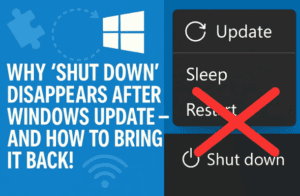
🧩 Why “Shut Down” Disappears with Pending Windows Update — and How to Bring It Back!
When you click on the Power button in your Start Menu after installing a Windows update, you might have noticed something strange — the regular “Shut down” option is missing!Instead, you only see: That...
Read More