
On October 14th, 2025, millions of perfectly functional computers will be officially ushered into a difficult choice by Microsoft. With the end of support for Windows 10, the security updates that have kept our...
Read More
Is Your PC Slow? Here’s the Full Step-By-Step Method to Clean Every Cache in Windows 11
Every Windows device slowly gathers dust — not the physical kind, but the small digital leftovers that accumulate quietly over time. Temporary files, browser cache, RAM cache, old update files, and GPU shader data...
Read More
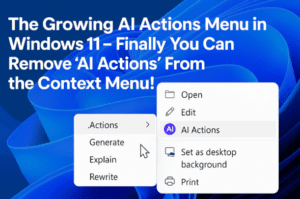
The Growing AI Actions Menu in Windows 11 – Finally you Can Remove ‘AI Actions’ From the Context Menu!
Windows 11 has been quietly evolving with every new update, and sometimes those changes feel helpful… while other times they feel like the Start menu grew another branch you didn’t ask for. One of...
Read More
Windows 11 25H2 Is Causing Major Problems: Here’s Everything That’s Actually Broken
Windows updates often arrive quietly, slipping into your system while you’re focused on work or gaming. Most of the time, things work as expected. But sometimes, the update that promises stability brings along the...
Read More
What’s New in Windows 11 Dev Build 26220.7344 – Unified Updates, Model Context Protocol, MIDI Service & More
Sometimes Windows 11 updates feel like small ripples, and sometimes they feel like big waves that quietly reshape how the entire system works. Build 26220.7344, rolling out in the Dev and Canary Channels, sits...
Read More
Regaining Access: How to Bypass a Forgotten Windows Password
We’ve all had that moment of panic. You sit down at your computer, ready to start your day, and your mind goes blank. The PIN you’ve typed a thousand times suddenly vanishes from memory,...
Read More

AppData Folder Expalined – How to Fix App Errors and Free Storage by Clearing AppData in Windows
We often think our PC becomes slow because of big files, heavy programs, or updates. But surprisingly, one of the most common reasons behind slow apps, crashing games, and random errors is an invisible...
Read More
Chrome Marker Effect Removed in Version 143 — But You Can Still Bring It Back
There are moments in tech where a small visual detail becomes surprisingly meaningful. The marker effect in Google Chrome is one of those little touches that many users grew fond of without even realizing...
Read More
Why Windows 11 Keeps Switching Back to Light Mode — And How PowerToys’ New Light Switch Feature May Be the Hidden Culprit
When you switch your Windows 11 PC to Dark Mode, the last thing you expect is for it to quietly revert back to Light Mode within a few minutes. It feels strange, sudden, and...
Read More
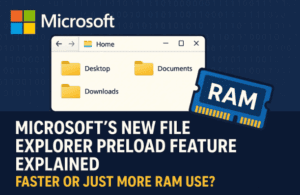
Microsoft’s New File Explorer Preload Feature Explained: Faster or Just More RAM Use?
There are certain parts of Windows that quietly define the everyday experience, even though we rarely think about them. File Explorer is one such piece. It’s that familiar window you open without a second...
Read More
Beyond the Watermark: A Story of Scripts, Servers, and Microsoft’s Silent Approval
It starts subtly. A small, semi-transparent text in the bottom-right corner of your screen, a quiet, persistent whisper in a world of digital shouts. “Activate Windows. Go to Settings to activate Windows.” For days,...
Read More
Windows 11 Build 26220.7262: A Deep Dive into New Features, Agentic AI, Interface Improvements, and What They Mean for Users
Every once in a while, Microsoft rolls out a Windows update that feels less like a simple patch and more like a quiet shift in the philosophy of the operating system. Build 26220.7262, released...
Read More
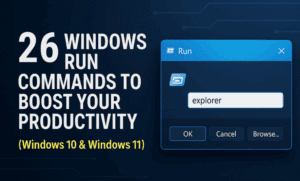
⚡ 26 Windows Run Commands to Boost Your Productivity (Windows 10 & Windows 11)
There are moments when you want to perform a quick task on your PC — open a hidden setting, check system resources, jump into disk management, or even shut down instantly. Normally, you would...
Read More
🪟 Windows 11 23H2 Gets an Unexpected Update KB5070312 After End-of-Support — Here’s What It Means
When Microsoft marks a Windows version as End of Service, most users assume that no more updates—security or non-security—will ever arrive for that build. That’s why the recent development around Windows 11 version 23H2...
Read More
Windows 11 Stores Deleted Emails – How to Permanently Remove Them
Most of us assume that when we delete an email, it’s gone for good. You empty the trash folder, close the Mail app, and move on with your day. But Windows 11 quietly does...
Read More
🕵️♂️ Windows 11 Is Secretly Keeping a “Digital Diary” — Here’s Where It Lives and How to Delete It Forever
Most people assume that once they close an app, delete their browsing history, or remove recent files, their PC instantly forgets what happened. But that assumption isn’t entirely true — especially on Windows 11....
Read More
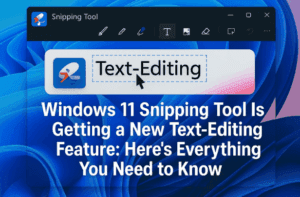
✏️ Windows 11 Snipping Tool Is Getting a New Text-Editing Feature: Here’s Everything You Need to Know
Windows 11’s Snipping Tool has quietly become one of the most improved built-in apps in the operating system. What was once a simple screenshot utility is now evolving into a lightweight image editor, complete...
Read More
🔎 Windows 11 Copilot Privacy Guide: What It Collects, Where the Data Goes, and How to Take Back Control
When Microsoft introduced Copilot in Windows 11, it promised an intelligent assistant built directly into the operating system — something that could answer questions, summarize emails, adjust system settings, or help you work faster....
Read More
🛠️ Windows 11 25H2/24H2 KB5068861 Released — Full Breakdown of New Features, Fixes, and Security Patches
Microsoft has officially rolled out its latest Patch Tuesday update — the November 2025 cumulative release for both Windows 11 version 25H2 and 24H2, identified as KB5068861. While this may sound like a routine...
Read More
💻 Windows 11 Version 26H1 Officially Confirmed — Here’s What It Really Means
For weeks, tech enthusiasts and Windows insiders had been buzzing about an unusual codename — Windows 11 version 26H1. It started with small code hints, followed by leaked build numbers, and now Microsoft has...
Read More
🔐 Windows 11 November 2025 Update Brings Native Passkey Support for OnePassword and Bitwarden
Microsoft has officially made native passkey support available to all Windows 11 users with the November 2025 Security Update. What began as an experimental feature in the Insider Preview channels (Dev build 26200.5670 and...
Read More