There are moments when you want to perform a quick task on your PC — open a hidden setting, check system resources, jump into disk management, or even shut down instantly. Normally, you would...
Read More
🦊 Firefox 145 Released — A Complete Guide to What’s New, Improved, and Changed
Mozilla has officially rolled out Firefox 145, the latest version of its open-source web browser. This new update may not look revolutionary at first glance, but it introduces some genuinely useful quality-of-life improvements, smarter...
Read More
💻 17 Hidden Windows Run Commands You’ve Probably Never Used (But Should)
Windows has hundreds of hidden tools and utilities tucked away inside your system — you just need to know how to access them. One of the simplest ways to reach these secret tools is...
Read More
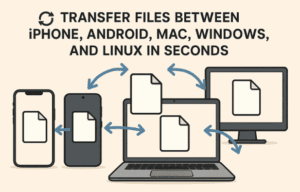
🔄 How to Transfer Files Between iPhone, Android, Mac, Windows, and Linux in Seconds
File sharing across different operating systems has historically been frustrating. Whether you’re moving a photo from your iPhone to a Windows PC, or sending a PDF from Linux to a friend’s Android phone, traditional...
Read More
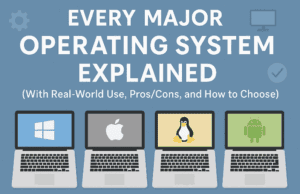
🌍 Every Major Operating System Explained (With Real-World Use, Pros/Cons, and How to Choose)
Most of us boot into one operating system every day and rarely think about what’s happening behind the scenes. Yet operating systems (OSes) are everywhere—powering your laptop, phone, smart TV, car dashboard, bank servers,...
Read More
🚀 Should You Disable “SysMain” (Superfetch) on Windows? What Difference It will Make?
If you’ve ever felt mysterious slowdowns, odd disk spikes, or micro-stutters during gaming on Windows, you’ve probably stumbled across advice to “disable SysMain.” You might also know it by its former name, Superfetch. The...
Read More
🌐 Microsoft Made Windows Open Source? A Deep Dive into WinUI’s Open Source Journey
When you think of Windows, the first thing that comes to mind is its closed-source nature. Microsoft has always kept the core of Windows proprietary, unlike Linux or other open-source operating systems. Now imagine,...
Read More
📰 1999 Scandal: The Mystery of Microsoft’s Alleged “NSA Key”
In 1999, a Canadian cryptographer uncovered something unusual inside a Microsoft Windows update: a second digital signing key buried in the code, labeled “NSA Key.” The discovery set off a firestorm of speculation about...
Read More
15 Free and Useful Windows Apps You Should Try in 2025
When it comes to Windows, there are thousands of apps out there promising to improve productivity, boost privacy, or make your computer more enjoyable to use. But not every tool is worth your time....
Read More
🖥️ Understanding macOS Folder Structure: A Complete Beginner-to-Advanced Guide
Navigating macOS can sometimes feel confusing, especially if you are coming from Windows or Linux. At first glance, the Finder shows only a handful of folders like Applications, Desktop, Documents, Downloads, and System. But...
Read More
💻 The Best Free Alternatives to Expensive Software (Windows, macOS, and Linux)
The cost of living has been rising everywhere, and unfortunately, so has the cost of software. Many companies have moved away from one-time purchase models and now lock users into monthly or yearly subscriptions....
Read More
🖥️ Best Alternatives to Windows Utility Tools: A Detailed Guide for Students and Power Users
When you first install a fresh copy of Windows, it’s almost never ready “out of the box.” There’s bloatware, unwanted manufacturer tools, strange default settings, and missing convenience features. This is where utilities like...
Read More
Top 5 Free Media Players for Windows, macOS, and Linux in 2025
If you’re looking for a free and reliable media player that outperforms the default media player built into your operating system, you’re in the right place. This article lists the top 5 free media...
Read More
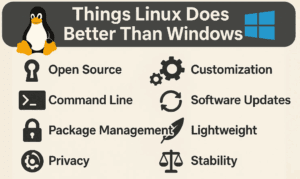
7 Things Linux Does Better Than Windows
Linux and Windows are both powerful operating systems, but they cater to different needs. While Windows dominates the market, Linux offers unique advantages that make it a compelling choice for many users. In this...
Read More
Top Command Prompt Commands to Troubleshoot and Fix Windows 10/11 Issues
If you’re a Windows 10 or Windows 11 user, chances are you’ve encountered your fair share of system hiccups—be it performance lags, connectivity issues, system crashes, or hard drive failures. While many rely on...
Read More
How to Control Windows Updates with One Click: Pause or Disable Updates Safely
Windows updates are essential for keeping your system secure and up to date, but they can also be intrusive, disruptive, and sometimes even cause bugs—especially when newer versions like Windows 11 24H2 are not...
Read More
How to Enable Group Policy Editor on Windows 10 and 11 Home Editions (The Right Way)
Many Windows users—especially those on Windows 10 or Windows 11 Home editions—often seek access to the Group Policy Editor (gpedit.msc). This tool is typically available only on Professional, Enterprise, and Education editions of Windows...
Read More
How to Migrate Windows to Another Drive for Free Using MiniTool Partition Wizard
Upgrading to a faster or larger storage drive? Whether you’re moving from a traditional HDD to an SSD, or upgrading from a SATA SSD to an NVMe drive, migrating your Windows operating system doesn’t...
Read More
How to Completely Disable Windows Defender on Your PC or Laptop (Step-by-Step Guide)
There are times when disabling Windows Defender becomes necessary. Perhaps you’re installing software that Windows Defender mistakenly flags as harmful, or you need to work with files that trigger constant warnings. In this article,...
Read More
How to Enable and Use Windows Sandbox on Your PC
In this article, we will guide you through the complete process of enabling and using Windows Sandbox on your PC. If you want a safe, isolated environment to test apps or files without affecting...
Read More