If you’ve been using Windows for years, you’ve probably noticed that File Explorer hasn’t changed much. Sure, it’s reliable — but it looks the same, feels outdated, and lacks that modern, sleek touch that...
Read More
🖥️ The Ultimate Guide to Windows Customization in 2025: Tools, Tips, and Setups
Do you dream of a clean, organized, and visually stunning Windows desktop, but feel overwhelmed by the endless tutorials and customization apps out there? If so, you’re not alone. For every guide recommending one...
Read More
How to Disable the Media Overlay Pop-up in Windows 11 Using Windhawk
If you’re using Windows 11 and you’ve noticed that every time you play a YouTube video, Spotify track, or any audio from your browser or media app, a media overlay popup appears in the...
Read More
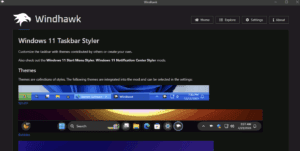
Customizing Windows 11 with Windhawk: A Complete Guide
If you’re like me and find Windows 11’s default interface limiting—especially the taskbar, Start menu, and right-click menu—you’ll be glad to know there are tools that allow deep customization. One such powerful tool is...
Read More
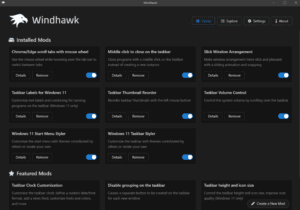
Customize Windows 11 Taskbar, Start Menu, and More with Windhawk
Windows 11 brings a refreshed interface and design—but not all users are fans of the default Start menu, taskbar, and right-click menu. If you’re looking for a way to tweak these elements and restore...
Read More
How to Customize Your Windows Desktop for a Clean and Minimal Look
If you’re looking to give your Windows desktop a fresh, clean, and minimalistic makeover, this article will guide you through the entire process. From cleaning up your desktop and taskbar to adding live wallpapers...
Read More