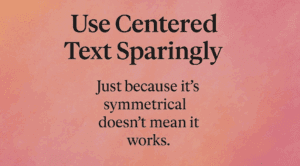
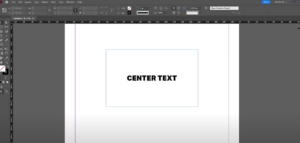
This article is a part of “The 12 Golden Rules of Desktop Publishing Every Designer Should Know“ Let’s be honest — centered text looks elegant at first glance. It’s symmetrical, formal, and feels… balanced....
Read More
Use Ragged-Right or Fully Justified Text Appropriately – It’s Not a Battle, It’s About Balance
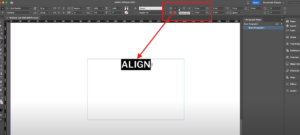
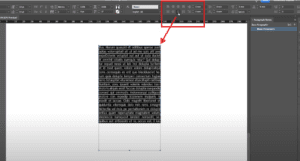
This article is a part of “The 12 Golden Rules of Desktop Publishing Every Designer Should Know“ If you’ve ever had a debate about text alignment, you’re not alone. Some designers swear by justified...
Read More
5 Essential Typography Tips Every Graphic Designer Must Know
Typography is the backbone of great design. Whether you’re designing a poster, website, brochure, or social media post, how your text looks plays a crucial role in catching attention and conveying information. In this...
Read More
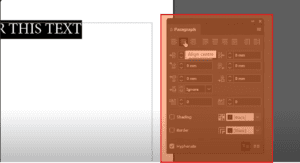
How to Align Text in Adobe InDesign
Text alignment is a crucial part of creating visually appealing and professional layouts in Adobe InDesign. Whether you’re designing a flyer, brochure, or magazine, understanding how to align text properly ensures your content looks...
Read More
How to Justify Text in Adobe InDesign: A Step-by-Step Guide
Justifying text is an essential technique in layout design that can make your documents look professional and polished. In Adobe InDesign, you can align and justify text with just a few simple steps. This...
Read More
How to Set Up a Baseline Grid in Adobe InDesign
Setting up a baseline grid in Adobe InDesign ensures that all your text is aligned consistently, creating a professional and clean layout. This guide walks you through the steps to configure a baseline grid...
Read More
How to Center Text in a Box in Adobe InDesign: A Step-by-Step Guide
Centering text in a box in Adobe InDesign is a simple yet crucial technique for creating visually appealing layouts. Whether you’re working on a brochure, flyer, or any other document, aligning text perfectly enhances...
Read More
How to Align Text to the Baseline Grid in Adobe InDesign
IntroductionAligning text to a baseline grid ensures uniformity and professionalism in your layouts. This feature is especially useful in long-form documents like books, magazines, or reports. In this article, we’ll walk you through the...
Read More
How to Center Text Horizontally and Vertically in Adobe InDesign
IntroductionCentering text in Adobe InDesign, whether horizontally, vertically, or both, is an essential skill for creating balanced and visually appealing layouts. This guide explains how to easily center text in InDesign using built-in tools...
Read More
How to Center Align Text in Adobe InDesign
Centering text in Adobe InDesign is a simple yet essential skill for creating balanced and professional designs. Whether you’re working on a brochure, a flyer, or a book layout, aligning your text correctly can...
Read More
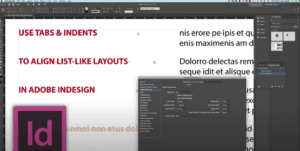
18. Aligning Text with Tabs and Indents in Adobe InDesign: A Step-by-Step Guide
When working on text layout in Adobe InDesign, using tabs and indents effectively can make a significant difference in aligning and formatting your text. This guide provides a detailed walkthrough on how to align...
Read More