
Is your Windows PC running slower than usual? Over time, temporary files, browser caches, and system junk can accumulate, consuming valuable storage space and reducing performance. In this comprehensive guide, we’ll walk you through...
Read More

Boost Gaming FPS: 3 Windows Settings to Disable for Better Performance
Are you experiencing low FPS in games despite having decent hardware? While internet speed and system specs play a role, certain Windows settings—like Hyper-V, Memory Integrity, and Nagle’s Algorithm—can silently throttle your gaming performance....
Read More
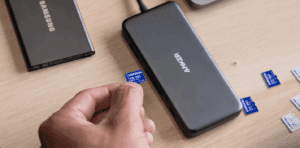
How to Block USB Devices on Windows 10/11 for Enhanced Security
In today’s digital world, protecting your PC from unauthorized USB devices is crucial to prevent data theft, malware infections, and unauthorized access. Whether you’re securing a work computer, shared device, or personal laptop, this...
Read More
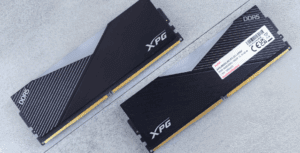
How to Clear RAM Cache in Windows 10/11 for Better Performance
Is your Windows PC slowing down over time? One often-overlooked culprit is cached RAM memory, which can consume valuable system resources. In this guide, we’ll show you two effective methods to clear RAM cache—manually...
Read More

10 Best Free Software Alternatives for Windows Users
Are you tired of paying for expensive software subscriptions? Whether you need a PDF editor, video editor, or office suite, there are high-quality free alternatives available. In this article, we’ll explore 10 must-have free...
Read More
Boost Windows 11 Performance with Windows 11 Debloater: The Ultimate Optimization Tool
Is your new Windows 11 PC running slower than expected? Even high-end machines can suffer from bloatware, background processes, and unnecessary services that drain performance. Fortunately, Windows 11 Debloater is a free, powerful tool...
Read More
How to Fix Common Windows 11 Problems Using the Built-in Repair Tool
Is your Windows 11 running slow, freezing, or crashing with blue screens? Are system files corrupted, or is malware affecting performance? Instead of performing a full reset, Windows 11 now includes a hidden repair...
Read More
Top Command Prompt Commands to Troubleshoot and Fix Windows 10/11 Issues
If you’re a Windows 10 or Windows 11 user, chances are you’ve encountered your fair share of system hiccups—be it performance lags, connectivity issues, system crashes, or hard drive failures. While many rely on...
Read More

How to Play Multiple Videos Simultaneously in Windows 11 Using VLC Media Player
If you’ve ever tried playing more than one video at the same time in Windows 11 using the built-in media player, you’ve likely noticed that it doesn’t allow simultaneous playback. Instead, it stops the...
Read More
How to Bypass the Mandatory Microsoft Account Setup on Windows 11 (2025 Method)
Microsoft has been continuously tightening its grip on how users install Windows 11, particularly when it comes to enforcing Microsoft account sign-ins during setup. In previous builds, users could easily bypass the Microsoft account...
Read More
Switching from Windows 10 to Linux: A Complete Guide Before October 2025
As the official end of life for Windows 10 approaches on October 14, 2025, many users are now seriously considering what to do next. While some may upgrade to Windows 11, others—especially those with...
Read More
Warning: Nvidia Driver 572.83 Causing Major Issues on Windows – Here’s What You Need to Know
If you’re a Windows user and have recently updated your Nvidia graphics driver to version 572.83, you might want to take a moment and assess your system’s performance. This driver, released on March 18th,...
Read More
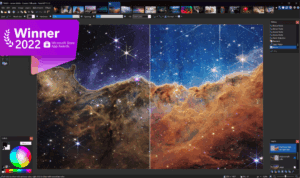
How to Replace Windows 11’s Bloated Paint App with Classic Microsoft Paint
Windows 11 introduces many changes, and not all of them are welcome by every user. One such controversial update is the integration of Microsoft Paint with Copilot features—features that many users find unnecessary or...
Read More
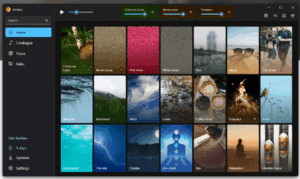
20 Modern App Replacements for Windows 11’s Outdated Utilities
Windows 11 promised a sleek, unified interface, but beneath its modern facade lie clunky legacy menus, ad-filled apps, and missing features. While Microsoft focuses on surface-level changes, third-party developers have created superior alternatives that...
Read More

Revive Your Old Laptop with ChromeOS Flex: A Complete Step-by-Step Guide
With Microsoft officially ending support for Windows 10 on October 14, 2025, many older laptops and PCs will no longer receive critical updates. If your device isn’t compatible with Windows 11, it might seem...
Read More

Everything You Need to Know About Windows 10 LTSC and IoT Enterprise LTSC: Is It Worth It for Home Users?
As Windows 10 nears the end of its lifecycle, many users are turning to alternative versions like Windows 10 Enterprise LTSC (Long-Term Servicing Channel) and Windows 10 IoT Enterprise LTSC. These versions offer extended...
Read More
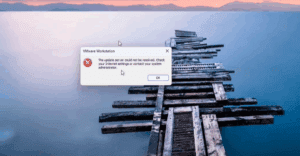
How to Fix “The Update Server Could Not Be Resolved” Error in VMware Workstation
If you’ve encountered the “The update server could not be resolved” error while trying to install VMware Tools in VMware Workstation, you’re not alone. This error prevents essential features like full-screen display, file sharing,...
Read More
Automating Windows 11 Installation the Easy Way: Step-by-Step Guide to Creating an Unattended XML File
Setting up Windows 11 can be time-consuming, especially when doing multiple installations. Thankfully, automation is possible through an unattended XML file that allows Windows to install with little or no user interaction. In this...
Read More
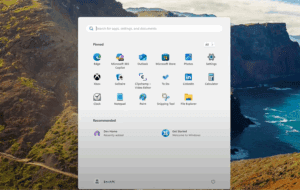
How to Stop Apps from Preventing Windows 11 Shutdown
Are you tired of seeing “This app is preventing shutdown” messages when trying to turn off your Windows 11 PC? While this is a safety feature (not a bug), it can be frustrating—especially when...
Read More
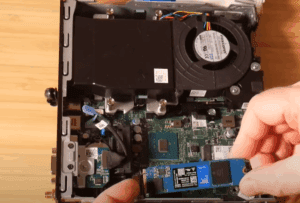
How to Migrate Windows to Another Drive for Free Using MiniTool Partition Wizard
Upgrading to a faster or larger storage drive? Whether you’re moving from a traditional HDD to an SSD, or upgrading from a SATA SSD to an NVMe drive, migrating your Windows operating system doesn’t...
Read More
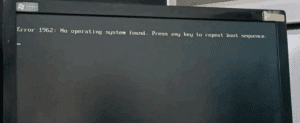
Error 1962: No operating system found. Change Hard Disk as the First Boot Device
Error 1962: No operating system found. Change Hard Disk as the First Boot Device on Lenovo Laptops If your Lenovo laptop is displaying a boot error or failing to start properly, the issue might...
Read More