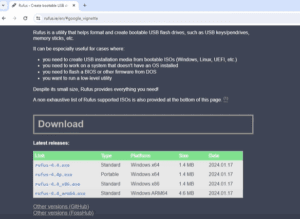
Have an old laptop that doesn’t meet Windows 11’s minimum requirements like TPM 2.0 or Secure Boot? Don’t worry—you can still experience the latest Windows 11 24H2 Preview build using a clean installation method....
Read More
How to Set Up Two WhatsApp Accounts on One iPhone Using Two Different Phone Numbers
If you use two different phone numbers—one for personal use and one for business—you might want to run two separate WhatsApp accounts on your iPhone. Fortunately, this is completely possible by using WhatsApp Messenger...
Read More
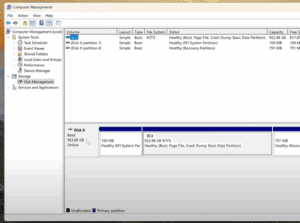
How to Safely Partition Your Hard Drive or SSD in Windows 11 or Windows 10
If you’re using a high-capacity SSD or NVMe M.2 drive, like a 1TB or 952GB model, it’s not ideal to keep your storage as a single large C: drive. Keeping all your data—documents, photos,...
Read More
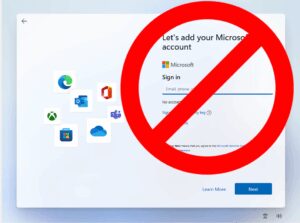
How to Create a Local Account on Windows 11 Without a Microsoft Account
Setting up a new computer often comes with the push to sign in using a Microsoft account. But what if you want to keep things simple and create a local account instead? Whether it’s...
Read More
10 Essential Things to Do After Installing Windows 11 (Especially on Unsupported PCs)
Upgrading to Windows 11—especially on an older or unsupported PC—can feel like a big leap, especially if you’re coming from Windows 10 or even Windows 7. From the redesigned Start Menu to new system...
Read More
How to Install Windows 11 LTSC on Older Computers (No TPM Required)
Microsoft has officially released Windows 11 IoT Enterprise LTSC (Long-Term Servicing Channel), a version that many users with older PCs have been eagerly waiting for. This release is specifically optimized for low-resource systems, making...
Read More
How to Reinstall Windows 11 Without Losing Data or Installed Software
If your Windows 11 system is freezing, lagging, or not performing at its best, a complete reset might seem like the only option. But what if you could repair your Windows installation without losing...
Read More
How to Install a Clean, Lightweight Version of Windows 11 Without Bloatware
Are you planning to install Windows 11 on an old or unsupported computer? Or maybe you’re just tired of all the pre-installed apps and background processes slowing down your system? If so, there’s a...
Read More
How to Spoof Your Location on iPhone Without Jailbreak (2 Easy Methods)
Spoofing your iPhone’s location can be useful in many scenarios. Whether you’re trying to protect your privacy, access region-locked games, or simply prank your friends, being able to fake your GPS location on your...
Read More
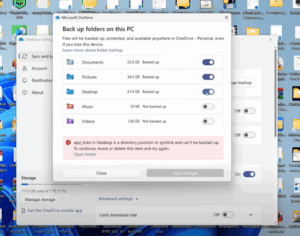
How to Restore Desktop Files After Disabling OneDrive Sync on Windows
If you’ve recently disabled Microsoft OneDrive synchronization and suddenly all your desktop files, folders, and shortcuts seem to have disappeared — don’t panic! Your files are still on your computer; they’re just tucked away...
Read More
How to Check Your Windows PC’s Hidden Performance Score Using PowerShell
Did you know that your Windows PC has a hidden performance score built into the system? This score, known as the Windows Experience Index (WEI), gives you a snapshot of how well your computer...
Read More

Create Three Essential Bootable USBs to Fix Common Windows Problems – A Complete Guide
If you’re someone who regularly deals with computer issues—like blue screen errors, Windows not loading, forgotten login passwords, or even severe cases like ransomware or virus attacks—then you’ve likely wished for a magical device...
Read More
Choosing the Right Operating System: Windows vs macOS
When it comes to choosing the right operating system (OS), most users find themselves torn between Windows and macOS. Each has its strengths and weaknesses, and understanding them can help you make the right...
Read More
20 Essential PC Tips You Need to Know
Mastering your PC can save you time, improve your productivity, and enhance your overall experience. Here are 20 essential tips and tricks explained in detail to help you get the most out of your...
Read More
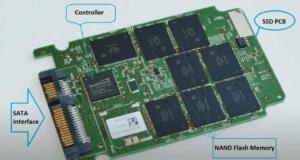
A Comprehensive Guide to Choosing the Right SSD for Your Laptop or PC
In the evolving landscape of data storage, Solid State Drives (SSDs) have become the preferred choice over traditional hard drives. However, with the expanding market filled with numerous brands—both reputable and questionable—selecting the right...
Read More
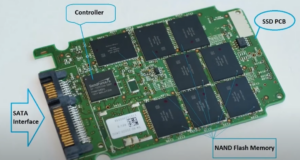
Hard Drive (HDD) vs SSD: Which is Better for Data Storage?
When it comes to data storage, one of the most common questions people ask is: “Which is better, an SD card or a hard drive?” To answer this, we need to understand how both...
Read More
Unlocking Hidden Camera Tricks on Your Mobile Phone
Mobile phones today come with advanced cameras, whether it’s a budget-friendly device or a high-end flagship model. While most users rely on basic photography features, there are hidden camera settings and tricks that can...
Read More
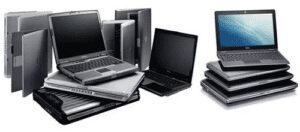
How to Buy a Used Laptop: A Complete Guide
Buying a used laptop can be a great way to save money while getting a device that meets your needs. However, it’s essential to check various factors before making a purchase to ensure you...
Read More

Understanding Computer Components: A Beginner’s Guide
When building or understanding a computer, knowing its components and their roles is key. Each part plays a unique role in making your machine functional. This guide provides a step-by-step breakdown of the essential...
Read More
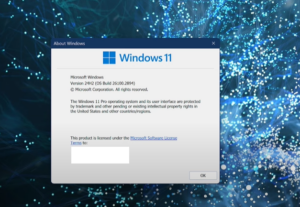
Windows 11 24H2 Update: Should You Upgrade or Block It?
The Windows 11 24H2 update has sparked a lot of discussion among users. Some are eager to move forward, while others prefer to stick with their current version. This detailed guide will clarify what...
Read More
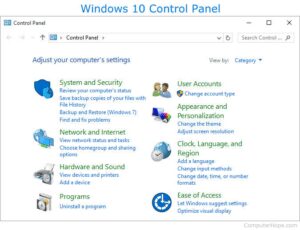
Will the Control Panel Disappear from Windows? Here’s the Truth
Many users have wondered about the future of the beloved Control Panel in Windows. With each new version, Microsoft has been migrating more settings into the modern Settings app, sparking concern that the Control...
Read More