If you’ve recently installed Windows Update KB5060829 and found yourself trapped in a frustrating cycle of missing taskbars, grey screens, or endless reboot loops—you’re not alone. This blog covers a complete step-by-step recovery and...
Read More
How to Fix Windows 11 Settings Not Opening (Complete Troubleshooting Guide)
If your Windows 11 Settings app isn’t opening or working properly, don’t panic. This guide provides step-by-step solutions to resolve the issue, from simple restarts to advanced system repairs. 🛠️ Method 1: Restart Your...
Read More
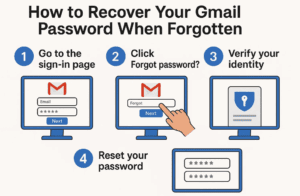
How to Recover Your Gmail Password When Forgotten – Step-by-Step Guide
Forgetting your Gmail password can be frustrating, but don’t worry—Google provides multiple ways to recover your account. In this guide, we’ll walk you through step-by-step methods to regain access to your Gmail account, whether...
Read More
Complete Guide to Fix Wi-Fi Not Showing or Connecting on Windows 10/11
If you’re facing issues with Wi-Fi not showing up or not connecting on your Windows 10 or Windows 11 PC, this guide provides a step-by-step troubleshooting process to help resolve the problem. From simple...
Read More
How to Fix Lenovo Laptop Black Screen While It Turns On
Is your Lenovo laptop turning on, but the screen remains black? This is a common issue faced by many users, and fortunately, there are a few simple troubleshooting steps you can take to fix...
Read More
How to Fix “USB Device Not Recognized” Error in Windows 10 & 11 (5 Proven Methods)
If you’re encountering the “USB Device Not Recognized” error on your Windows PC, don’t worry—this common issue can often be resolved with a few troubleshooting steps. In this guide, we’ll walk you through five...
Read More
How to Fix “Can’t Find Your Camera” Error on Windows
If you’re seeing the error message “Can’t find your camera” or “No cameras are attached” on your Windows laptop, don’t panic. This common issue can often be resolved with a few troubleshooting steps. In...
Read More
How to Fix Missing Bluetooth Toggle in Windows 10/11
Are you facing a frustrating issue where the Bluetooth on/off toggle is missing from the Windows Settings? This common problem can occur due to various reasons such as disabled services, driver issues, or even...
Read More
How to Fix Internet Connection Issues on Windows (7 Effective Solutions)
If your Windows PC is unable to connect to the internet, the problem could stem from various sources—incorrect settings, firewall restrictions, DNS issues, or even a disabled network adapter. This guide provides seven proven...
Read More
How to Fix All BCD Blue Screen Problems, Bootrec and Boot Errors in Windows 11/10
Are you encountering blue screen (BSOD) issues or boot-related errors in Windows 11 or Windows 10? These problems often stem from a corrupted Boot Configuration Data (BCD), especially when dealing with GPT/UEFI-based systems. This...
Read More
Introducing Windows 11’s New Quick Machine Recovery Tool in Version 24H2
Microsoft is rolling out a powerful new feature for Windows 11 that could be a game-changer for users who experience startup and boot issues. Named the Quick Machine Recovery Tool, this feature is part...
Read More
How to Fix the Missing Taskbar Issue in Windows 11 24H2
If you’re one of the many users who upgraded to Windows 11 24H2 and suddenly found your taskbar missing, you’re not alone. Many users are reporting issues with the latest 24H2 build, including random...
Read More
5 Common Complaints Users Blame on Microsoft — And What You Can Actually Do About Them
Since its release, Windows 11 has stirred strong opinions among users. While many appreciate the sleek interface and enhanced security, others have voiced their frustrations with certain design and policy decisions. Here are five...
Read More
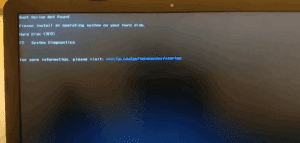
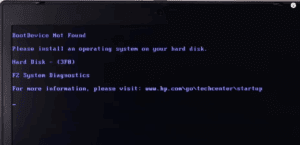
How to Fix “Boot Device Not Found” Error on Your Laptop
One of the most frustrating issues you may encounter when starting your laptop is the dreaded error message: “Boot Device Not Found. Please install an operating system on your hard disk.” This usually means...
Read More
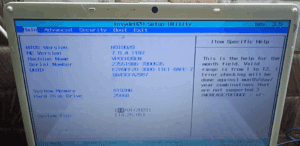
How to Fix a Laptop That Shows “No Bootable Device” or “Operating System Not Found”
Are you stuck with an error message like “No Bootable Device” or “Operating System Not Found” every time you try to start your laptop? Don’t panic — this problem is usually related to BIOS...
Read More
How to Fix “No Operating System Found” Error in Windows (10/8/7)
Encountering a “No Operating System Found”, “No Bootable Device”, or similar error when starting your Windows PC can be frustrating. This issue prevents your computer from loading Windows, leaving you stuck at the BIOS...
Read More
How to Fix “Operating System Not Found” Error on Sony VAIO Laptops: A Step-by-Step Guide
If you own a Sony VAIO laptop and are suddenly greeted with the message “Operating System Not Found” on startup, don’t panic. This guide will walk you through diagnosing and fixing the issue by...
Read More
The Ultimate Guide to Troubleshooting 30 Common Desktop PC Problems
Desktop computers are essential tools for work, gaming, and entertainment, but they can encounter various issues that disrupt productivity. This comprehensive guide covers solutions to 30 of the most common PC problems, helping you...
Read More
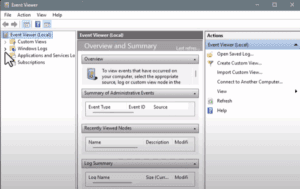
How to Check Event Logs in Windows 11: A Step-by-Step Guide
If your Windows 11 PC is behaving unusually—whether it’s frequent app crashes, sudden slowdowns, or unexplained restarts—you can uncover the cause by checking Event Logs using the Event Viewer. This powerful built-in tool helps...
Read More
How to Update Graphics Drivers on the Windows 10 PC: A Step-by-Step Guide
Keeping your graphics drivers up to date is essential for ensuring smooth performance, enhanced gaming experiences, and overall system stability. Whether you’re using an Intel, AMD, or Nvidia graphics card, updating your drivers doesn’t...
Read More