We’ve all had that moment — your once-speedy Windows computer now feels sluggish, unstable, or full of tiny mysterious bugs that make daily work annoying. So, you start wondering: Wouldn’t it be faster to...
Read More
💾 2 USB Boot Drives EVERY Windows PC User Must Create Before It’s Too Late
If you are one of the more than 1.6 billion people worldwide who rely on a Windows PC—whether for work, study, gaming, or keeping up with family—there are two absolute guarantees in the world...
Read More
🧩 Windows 11 Rollback Guide — How to Safely Revert the 24H2 Update
The Windows 11 24H2 update was supposed to be a refinement — faster, smarter, and more AI-integrated than ever. But for thousands of users, it has turned into a frustrating mess. From disappearing drives...
Read More
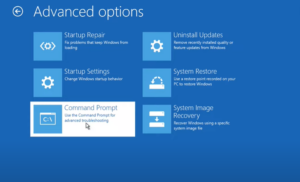
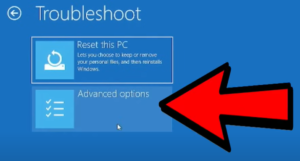
How to Fix Windows 10 & 11 Problems Using Advanced Startup Options
If you’ve used Windows for long enough, you know the feeling: one day everything’s working perfectly, and the next — your computer won’t boot, a blue screen appears, or the dreaded black screen stares...
Read More
How to Recover Accidentally Uninstalled Programs on Windows 10 and 11 – A Complete Step-by-Step Guide
Have you ever uninstalled an application on your Windows PC, only to realize later that it was essential? It’s an easy mistake to make—whether you’re freeing up space, removing bloatware, or cleaning out rarely...
Read More
What causes the “Instruction at 0x00000000” error on shutdown? Fix “Memory Could Not Be Read or Write” Error
Are you getting an annoying error message like:“The instruction at 0x00000000 referenced memory at 0x00000000. The memory could not be read or written”?This typically pops up during shutdown, restart, launching heavy apps, or even...
Read More
How to Fix Start Menu and Search Bar Not Working in Windows 10 & 11 (Step-by-Step Guide)
Is your Start menu or Search bar not responding in Windows 10 or 11? You’re not alone. This frustrating issue can stop you from accessing key system tools or even launching basic apps. But...
Read More
How to Create a System Restore Point in Windows 10 and 11 (Step-by-Step Guide)
Sometimes, things can go wrong on your PC—a software update might crash your system, or you might get the dreaded Blue Screen of Death (BSOD). In such situations, a System Restore Point acts like...
Read More
How to Create and Restore System Image Backups Using Macrium Reflect
When your computer fails to boot, crashes, or becomes unresponsive due to system errors, having a reliable system image backup can save you from a complete disaster. One of the best tools available for...
Read More
15 Essential Windows Settings You Should Change Right After Setup (Detailed Walkthrough for Beginners and Power Users)
Whether you’ve just unboxed a brand-new PC or performed a clean install of Windows 10 or 11, there’s a crucial list of settings you absolutely should not ignore. These aren’t fancy tweaks meant for...
Read More
15 Common Mistakes That Can Damage Your Windows PC – And How to Avoid Them
Whether you’re a new Windows user or have been using it for years, there’s a high chance you’re unknowingly making mistakes that could harm your computer or compromise your data. In this detailed guide,...
Read More
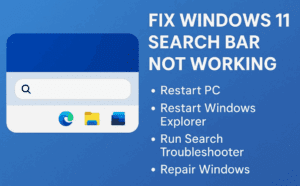
Fix Windows 11 Search Bar Not Working – 4 Proven Solutions
Are you facing issues with your Windows 11 search bar not typing, not responding, or failing to show app results? You’re not alone—this is a common issue that affects many users. Fortunately, there are...
Read More
Chrome Browser Not Opening in Windows 11? Here’s How to Fix It Step-by-Step
If you’re using Google Chrome on Windows 11 and suddenly it refuses to open or crashes without warning, you’re not alone. This issue can arise due to various reasons like background services, corrupt user...
Read More
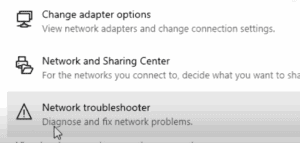
Complete Guide to Fix Wi-Fi Not Showing or Connecting on Windows 10/11
If you’re facing issues with Wi-Fi not showing up or not connecting on your Windows 10 or Windows 11 PC, this guide provides a step-by-step troubleshooting process to help resolve the problem. From simple...
Read More
How to Fix the Driver Verifier DMA Violation Error in Windows 11
The Driver Verifier DMA Violation error is a common Blue Screen of Death (BSOD) issue in Windows 11, often triggered by outdated or faulty drivers, corrupt system files, or system instability. If you’re encountering...
Read More
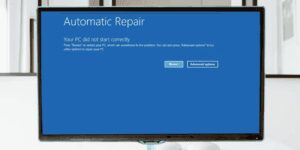
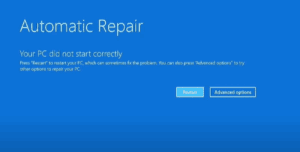
Fix “Your PC Did Not Start Correctly” or Startup Repair Loop in Windows 11/10
One of the most frustrating issues Windows users face is when their computer refuses to boot into the operating system and displays error messages such as: If you’re stuck in a startup repair loop...
Read More
Fix “Your PC Did Not Start Correctly” or Startup Repair Loop in Windows 11/10
One of the most frustrating issues Windows users face is when their computer refuses to boot into the operating system and displays error messages such as: If you’re stuck in a startup repair loop...
Read More
How to Recover Permanently Deleted Files Without Breaking the Bank!
Ever felt that heart-sinking moment when you accidentally delete an important file and realize you’re too broke to pay for professional recovery? We’ve all been there. Whether it’s a cherished video, a crucial document,...
Read More
How to Recover a Corrupted Master Boot Record (MBR) on Windows
Encountering a blue screen of death or errors during system startup can be stressful. One common issue is a corrupted Master Boot Record (MBR), which prevents your computer from booting correctly. This article outlines...
Read More
How to fix ANY Windows problem with the built-in repair tool like a PRO
If you’re a Windows user and everything is running smoothly, consider yourself lucky! But at some point, you might encounter the dreaded blue troubleshooting screen. Many people simply wait for the process to finish,...
Read More