If your Windows PC has started to feel sluggish, unresponsive, or takes longer than usual to boot up—don’t worry. You don’t need to buy a new system. A little spring cleaning can work wonders!...
Read More
Ultimate Manual Optimization Guide for Windows 11 24H2 (No Tools Required)
If you’ve just upgraded to Windows 11 24H2 or installed a fresh copy and your system feels laggy or unresponsive — don’t worry, you’re not alone. Many users have reported sluggish performance, especially on...
Read More
How to Fix 100% Disk Usage on Windows: A Step-by-Step Optimization Guide
If you’re experiencing a laggy Windows system, where the disk usage is constantly at 100% in Task Manager — don’t panic. This issue is surprisingly common, especially on older systems or even some SSD-based...
Read More
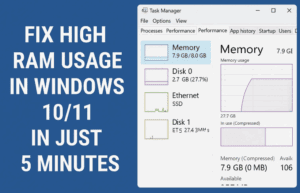
Fix High RAM Usage in Windows 10/11 in Just 5 Minutes
If your Windows 10 or 11 system feels laggy, sluggish, or unresponsive due to high RAM usage, you’re not alone. The good news is that you can fix these problems in just a few...
Read More
How to Speed Up Boot Time on Windows 10 or 11: 3 Effective Methods
If your Windows 10 or 11 PC feels sluggish when starting up, you’re not alone. Many users experience slow boot times, especially on older hardware or systems loaded with unnecessary startup programs. But don’t...
Read More
💻 How to Make Your Slow Windows PC Fast Again – Step-by-Step Junk Cleanup and Speed Boost Guide (2025)
If your Windows computer has started to feel sluggish lately — taking ages to boot, freezing when you open Chrome, or lagging during basic tasks — you’re not alone. Over time, every PC accumulates...
Read More
The Ultimate Windows 11 Optimization Guide: Speed, Security & Stability
Your Windows 11 PC should be fast, secure, and reliable—but out-of-the-box settings don’t always deliver. This step-by-step guide covers startup optimization, security hardening, privacy controls, and system maintenance to maximize performance and protection. 🚀...
Read More

5 Simple Steps to Reduce Process Count and Boost Performance in Windows 11
Is your Windows 11 PC or laptop running slow due to high process count? Too many background processes can consume valuable system resources, leading to sluggish performance. In this guide, we’ll walk you through...
Read More

Optimizing Windows 11 for Maximum Performance: A Step-by-Step Guide
Introduction If your Windows 11 system feels sluggish or unresponsive, several default settings may be consuming unnecessary resources. This guide will help you disable unnecessary features, clean temporary files, and optimize performance for a...
Read More

How to Fix Slow Windows Updates & Speed Up Installation
Are Windows updates taking hours to install? Do you frequently encounter errors or freezing during updates? Slow Windows updates can be frustrating, but the problem often stems from cluttered system files, network issues, or...
Read More
How to Use Tidy OS to Debloat and Optimize Windows 11
Windows 11 comes with a sleek interface and modern features—but it also arrives with preinstalled apps and system services that many users might find unnecessary. These unwanted elements can slow down your system or...
Read More
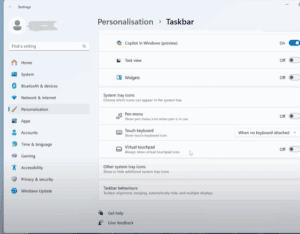
10 Essential Things to Do After Installing Windows 11 (Especially on Unsupported PCs)
Upgrading to Windows 11—especially on an older or unsupported PC—can feel like a big leap, especially if you’re coming from Windows 10 or even Windows 7. From the redesigned Start Menu to new system...
Read More
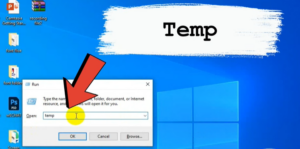
How to Clear Cache and Junk Files from Your Windows PC
Over time, your Windows PC accumulates cache and junk files that take up valuable space and may slow down performance. In this guide, we’ll show you a step-by-step method to clear cache and junk...
Read More