
When you’re excited to launch Battlefield 6 only to be greeted by a “Secure Boot not enabled” error, it can be frustrating enough to make you consider throwing your mouse across the room. Don’t...
Read More

How to Secure Your Windows PC from Unauthorized USB Access and Data Deletion – A Complete BIOS Protection Guide
Have you ever thought your data is safe just because your Windows PC or laptop is locked with a password? Well, think again. A Windows login password does not prevent someone from deleting your...
Read More
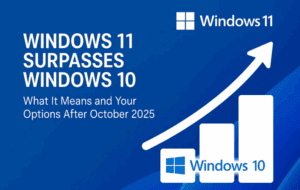
Windows 11 Surpasses Windows 10 – What It Means and Your Options After October 2025
Windows 11 has finally overtaken Windows 10 in global user base. As of July 2025, over 52.54% of users have adopted Windows 11, while Windows 10 usage has dropped to 44.08%, confirming the inevitable:...
Read More
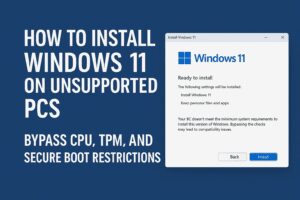
How to Install Windows 11 on Unsupported PCs (No TPM, No Secure Boot, No Microsoft Account)
Microsoft’s Windows 11 comes with strict hardware requirements — like TPM 2.0, Secure Boot, and a supported CPU — which leaves many perfectly usable PCs unable to upgrade via official methods. However, if you’re...
Read More
How to Install Windows 11 on Unsupported PCs: Bypass CPU, TPM, and Secure Boot Restrictions
Microsoft’s Windows 11 brings several modern features and enhanced security — but with that also came restrictive minimum system requirements. Many users discovered that relatively recent PCs, including some only a few years old,...
Read More

Why Microsoft Is Sticking to Its Strict Hardware Requirements for Windows 11
Many users hoped Microsoft would relax the hardware requirements for Windows 11 to make the upgrade more accessible for older PCs. Unfortunately, Microsoft has confirmed that these system requirements are here to stay—and they’ve...
Read More

How to Enable Secure Boot on Your PC or Laptop: Step-by-Step Guide
Secure Boot is an essential feature built into modern PCs and laptops that enhances security by ensuring that your system boots using only trusted software. Sometimes, you might need to enable Secure Boot, particularly...
Read More
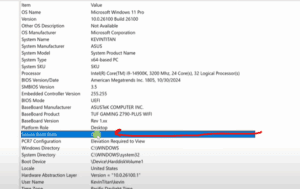
How to Enable Secure Boot in Windows 11 – A Step-by-Step Guide
If you’re looking to enhance your PC’s security and ensure your system is fully compatible with Windows 11 features, enabling Secure Boot is a smart move. Secure Boot helps protect your computer from malware...
Read More
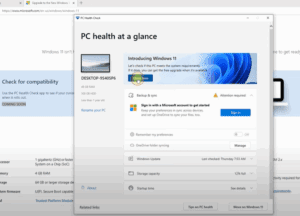
How to Make Your PC Compatible with Windows 11: Step-by-Step Guide
Microsoft has introduced strict hardware requirements for Windows 11, leaving many users wondering why their seemingly powerful PCs are not eligible for the upgrade. If you’ve encountered the “This PC can’t run Windows 11”...
Read More
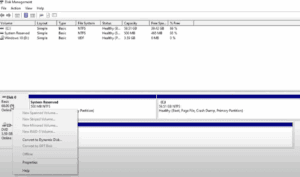
How to Convert MBR to GPT Drive to Switch BIOS to UEFI on Windows 10
Modern computers use UEFI (Unified Extensible Firmware Interface) instead of the older BIOS (Basic Input/Output System). UEFI offers better security, faster boot times, support for larger hard drives, and more advanced features. However, in...
Read More
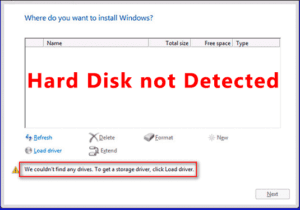
Resolve Issues Hard Drive is Not Visible During Windows 10 11 12. Fix on all PC Windows Installation
Installing Windows can sometimes be tricky, especially if your hard drive doesn’t appear during the installation process. This issue often occurs due to incorrect BIOS settings or missing drivers. In this article, we’ll walk...
Read More