If you’ve ever restarted your PC after installing Windows updates only to see a message like — “We couldn’t complete the updates, undoing changes. Don’t turn off your computer.” — you know how frustrating...
Read More
🖥️ Fix Windows 10 / 11 Black Screen with Cursor (Step-by-Step Guide)
One of the most frustrating issues Windows users encounter is the black screen with only a mouse cursor visible. You start your PC, expect to see your desktop — but instead, all you get...
Read More
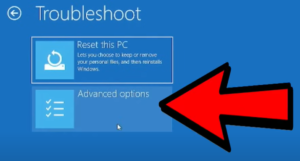
How to Fix Windows 10 & 11 Problems Using Advanced Startup Options
If you’ve used Windows for long enough, you know the feeling: one day everything’s working perfectly, and the next — your computer won’t boot, a blue screen appears, or the dreaded black screen stares...
Read More
How to Fix the Black Screen Issue on Windows 10/11 (2025): Step-by-Step Solutions for PC and Laptop
If you’ve suddenly encountered a black screen on your Windows 10 or Windows 11 PC or laptop, you’re not alone. This frustrating issue can strike at any moment—your computer powers on, but your display...
Read More
How to Boot Windows 11 into Safe Mode (2025 Guide): Step-by-Step for Beginners and Experts
If your Windows 11 PC is acting up, crashing, or running painfully slow — don’t panic. There’s a powerful built-in troubleshooting tool that can help you identify and fix issues: Safe Mode. Whether you’re...
Read More
How to Fix Black Screen Issue on Windows 11/10 – Step-by-Step Guide
Have you ever powered on your PC only to be greeted with a completely black screen? No desktop, no taskbar — just darkness? You’re not alone. The black screen issue in Windows 11 or...
Read More
Complete Guide to Windows Computer Management Tools and Troubleshooting
Windows provides a centralized utility called Computer Management that allows users to access a suite of administrative tools to monitor, configure, and troubleshoot their system. Whether you’re a beginner or an IT professional, knowing...
Read More
Fix Blue Screen of Death Caused by CrowdStrike Everywhere
A widespread issue is currently affecting Windows 10 and Windows 11 users across the globe. From television broadcasters to banks, airports, and supermarkets — many systems have been hit with the dreaded Blue Screen...
Read More
How to fix ANY Windows problem with the built-in repair tool like a PRO
If you’re a Windows user and everything is running smoothly, consider yourself lucky! But at some point, you might encounter the dreaded blue troubleshooting screen. Many people simply wait for the process to finish,...
Read More
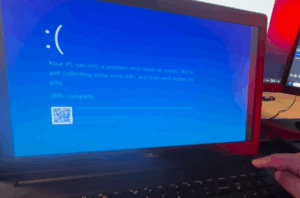
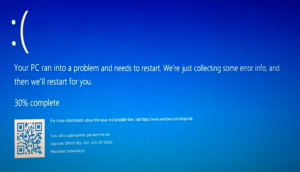
How to Fix the “Your PC Ran Into a Problem and Needs to Restart” Error: A Step-by-Step Guide
Experiencing the “Your PC ran into a problem and needs to restart” error can be frustrating, but don’t worry! This guide will walk you through several troubleshooting methods to fix the issue. Whether you’re...
Read More
How to Fix “Automatic Startup Repair Can’t Repair Your PC” Issue: A Step-by-Step Guide
Welcome to another guide from DTPTIPS! In this post, we’ll walk you through detailed solutions to fix the common “Automatic Startup Repair Can’t Repair Your PC” error that occurs in Windows 10 or 11....
Read More
Unlocking the Power of MS Confide: A Comprehensive Guide – Must know tips and tricks
Have you ever stumbled across the MS Confide feature in your Wiz operating system and wondered what it does? It’s time to explore this powerful built-in utility that can help you solve a variety...
Read More