Windows users often admire some of the seamless and intuitive features of macOS. For example, macOS makes it easy to preview files, quickly resize images, and perform window management with elegant simplicity. Fortunately, Microsoft...
Read More
10 Must-Have Apps Everyone Should Try Today!
Are you always on the hunt for apps that make life easier, more productive, or just plain fun? We’ve compiled a list of 10 incredible apps you should absolutely try. These apps cover everything...
Read More

Transform Your Idea Management with Napkin AI: A Complete Guide
In today’s fast-paced world, managing and organizing ideas can feel overwhelming. Scattered notes, lost thoughts, and missed connections often hinder creativity and productivity. Our goal is to streamline the way you capture and develop...
Read More
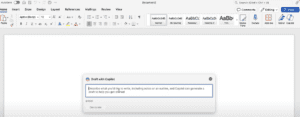
How to Work Faster with Microsoft Copilot in Word, Excel, and PowerPoint
In today’s fast-paced work environment, completing hours of work in mere minutes can be a game-changer. Many professionals have discovered how Microsoft Copilot revolutionizes productivity. Here’s a step-by-step guide on how to use this...
Read More
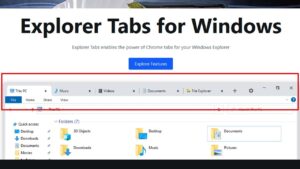
How to Add Tabs in Windows Explorer: A Detailed Guide
Have you ever wondered if you could use tabs in Windows Explorer, just like in Google Chrome? This blog post will show you how to add tabs in Windows Explorer, making it easier to...
Read More
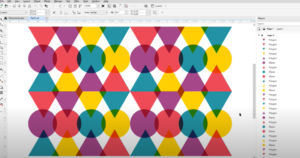
20 Productivity Tips in CorelDRAW you should know (Windows & Mac)
CorelDRAW is a powerful design tool used by professionals and beginners alike, but are you using it to its fullest potential? In this article, we’ll explore 20 productivity tips that will help you speed...
Read More
Tips to Remove Common Distractions From Windows 11
Windows 11 offers a sleek and modern interface, but it also comes with some built-in features that can be distracting. Whether it’s pop-up prompts, lock screen ads, or unwanted widgets, these can clutter your...
Read More
40 Essential Windows 11 Tips and Tricks to Enhance Your Experience
Windows 11 is packed with features designed to improve your computing experience. Whether you’re a newcomer or a seasoned user, these 40 tips and tricks will help you optimize your system, streamline your workflow,...
Read More
Top 20 Windows 11 Tips and Tricks to Enhance Your Experience
Windows 11 introduces several features designed to improve productivity, customization, and ease of use. Below are the top 20 tips and tricks you can utilize to make the most of your Windows 11 experience:...
Read More

How to Create Macro Shortcut in CorelDraw – Image Placer Tool Shortcut
In previous article I have shown a way on how to insert images to ID cards using macro. In that tutorial I used a macro called Image Placer tool. To run that macro application...
Read More