There are moments when you want to perform a quick task on your PC — open a hidden setting, check system resources, jump into disk management, or even shut down instantly. Normally, you would...
Read More

Are You Using the Wrong ChatGPT Model? Here’s How to Choose the Right One for the Best Results
ChatGPT has quickly become an essential tool for many of us, but with so many different models available, choosing the right one can be incredibly confusing. Open the menu, and you’re immediately overwhelmed with...
Read More
How to Change Text Size in Windows 11 or 10: A Simple Step-by-Step Guide
Sometimes, the default text size in Windows can feel too small — especially on high-resolution displays. Whether you’re facing eye strain or just want better visibility, Windows allows you to increase or decrease the...
Read More
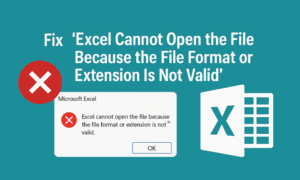
Fix “Excel Cannot Open the File Because the File Format or Extension Is Not Valid” – Proven Methods
Have you ever double-clicked an Excel file only to be greeted with this frustrating error? “Excel cannot open the file because the file format or file extension is not valid.” Don’t panic — you’re...
Read More
Beginner’s Guide to Creating, Saving, and Organizing Files & Folders on a Windows Computer (2025)
Whether you’re switching from using a mobile phone as your main device to working on a laptop, or you’re new to desktop computing altogether, learning how to create, save, and organize files and folders...
Read More

How to Always Restore Your Previous Session in Opera GX Browser
If you’re using the Opera GX browser and want your previously opened tabs to reappear every time you restart your browser, this guide is for you. Opera GX, a gamer-focused browser developed by Opera,...
Read More
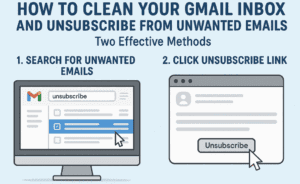
How to Clean Your Gmail Inbox and Unsubscribe from Unwanted Emails (Two Effective Methods)
Managing Gmail effectively is essential, especially when your inbox starts filling up with countless promotional emails. This not only takes up your 15 GB Google storage space but also causes you to miss important...
Read More

How to Show or Hide the Bookmarks Bar (Favorites Bar) in Microsoft Edge Browser – Step-by-Step Guide
The bookmarks bar (referred to as the Favorites Bar in Microsoft Edge) offers a convenient way to access your most-visited websites with a single click. Whether you prefer a minimalist interface or quick access...
Read More
How to Set Event Reminders via Email or Notification in Google Calendar
Google Calendar is a powerful and free productivity tool that helps you organize your schedule, plan meetings, and never miss an important appointment again. One of its most useful features is the ability to...
Read More
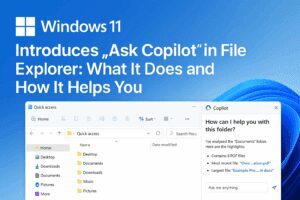
Windows 11 Introduces “Ask Copilot” in File Explorer: What It Does and How It Helps You
Microsoft continues to push AI integration deeper into Windows 11, and with the 24H2 update, a new feature has started appearing in File Explorer: the “Ask Copilot” option in the right-click context menu. This...
Read More
How to Get Unlimited Google Drive Storage for Free Using This Smart Trick
Google Drive provides 15 GB of free storage to every user, which is shared across Google Drive, Gmail, and Google Photos. For many users, this 15 GB fills up quickly due to email attachments,...
Read More
How to Revert to Classic Notepad in Windows 11 and Remove Copilot Integration
If you’re not a fan of the modern Notepad in Windows 11, especially after the addition of tabs and Microsoft Copilot integration, you’re not alone. Many users prefer the simplicity and minimalism of the...
Read More

How to Lock Font Size in Excel to Prevent Accidental Changes
When sharing Excel sheets with colleagues or collaborators, it’s easy for formatting—especially font size—to be unintentionally changed during editing. If you’re working on a report, form, or template where font consistency is important, it’s...
Read More

How to Stop Google Chrome Tabs from Automatically Refreshing or Reloading
If you’ve ever been working in Google Chrome and noticed that your open tabs keep refreshing or reloading on their own, you’re not alone. This can be frustrating—especially if you’re filling out a form,...
Read More
18 Powerful Windows Command Prompt Tricks You Need to Know
If you thought you were done learning Windows commands—think again. The Command Prompt (CMD) isn’t just a relic from a bygone computing era; it’s still packed with useful, powerful tools that can streamline your...
Read More
Unlocking the Power of Command Prompt: Tips and Tricks You Should Know
Command Prompt, also known as CMD, might seem old-school, but it’s still a powerful tool hidden in your Windows system. Whether you’re a budding techie or someone who just loves discovering cool tricks, this...
Read More

How to Set Up Two WhatsApp Accounts on One iPhone Using Two Different Phone Numbers
If you use two different phone numbers—one for personal use and one for business—you might want to run two separate WhatsApp accounts on your iPhone. Fortunately, this is completely possible by using WhatsApp Messenger...
Read More
5 Hidden Windows Features You Should Be Using in 2025: A Step-by-Step Guide
Windows is full of powerful features, and many users are unaware of some truly game-changing tools. In this guide, we’ll explore five underrated Windows features and how to use them effectively, along with a...
Read More
A Beginner’s Guide to Mastering macOS After Switching from Windows
Switching from Windows to macOS can be both exciting and confusing. While macOS offers a sleek interface and impressive build quality, some features—or lack thereof—may leave new users puzzled. This guide will walk you...
Read More
How to Convert Multiple Images to Text in One Click Using Google Sheets
In today’s digital world, automation saves time and effort. One such task is extracting text from multiple images—an otherwise time-consuming process. This article will guide you through a simple method to extract text from...
Read More

Level Up Your Productivity: Six Must-Know AI Tools and How to Use Them
In today’s rapidly evolving tech landscape, artificial intelligence (AI) is transforming how we work, create, and communicate. Staying ahead means leveraging the right tools effectively. This detailed guide will walk you through six essential...
Read More