Most of us use the Google Play Store only to download apps, update them, or search for something new. But very few people realise that the Play Store has quiet background features that constantly...
Read More
🖥️ Windows Home vs Pro: Why You Should Upgrade If You Value Privacy, Control, and Performance
At first glance, Windows Home and Windows Pro look almost identical. The same desktop, same taskbar, same icons. But beneath that surface similarity lies a huge difference — one that most people don’t discover...
Read More
⚡ Boost Windows 11 Performance: Disable Bloatware, Background Services, and Startup Apps for Maximum Speed
If your Windows laptop or PC feels sluggish — lagging during gaming, slow to boot, or constantly freezing — it’s often not the hardware that’s to blame. Instead, it’s usually background processes, startup apps,...
Read More
Wintoys for Windows 11: The Ultimate Tool to Debloat, Optimize, and Remove Microsoft Edge (2025 Guide) ⚙️
If you’ve recently upgraded to Windows 11, chances are you’ve noticed a few things: new design, rounded corners… and a lot more bloatware than you expected. Hidden background apps, dozens of system services, Edge...
Read More
💻 How to Switch from a Microsoft Account to a Local Account on Windows 11 (Step-by-Step Guide)
When setting up a new Windows 11 computer, Microsoft strongly encourages you to sign in using your Microsoft account — the same one you use for Outlook, OneDrive, or Xbox. This makes synchronization easier,...
Read More
How to Stop Microsoft Edge from Syncing Your Personal Information (Complete Step-by-Step Guide)
When you sign in to Microsoft Edge using your Microsoft account, the browser automatically starts syncing your data — bookmarks, passwords, browsing history, extensions, and even payment methods. While this feature is convenient, it...
Read More
🧭 How to Set Up Windows 11 Without a Microsoft Account (2025 Guide)
If you’ve installed Windows recently, you might have noticed that Microsoft is making it increasingly difficult to set up your PC without signing in with a Microsoft account. In older versions, you could simply...
Read More
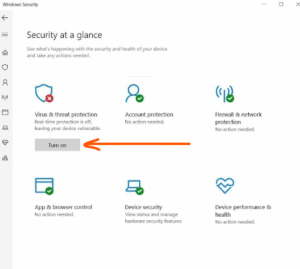
How to Disable Windows Defender in Windows 11 (Temporarily or Permanently)
If you’re a Windows 11 user and need to disable Microsoft Defender (Windows Defender) temporarily or permanently—for example, to install software that’s blocked or to test your system in a different security configuration—this guide...
Read More
How to Enable or Disable Your Active Status on LinkedIn (Desktop Guide)
In today’s hyper-connected world, privacy matters more than ever—even on professional networks like LinkedIn. By default, LinkedIn shows your Active Status to others when you’re online. This feature allows your connections (or even all...
Read More
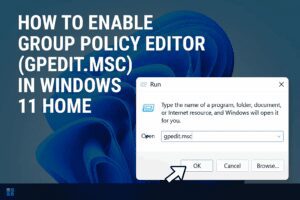
How to Enable Group Policy Editor (GPEdit.msc) in Windows 11 Home
Windows 11 Home lacks one powerful tool that Windows Pro users often take for granted: the Group Policy Editor (gpedit.msc). This utility makes it easier to tweak system settings without diving deep into the...
Read More
7 Alexa Features You Should Turn Off Immediately (And One to Turn On!)
Amazon Echo devices are undeniably convenient, but they also come with settings that may compromise your privacy or make your device behave in ways you don’t fully control. In this article, we explore seven...
Read More
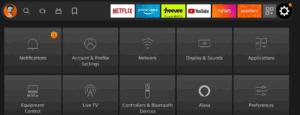
Speed Up Your Fire TV Stick and Stop Amazon from Tracking You: Essential Settings to Turn Off
When you first set up an Amazon Fire TV Stick, it comes with several pre-enabled features that track your activity for advertising and product improvement purposes. While these may seem harmless, they can slow...
Read More
Turn OFF Right NOW these Roku Performance | You’re Being Watched: Step-by-Step Guide
Roku is an incredibly popular streaming device, known for its ease of use and affordability. But what many users may not realize is that Roku devices collect data about your viewing habits and behavior—and...
Read More
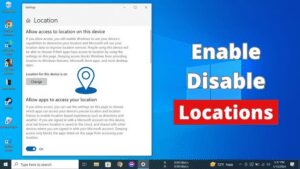
How to Enable or Disable Location Services on Windows 10 or Windows 11
Managing location services on your Windows 10 or Windows 11 computer is straightforward. Whether you want to enable location services to use features like maps and weather updates or disable it for privacy concerns,...
Read More
11 Hidden Features in Windows 11 That Will Enhance Your Experience
Windows 11 may not have won everyone over yet, especially for those who are still fond of Windows 10. However, many of its changes can be adjusted to better suit your needs. Some hidden...
Read More
A Step-by-Step Guide to Optimize Your Windows 11 Settings After Installation
Congratulations on your new computer! If you’ve recently installed a fresh copy of Windows 11 or purchased a new PC, it’s essential to make some adjustments to maximize performance, improve battery life, and customize...
Read More