When it comes to managing system performance on a Windows 11 PC, one question often pops up: Should I manually configure virtual memory settings, or let Windows handle it automatically? In this article, we’ll...
Read More
How to Use Tidy OS to Debloat and Optimize Windows 11
Windows 11 comes with a sleek interface and modern features—but it also arrives with preinstalled apps and system services that many users might find unnecessary. These unwanted elements can slow down your system or...
Read More
How to Update Graphics Drivers on the Windows 10 PC: A Step-by-Step Guide
Keeping your graphics drivers up to date is essential for ensuring smooth performance, enhanced gaming experiences, and overall system stability. Whether you’re using an Intel, AMD, or Nvidia graphics card, updating your drivers doesn’t...
Read More
How to Debloat Your Windows 11 PC in 2024: A Complete Step-by-Step Guide
Is your Windows 11 laptop or desktop feeling sluggish? One of the biggest culprits could be unnecessary preinstalled apps — also known as bloatware — that take up valuable space and resources. In this...
Read More
Processor vs RAM Upgrade: Which One is Best for Your PC Performance?
Are you planning to upgrade your PC but feeling confused about what to upgrade first—your processor or RAM? This article will guide you step-by-step to help you make the best decision based on your...
Read More
5 Secret Methods to Speed Up Your Windows PC or Laptop in 2025
If you have a Windows PC or laptop, you have probably experienced this: when it was brand new, everything ran smoothly, quickly, and without any issues. But as time passed, you may have noticed...
Read More
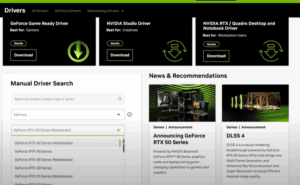
How to Install NVIDIA Graphics Drivers in 2025: Three Simple Methods
If you are facing display issues, performance drops, or need to update your system’s graphics drivers, you’re in the right place. In this article, we’ll guide you through three easy methods to install or...
Read More
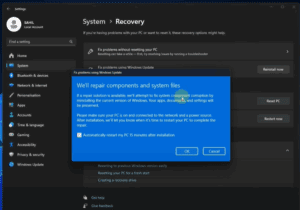
How to Reinstall Windows on Your PC or Laptop Without Losing Data
Is your Windows PC or laptop running slower than usual? Has it been a long time since you last reinstalled Windows? If yes, then it’s time to reinstall Windows to give your device a...
Read More
How to Roll Back from Windows 11 to Windows 10 (Even on Unsupported Hardware)
If you’ve recently upgraded from Windows 10 to Windows 11 version 23H2, and you’re running it on unsupported hardware, you might have noticed that things aren’t running as smoothly as expected. Whether it’s performance...
Read More
10 Essential Things to Do After Installing Windows 11 (Especially on Unsupported PCs)
Upgrading to Windows 11—especially on an older or unsupported PC—can feel like a big leap, especially if you’re coming from Windows 10 or even Windows 7. From the redesigned Start Menu to new system...
Read More
How to Restore Desktop Files After Disabling OneDrive Sync on Windows
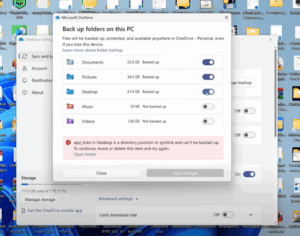
If you’ve recently disabled Microsoft OneDrive synchronization and suddenly all your desktop files, folders, and shortcuts seem to have disappeared — don’t panic! Your files are still on your computer; they’re just tucked away...
Read More
How to Check Your Windows PC’s Hidden Performance Score Using PowerShell
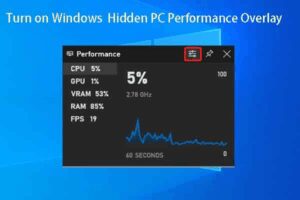
Did you know that your Windows PC has a hidden performance score built into the system? This score, known as the Windows Experience Index (WEI), gives you a snapshot of how well your computer...
Read More
5 Hidden Windows Features You Should Be Using in 2025: A Step-by-Step Guide
Windows is full of powerful features, and many users are unaware of some truly game-changing tools. In this guide, we’ll explore five underrated Windows features and how to use them effectively, along with a...
Read More
NEVER Install these programs on your PC: A Detailed Guide
When it comes to building and managing your PC, it’s easy to focus on hardware while overlooking an equally critical factor—software. Choosing the right software can significantly impact your computer’s performance, security, and overall...
Read More
Windows 11 24H2 Update: Should You Upgrade or Block It?
The Windows 11 24H2 update has sparked a lot of discussion among users. Some are eager to move forward, while others prefer to stick with their current version. This detailed guide will clarify what...
Read More
How to Safely Disable Unnecessary Services in Windows 11 to Improve Performance
Disabling unneeded services in Windows 11 can help enhance your computer’s performance by reducing the consumption of system resources. However, it’s crucial to approach this task carefully to avoid disabling essential services and causing...
Read More
Discover Hidden Features of WS1 24H2 Update: A Game-Changer for Your PC Experience
WS1’s latest 24H2 update is packed with hidden features that elevate your computing experience to the next level. Whether you’re a gamer, a professional, or a casual user, these updates are worth exploring. Here’s...
Read More
Quick Fix Windows 11 Lagging and Slow Problem 2024
Is your Windows 11 PC lagging or running slower than usual? This can be frustrating, especially when you rely on your computer for work, gaming, or other important tasks. In this detailed guide, we’ll...
Read More
How to Make Windows 11 Faster | Boost Performance by 200%
Is your Windows 11 running slower than expected? Don’t worry, you’re not alone. Many users experience performance lags with Windows 11, but the good news is that there are several steps you can take...
Read More
Top 20 Windows 11 Tips and Tricks to Enhance Your Experience
Windows 11 introduces several features designed to improve productivity, customization, and ease of use. Below are the top 20 tips and tricks you can utilize to make the most of your Windows 11 experience:...
Read More