We’ve all been there — you start up your Windows 11 computer expecting smooth performance, but instead, it crawls. Programs take forever to open, the system freezes at random, and even simple tasks feel...
Read More
🛠 7 Advanced Windows Registry Tweaks to Boost Your Experience (With Step-by-Step Guide)
The Windows Registry is like the brain of your operating system. It stores configuration settings, user preferences, and system information that control how Windows behaves. By editing certain registry values, you can fine-tune your...
Read More
💻 11 Free & Underrated Windows Apps You Probably Haven’t Tried Yet – But Should!
When it comes to improving your Windows experience, there’s no shortage of software out there—yet most people stick to the same big-name apps everyone talks about. But what about the underrated gems? The tools...
Read More
Fix Slow Copying to USB Drives on Windows: 4 Proven Settings to Speed It Up
We’ve all been there—waiting forever for a simple file to transfer to a USB drive. It’s frustrating, especially when you’re in a hurry. But don’t worry! In this article, we’ll walk you through 4...
Read More
Speed Up Your Windows 11 PC: Ultimate Guide to Boost Performance Smoothly
If your Windows 11 PC feels sluggish or takes forever to boot, don’t panic. You’re not alone—and the good news is that there’s plenty you can do to fix it. Whether it’s slow app...
Read More
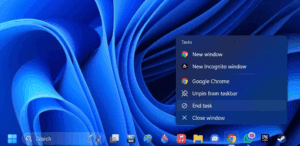
How to Enable “End Task” Option on the Windows 11 Taskbar: Quick Guide
Windows 11 continues to evolve, and one of the most useful features introduced in recent updates is the ability to end tasks directly from the taskbar. This small addition can significantly improve workflow and...
Read More
The Ultimate Windows 11 Clean Install Guide – Optimized for Performance & Privacy
Installing Windows 11 from scratch? This step-by-step guide will show you how to perform a clean, optimized installation—removing bloatware, avoiding forced Microsoft accounts, and ensuring maximum compatibility while keeping essential functionality intact. Why a...
Read More
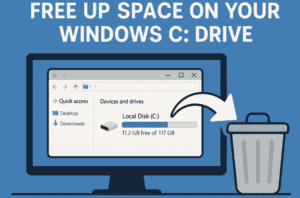
🧹 How to Free Up Space on Your Windows C Drive: A Complete Cleanup Guide
Running out of space on your Windows C drive can slow down your system, prevent updates, and even cause software crashes. If your C drive is full, it’s time to clear out unnecessary junk...
Read More
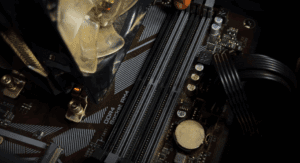
How to Properly Install New RAM in Your PC (And Avoid Performance Issues)
If you’re planning to install new RAM in your PC or build a new system, there’s one small mistake that can drastically affect your computer’s performance—or worse, leave your PC non-functional. This article will...
Read More
How to Clean Install Windows 11: Step-by-Step Guide
Is your Windows PC running slow due to outdated software or bloatware? A clean installation of Windows 11 can dramatically improve performance. This guide will walk you through the entire process—from creating a bootable...
Read More

5 Simple Steps to Reduce Process Count and Boost Performance in Windows 11
Is your Windows 11 PC or laptop running slow due to high process count? Too many background processes can consume valuable system resources, leading to sluggish performance. In this guide, we’ll walk you through...
Read More
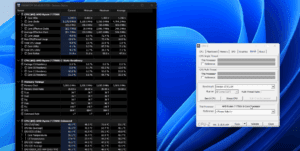
How to Lower CPU Temperatures Using Windows Power Plan Settings
High CPU temperatures can significantly affect your PC’s performance, especially if you’re using a laptop or a system with limited cooling. If you’ve noticed your CPU running hot—often spiking into the 90s Celsius range—there’s...
Read More
How to Fix Slow Boot Issues in Windows 11 – Step-by-Step Guide
If your Windows 11 PC is taking forever to start, you’re not alone. A slow boot time can be caused by outdated drivers, unnecessary startup apps, corrupt system files, or even malware. In this...
Read More
How to Install a Lightweight & Fast Windows 11 (Official ISO + Custom Setup Guide)
Looking for a bloatware-free, optimized Windows 11 installation? This guide will show you how to:✔ Download Windows 11 directly from Microsoft✔ Remove unnecessary apps & services using an automated config file✔ Install a clean,...
Read More
Windows High Performance vs. Balanced Power Plan: Which is Better in 2025?
One of the most debated topics among PC users is whether the High Performance power plan is worth enabling over the Balanced plan. Some claim it boosts speed, while others argue it wastes power....
Read More

Stop Believing These 5 Computer Myths in 2025 – The Truth You Should Know
Despite rapid advancements in technology, several outdated computer myths continue to circulate among users—especially non-tech-savvy individuals. These misconceptions not only lead to unnecessary worry but also prompt users to spend money on tools or...
Read More

Boost Your FPS in Windows: 3 Hidden Settings You Should Disable Right Now
Are you frustrated with low FPS (frames per second) and laggy gaming experiences despite having decent hardware and internet speed? While system configuration and network quality certainly impact gaming performance, certain Windows settings can...
Read More

7 Reasons Why Your PC Gives Poor Gaming Performance and Low FPS… How to Fix It
Are you frustrated with your computer’s poor gaming performance or unexpectedly low FPS (frames per second)? Many gamers face this issue and often assume the only solution is upgrading their hardware — something not...
Read More
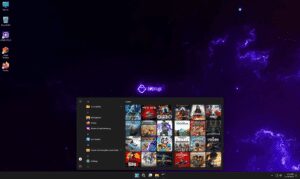
My Honest Experience Using Windows 11 Ghost Spectre: Is It Worth It for Gamers?
If you’re someone who’s been struggling with sluggish performance on your high-end PC despite having powerful hardware, you’re not alone. I recently faced a similar issue and made the bold choice to step away...
Read More

Ghost Spectre Windows 11 Superlight Review: Is It the Best Custom OS for Gaming & Performance?
If you’re looking for a bloatware-free, ultra-lightweight version of Windows 11, Ghost Spectre Superlight might be the perfect solution. Designed for gaming, productivity, and low-end PCs, this custom OS removes unnecessary background processes while...
Read More

Should You Use Virtual Memory Settings in Windows 11? A Step-by-Step Guide
When it comes to managing system performance on a Windows 11 PC, one question often pops up: Should I manually configure virtual memory settings, or let Windows handle it automatically? In this article, we’ll...
Read More