This article is a part of “The 12 Golden Rules of Desktop Publishing Every Designer Should Know“ You’ve chosen your fonts carefully, balanced your line lengths, added the right spacing, and picked a color...
Read More
Use Centered Text Sparingly – Just Because It’s Symmetrical Doesn’t Mean It Works
This article is a part of “The 12 Golden Rules of Desktop Publishing Every Designer Should Know“ Let’s be honest — centered text looks elegant at first glance. It’s symmetrical, formal, and feels… balanced....
Read More
Use Ragged-Right or Fully Justified Text Appropriately – It’s Not a Battle, It’s About Balance
This article is a part of “The 12 Golden Rules of Desktop Publishing Every Designer Should Know“ If you’ve ever had a debate about text alignment, you’re not alone. Some designers swear by justified...
Read More
The 12 Golden Rules of Desktop Publishing Every Designer Should Know
Whether you’re creating a flyer, designing a brochure, or working on a multi-page newsletter, good design principles can make or break your project. Desktop publishing isn’t just about making things look pretty — it’s...
Read More
How to Place Pages Side by Side in Adobe InDesign
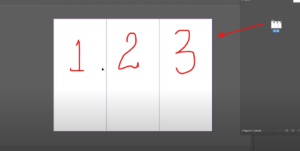
When working on projects like brochures, magazines, or catalogs in Adobe InDesign, having pages arranged side by side is often essential. This layout allows you to design across multiple pages seamlessly. In this article,...
Read More
How to Import a PDF into Adobe InDesign: A Detailed Guide
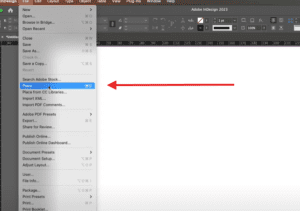
Adobe InDesign is a powerful tool for creating and editing professional layouts. A common task for designers is importing a PDF into an InDesign document for further editing or integration. This guide will walk...
Read More
16. How to Add Automatic Page Numbering in Adobe InDesign Master Pages
Adding automatic page numbers to your document is an essential step in creating professional, organized layouts in Adobe InDesign. With master pages, you can automate page numbering so that it appears consistently across multiple...
Read More
15. Everything Explained about Master Pages in Adobe InDesign
Master pages in Adobe InDesign are a powerful tool for maintaining design consistency and streamlining repetitive tasks. They act as templates that can be applied across multiple pages in your document, ensuring uniformity in...
Read More
01. A Comprehensive Guide to New Document and Page Setup in Adobe InDesign
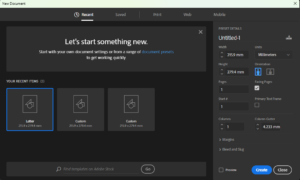
Adobe InDesign is a powerful tool for creating visually appealing designs, and setting up your document correctly is a critical first step. Proper configuration ensures your project meets its intended purpose, whether for print...
Read More