If you’ve ever right-clicked your Start menu in Windows and noticed several confusing options — Command Prompt, PowerShell, or Terminal — you’re not alone. At first glance, all three look similar: black (or blue)...
Read More
Windows 12 and the Rise of AI PCs: Why NPUs Will Shape the Future of Computing
Microsoft itself has signaled a bold direction: “Windows’ future is AI.” In a blog post titled “A tiny component will make a big difference in the future of Windows,” the company hints at neural...
Read More
How to Clean Install Windows 11 from a Bootable USB Drive (2025 Edition)
Performing a fresh installation of Windows 11 can fix a range of problems—from sluggish performance and malware to corrupted system files. It’s also essential if you’re setting up a new PC or upgrading from...
Read More
How to Check If Your Windows License Is Genuine or Cracked (With Easy Commands)
Have you ever wondered whether your Windows license is actually genuine? Maybe your PC shows “Windows is activated,” but that doesn’t always mean it’s legit. In many cases, especially with cheap or pre-activated systems,...
Read More
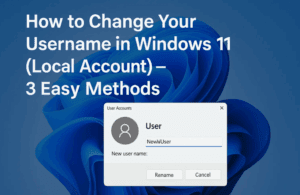
How to Change Your Username in Windows 11 (Local Account) – 3 Easy Methods
Have you ever felt that the username on your Windows 11 PC no longer represents you? Maybe it was set during setup and now feels outdated or incorrect. Good news—you don’t have to stick...
Read More
How to Downgrade from Windows 11 to Windows 10 with a Clean Install (After the 10-Day Limit)
If you’re here, chances are Windows 11 hasn’t lived up to your expectations—or maybe you’re just more comfortable with the familiar layout and stability of Windows 10. Whether it’s driver compatibility, legacy software, or...
Read More
How to Upgrade to Windows 11 Version 25H2 (Dev Channel Preview Build)
Microsoft has officially started rolling out preview builds for Windows 11 version 25H2, bringing new features and performance improvements for users willing to test them early. If you’re curious about the upcoming release and...
Read More
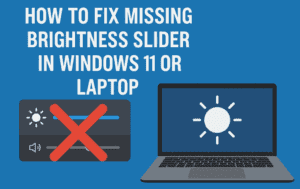
💡How to Fix Missing Brightness Slider in Windows 11 or Windows 10 Laptop
Is your brightness slider missing from the quick settings or display options in Windows 10 or Windows 11? You’re not alone. This issue can be frustrating, especially when working on a laptop without dedicated...
Read More
🖼️ Mastering the Snipping Tool in Windows 11: Screenshots, Recordings, Text Extraction & More
The Snipping Tool in Windows 11 has evolved significantly over the years. What started as a basic screenshot utility is now a powerful built-in tool for capturing, editing, annotating, redacting, and even screen recording....
Read More
Windows 11 Build 26200.5670 – What’s New in the Dev Channel and 25H2 Update Preview
Windows 11 continues to evolve, and with the release of Build 26200.5670 on the Dev Channel, Microsoft has taken a significant step by introducing the upcoming 25H2 version. This blog covers all the essential...
Read More

How to Fix Windows Update Errors in Windows 10 and 11 (100% Working Methods)
Are you facing issues while trying to update your Windows 10 or Windows 11 system? If Windows Update fails with an error message or simply refuses to proceed, don’t worry. This step-by-step guide provides...
Read More

How to Upgrade to Windows 11 on Unsupported Hardware (Without Third-Party Tools)
Are you still running Windows 10? If so, you should know that Microsoft will officially end support for Windows 10 on October 14th, 2025. While many users can easily upgrade to Windows 11 using...
Read More
How to Install Windows 11 24H2 Without USB or Data Loss (Even on Unsupported Hardware)
Upgrading to the latest version of Windows 11 (24H2) doesn’t have to be complicated — or risky. If you’re looking to install Windows 11 24H2 without using a USB drive and without losing your...
Read More
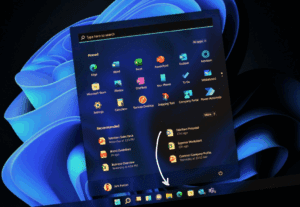
How to Fix the Missing Taskbar Issue in Windows 11 24H2
If you’re one of the many users who upgraded to Windows 11 24H2 and suddenly found your taskbar missing, you’re not alone. Many users are reporting issues with the latest 24H2 build, including random...
Read More

Everything You Need to Know About Windows 10 LTSC and IoT Enterprise LTSC: Is It Worth It for Home Users?
As Windows 10 nears the end of its lifecycle, many users are turning to alternative versions like Windows 10 Enterprise LTSC (Long-Term Servicing Channel) and Windows 10 IoT Enterprise LTSC. These versions offer extended...
Read More

How to Enable Group Policy Editor on Windows 10 and 11 Home Editions (The Right Way)
Many Windows users—especially those on Windows 10 or Windows 11 Home editions—often seek access to the Group Policy Editor (gpedit.msc). This tool is typically available only on Professional, Enterprise, and Education editions of Windows...
Read More
How to Disable and Uninstall Windows Recall on a Copilot+ PC
If you’re concerned about data privacy on your Windows 11 Copilot+ PC, one of the most pressing features to be aware of is Windows Recall. By default, Recall is designed to take snapshots of...
Read More
The Complete Guide to Installing Windows 11 LTSC: Everything You Need to Know
Windows 11 LTSC (Long-Term Servicing Channel) represents Microsoft’s most stable and lightweight version of Windows 11, specifically designed for users who prioritize reliability over constant feature updates. Unlike standard Windows 11 versions that receive...
Read More
How to Install a Clean, Lightweight Version of Windows 11 Without Bloatware
Are you planning to install Windows 11 on an old or unsupported computer? Or maybe you’re just tired of all the pre-installed apps and background processes slowing down your system? If so, there’s a...
Read More
How to Install Windows 11 24H2 on Unsupported Computers – Step-by-Step Guide
Microsoft has officially released Windows 11 24H2, the 2024 update packed with performance enhancements and fresh features. While many users with compatible systems can upgrade seamlessly, those on unsupported PCs—typically due to older processors...
Read More
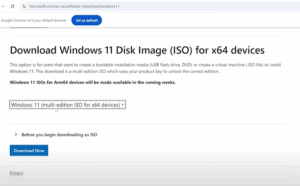
How to Upgrade from Windows 11 23H2 to 24H2 on Unsupported PCs
The long-awaited Windows 11 24H2 update is now officially released and stable. If you are currently using Windows 11 23H2 on an unsupported PC, you can still upgrade to 24H2 using a few reliable...
Read More