🖥️ Introduction: Why .NET Framework 3.5 Matters in Windows 11 If you’ve ever tried to open certain older applications or games on Windows 11 and saw a popup saying — “.NET Framework 3.5 is...
Read More
C: Drive Full in Windows 11 – Free Up Space That Actually Works
If you’re using Windows 11 and seeing that red warning bar on your C drive, don’t worry — you’re not alone. Many users face the issue of their system drive (C:) getting completely filled...
Read More
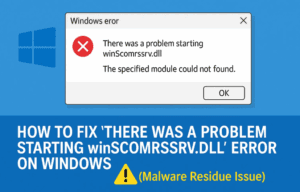
How to Fix “There Was a Problem Starting winScomrssrv.dll” Error on Windows (Malware Residue Issue)
Today, we’re diving into a fairly common but confusing Windows error that reads: “There was a problem starting winScomrssrv.dll — The specified module could not be found.” If you’ve seen this error on boot...
Read More
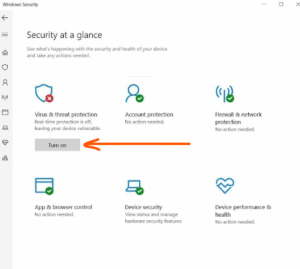
How to Disable Windows Defender in Windows 11 (Temporarily or Permanently)
If you’re a Windows 11 user and need to disable Microsoft Defender (Windows Defender) temporarily or permanently—for example, to install software that’s blocked or to test your system in a different security configuration—this guide...
Read More
Fix All Missing DLL Errors | Install Visual C++ Redistributables (2015–2022) for Windows
If you play games, run editing software, or use tools that rely on various Microsoft libraries, then installing the full set of Microsoft Visual C++ Redistributable Packages is essential for smooth performance. This article...
Read More
How to Clear RAM Cache in Windows 10/11 for Better Speed and Multitasking (Manual & Automatic Methods)
Over time, your Windows 10 or 11 PC can begin to feel sluggish—especially when multitasking or using heavy applications. One common cause of this slowdown is a buildup of RAM cache, also known as...
Read More
How to Install Windows 11 Inside Windows 11 Using Hyper-V
Ever wanted to open a suspicious file, test a new app, or browse risky websites without jeopardizing your main computer? Good news—there’s a secure way to do it, right from your current Windows installation....
Read More

How to Supercharge Your Windows PC for Free Using Microsoft PowerToys
Most Windows users operate their laptops or desktops with the basic features the OS provides. However, what if you could enhance your PC’s functionality with advanced, productivity-boosting features — absolutely free? Thanks to Microsoft...
Read More
Microsoft PC Manager Gets a Powerful New Feature: Deep Uninstaller
Microsoft has officially introduced a much-requested feature to its PC Manager application — the Deep Uninstaller. If you’ve been relying on third-party apps like Revo Uninstaller or Geek Uninstaller to completely remove programs and...
Read More