Navigating macOS can sometimes feel confusing, especially if you are coming from Windows or Linux. At first glance, the Finder shows only a handful of folders like Applications, Desktop, Documents, Downloads, and System. But...
Read More
Mastering the Notes App on Mac: Tips for Efficient Organization and Productivity
Are you constantly battling with digital clutter in your Notes app? You’re definitely not alone! Many users find themselves overwhelmed by an ever-growing pile of notes, unsure how to tame the chaos or make...
Read More
Understanding How iCloud Works: A Comprehensive Guide to Seamless Sync and Storage Across Apple Devices
When it comes to syncing files, photos, and data effortlessly across multiple Apple devices, iCloud is the backbone that makes it all possible. Whether you’re a casual user or someone deeply invested in Apple’s...
Read More
⌨️ Secret Mac Keyboard Features You Didn’t Know About
Most of us use our Mac keyboard every single day—for typing, searching, and triggering shortcuts. But did you know your keyboard hides a treasure chest of secret functions that can make your workflow faster,...
Read More
🌟 Hidden Features in macOS Sequoia You Probably Didn’t Know About
macOS Sequoia is Apple’s latest step forward in desktop operating systems. Most people know about its headline features like iPhone mirroring and Window Tiling, but what many don’t realize is that Apple has quietly...
Read More
🔐 Mastering the Built-In Passwords App on macOS Sequoia: A Complete Guide
Managing passwords is one of the biggest digital headaches. If you’ve ever struggled with remembering dozens of logins or worried about weak passwords, Apple has quietly built a solution for you. While macOS has...
Read More
10 Hidden Mac Tricks That Most Users Don’t Know About (But Should)
When you buy a Mac, you usually expect a clean, smooth, and easy-to-use experience. And for the most part, Apple delivers exactly that. But what many people don’t realize is that macOS is packed...
Read More
🖥️ 20 Common macOS Annoyances (And How to Fix Them)
macOS is an elegant and powerful operating system, but let’s be honest—sometimes small features get in the way of how we want to work. Many users, especially those transitioning from Windows or Linux, notice...
Read More
🔍 10 Pro Tips for Using the Mac Finder Like a Power User
If you’ve been using a Mac for a while, you probably know the basics of the Finder: how to open a Finder window, navigate to your files, and double-click to open them. But the...
Read More
💻 The Best Free Alternatives to Expensive Software (Windows, macOS, and Linux)
The cost of living has been rising everywhere, and unfortunately, so has the cost of software. Many companies have moved away from one-time purchase models and now lock users into monthly or yearly subscriptions....
Read More
Oh No! Windows is no more Popular Now? Windows 10’s End, and the Rise of Alternatives Like Linux and macOS
The era of Windows dominance might finally be coming to a turning point. With Windows 10 reaching its end-of-life (EOL), Microsoft has triggered a mix of panic, frustration, and rebellion in users across the...
Read More
Major Operating System Explained (2025 Edition) – Windows, macOS, Linux …
From desktops to smartphones, operating systems (OS) are the invisible software that power nearly every digital device in our lives. Whether you’re browsing the internet, editing a document, or launching a game, your OS...
Read More
Top 5 Free Media Players for Windows, macOS, and Linux in 2025
If you’re looking for a free and reliable media player that outperforms the default media player built into your operating system, you’re in the right place. This article lists the top 5 free media...
Read More
Apple’s Latest Accessibility Features Across iOS, macOS, WatchOS, iPadOS & VisionOS – Complete Guide
Apple has once again raised the bar when it comes to inclusive technology. Their latest announcement unveils a host of groundbreaking accessibility features across their entire ecosystem, including iOS, macOS, iPadOS, watchOS, and VisionOS....
Read More
M1 vs M2 vs M3 vs M4 MacBook Air – Which One is Best for You in 2025?
Apple’s MacBook lineup has evolved rapidly with the introduction of its own Apple Silicon chips—starting from the M1 to the latest M4. Choosing between these can be confusing, especially when pricing, performance, and real-world...
Read More
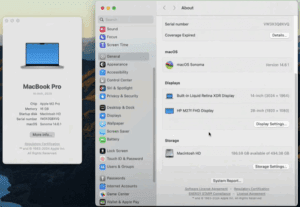
📱 How to Check Available Storage Space on macOS Devices
Keeping track of your device’s available storage is essential for maintaining performance and ensuring you don’t run into space issues when installing applications, downloading files, or updating macOS. If you’re wondering how to find...
Read More
How to Create a macOS Bootable USB on Windows (Easy Guide)
Need to reinstall macOS or fix system issues? A bootable USB installer is essential for macOS recovery, fresh installations, or troubleshooting. While Apple recommends using a Mac to create one, you can actually make...
Read More
15+ Mac Tips and Tricks That Will Make You More Productive
macOS is a powerhouse of features, and many of them go unnoticed by everyday users. In this article, we’ll walk you through some incredibly useful tips and tricks that will help you become more...
Read More
Top macOS Terminal Commands You Should Know
Whether you’re new to macOS or a seasoned user, the Terminal can unlock powerful features and hidden tools right at your fingertips. In this article, we’ll walk you through the top 50 Terminal commands...
Read More
Choosing the Right Operating System: Windows vs macOS
When it comes to choosing the right operating system (OS), most users find themselves torn between Windows and macOS. Each has its strengths and weaknesses, and understanding them can help you make the right...
Read More