Linux Mint is already one of the most user-friendly Linux distributions out there, but with a few tweaks, you can make it not just look better but also feel faster, cleaner, and more productive....
Read More
🐧 Should You Install Debian 12 (Bookworm) or Jump Straight to Debian 13 (Trixie)?
Debian has always been a distribution that values stability, reliability, and long-term support over being bleeding-edge. That’s why many new users who want to try Debian often ask a simple but tricky question: 👉...
Read More
⚠️ AUR Malware Alert: How to Identify and Avoid Malicious Packages in Arch Linux
The Arch User Repository (AUR) is one of the biggest reasons many people love Arch Linux and its derivatives like Manjaro, EndeavourOS, and Garuda Linux. It’s a vast treasure chest of software that allows...
Read More
🐧 Top 10 Things to Do After Installing Debian 13
So, you’ve just installed a fresh copy of Debian 13. Congratulations! 🎉 Debian is one of the most stable and powerful Linux distributions available today, but a fresh installation often feels pretty barebones. Out...
Read More
Best GNOME Extensions to Supercharge Your Linux Desktop Experience
If you’ve ever used GNOME on Linux and felt like it was just a bit too minimalist or lacked certain features, you’re not alone. GNOME is often described as being less customizable compared to...
Read More
Essential Things To Do After Installing Linux on Your PC: A Complete Beginner’s Guide
Switching to Linux is an exciting journey — it brings you freedom, customization, privacy, and often better performance than Windows or macOS. But once you’ve taken the big step and installed your chosen Linux...
Read More
How to Dual Boot XOS (Axos) with Windows 11 Safely on a Single Drive – Complete Step-by-Step Guide
Dual booting Linux alongside Windows opens the door to powerful customization and productivity. If you’re interested in trying the sleek and modern XOS (Axos) Linux distro with Sleek Desktop based on Hyprland, this guide...
Read More
How to Create a Bootable USB for Windows 11 or Windows 10 on Linux
Creating a bootable USB for Windows 11 or 10 is an essential step if you’re planning to install or reinstall Windows on any system. If you’re working on a Linux-based OS (like Ubuntu), the...
Read More
The Linux Desktop in 2025: A Complete Guide for Everyday Users
Linux in 2025 is no longer an exclusive playground for developers or hardcore tech geeks. Today, it’s surprisingly polished, user-friendly, and—believe it or not—an excellent alternative to Windows for the average user. Whether you’re...
Read More
How to Remove “Managed by Your Organization” from Google Chrome on Mac, Windows, and Linux
If your Google Chrome browser displays the message “Managed by your organization”, it’s often due to policies set by malicious software or corporate administrative controls. This can lock certain settings, prevent search engine changes,...
Read More
A Complete Look at the MATE Desktop Environment on Debian 12
If you’re exploring different desktop environments for your Linux system, MATE is one worth checking out—especially if you appreciate a classic, user-friendly interface inspired by the Windows XP era. In this article, we take...
Read More
Getting Bored: Spice Up Your Terminal with Fun Linux Commands!
Working in the terminal doesn’t always have to be serious business. If you’re looking to have some fun or show off a “hacker mode” on your screen, there are several quirky and entertaining commands...
Read More
Essential Things To Do After Installing Ubuntu: A Step-by-Step Guide
Welcome to Skills Training by Mohammad Shuaib – your reliable destination for learning how to get the best out of your Linux system. If you’re new to Ubuntu or have recently installed it on...
Read More
15 Essential Things to Do After Installing Fedora 33
Fedora is a robust and cutting-edge Linux distribution that’s widely appreciated by developers and tech enthusiasts. If you’ve just installed Fedora 33, there are a few critical steps you should take to ensure that...
Read More
15 Essential Things to Do After Installing Pop!_OS
Pop!_OS is a powerful, open-source Linux distribution developed by System76, based on Ubuntu and designed for a sleek and productive experience. Whether you’re a Linux newcomer or a seasoned developer, configuring Pop!_OS right after...
Read More
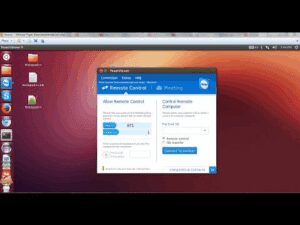
How to Install and Uninstall TeamViewer on Ubuntu 22.04 LTS
TeamViewer is a powerful remote connectivity tool that allows users to access and control systems from anywhere in the world. Whether you’re providing remote support, collaborating with a team, or managing devices from afar,...
Read More
How to Virtualize Android on Linux Using Android x86 and QEMU
If you’re a Linux user and want to run Android apps on your system, virtualization offers a practical solution. This guide walks you through setting up Android x86 on Linux using QEMU, a lightweight...
Read More