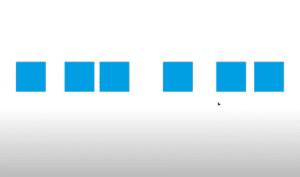
IntroductionArranging objects evenly in Adobe InDesign is a crucial skill for achieving clean, professional layouts. Uneven spacing between objects can disrupt the balance of a design, but using InDesign’s Align Panel, you can easily...
Read More

How to Cut a Shape in Adobe InDesign
IntroductionAdobe InDesign offers versatile tools for manipulating shapes and objects. One common task is cutting shapes into separate parts, allowing you to customize your design elements. This article provides a detailed guide on how...
Read More
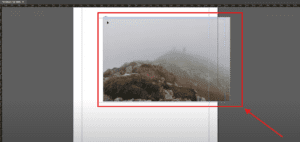
How to Scale and Resize an Image in Adobe InDesign
IntroductionWhen working on designs in Adobe InDesign, you may often need to scale or resize an image to fit your layout perfectly. Whether you want to resize proportionally or adjust specific dimensions, InDesign offers...
Read More
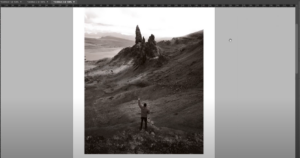
How to Make an Image Black and White in Adobe InDesign
IntroductionTurning a color image into black and white can add a touch of elegance or a professional tone to your design. While Adobe InDesign doesn’t offer a direct grayscale conversion tool, you can achieve...
Read More
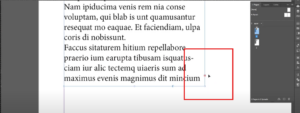
How to Find and Fix Overset Text in Adobe InDesign
IntroductionOverset text is a common issue in Adobe InDesign that occurs when there is more text in a text frame than it can display. This is indicated by a small red rectangle with a...
Read More
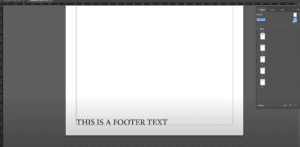
How to Create a Footer in Adobe InDesign
IntroductionFooters play a crucial role in maintaining consistency and professionalism in multi-page documents. They are typically used to display essential information like page numbers, document titles, or dates. This guide will take you through...
Read More
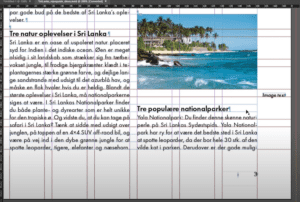
How to Ignore Text Wrap in Adobe InDesign
IntroductionText wrapping in Adobe InDesign is a powerful feature that allows you to control how text flows around objects, such as images, shapes, or other design elements. However, there are times when you may...
Read More

How to Swap Images in Adobe InDesign
IntroductionSwapping images in Adobe InDesign is a common task when working on layouts, especially for magazines, brochures, or any design projects. This article provides a detailed step-by-step guide to easily swap two images in...
Read More
How to Duplicate a Page in Adobe InDesign
IntroductionDuplicating pages in Adobe InDesign is a useful technique, especially when working with multi-page documents. Whether you are designing a brochure, magazine, or any layout that requires repeated pages, knowing how to quickly duplicate...
Read More
How to Create Bold Text in Adobe InDesign
IntroductionAdobe InDesign is a versatile tool for designing text-based layouts. While creating bold text is a common task, understanding the steps to apply it correctly ensures your designs are polished and professional. This guide...
Read More
How to Create a Half Circle in Adobe InDesign
IntroductionAdobe InDesign is a powerful design tool that allows you to create and manipulate shapes with ease. While it doesn’t have a direct option to create a half circle, you can achieve this in...
Read More
How to Create a Triangle in Adobe InDesign
IntroductionAdobe InDesign is a versatile design tool, and while it does not have a dedicated triangle tool, creating a triangle is straightforward using the Polygon Tool. This article will guide you step-by-step on how...
Read More
How to Create Underline Text in Adobe InDesign
IntroductionAdding an underline to text in Adobe InDesign is a simple process that can enhance your design’s readability or style. This article provides a detailed guide on how to underline text efficiently using InDesign’s...
Read More

How to Rotate a Page in Adobe InDesign
IntroductionRotating a page in Adobe InDesign is a straightforward process that can help you adjust your design perspective or experiment with layouts without altering the actual document orientation. In this article, we’ll walk you...
Read More
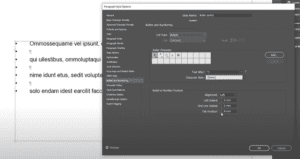
How to Add Bullet Points in Adobe InDesign
IntroductionBullet points are a fantastic way to organize information in a clean and structured manner. In Adobe InDesign, adding bullet points to your text can be accomplished efficiently using the Paragraph Styles feature. This...
Read More

How to Align Text to the Baseline Grid in Adobe InDesign
IntroductionAligning text to a baseline grid ensures uniformity and professionalism in your layouts. This feature is especially useful in long-form documents like books, magazines, or reports. In this article, we’ll walk you through the...
Read More
How to Add a Background Color in Adobe InDesign: A Step-by-Step Guide
IntroductionAdding a background color to your design in Adobe InDesign is a simple yet effective way to enhance your layout. Whether you’re creating a single-page document or a multi-page spread, InDesign offers tools to...
Read More
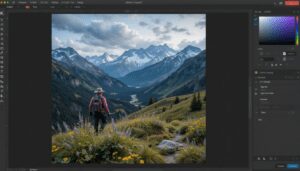
How to Crop an Image in Adobe InDesign: A Detailed Guide
IntroductionCropping an image is a common task in Adobe InDesign, whether you’re focusing on a specific part of an image or resizing it to fit your design layout. In this article, we’ll cover two...
Read More
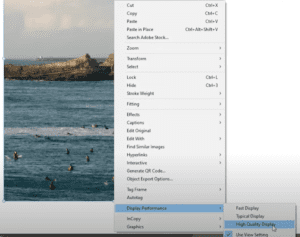
How to Fix Pixelated Images in Adobe InDesign
IntroductionHave you ever opened an InDesign document only to find that the images you inserted appear pixelated or blurry? This common issue often happens when you reopen a project after saving it, but the...
Read More
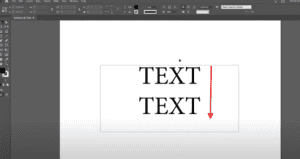
How to Adjust Line Spacing (Leading) in Adobe InDesign
IntroductionLine spacing, also known as leading, refers to the vertical space between lines of text in Adobe InDesign. Adjusting line spacing is essential for creating visually appealing and readable layouts. This article explains step-by-step...
Read More
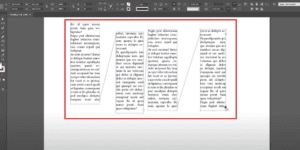
How to Check and Visualize Linked Text Boxes in Adobe InDesign
IntroductionWhen working with multi-frame text layouts in Adobe InDesign, it’s essential to manage linked text boxes effectively. You might sometimes forget which boxes are linked or need to verify their connections. InDesign’s Show Text...
Read More