
If you’ve ever wondered which operating system gives you the best performance for running emulators — Windows 11 or a Linux-based distro like Bazzite — you’re in the right place. In this article, we’ll...
Read More
How to Refresh All Tabs at Once in Opera GX Browser (with Step-by-Step Guide)
If you’re someone who browses the internet with multiple tabs open (especially in Opera GX), you probably know how annoying it can be to manually refresh each one. Whether you’re monitoring real-time data, refreshing...
Read More
How to Fix Bluetooth Audio Stuttering in Windows 11 – Step-by-Step Solutions
Is your Bluetooth audio stuttering, crackling, or lagging in Windows 11? Whether you’re trying to enjoy your favorite music, attend a virtual meeting, or just watch a movie—Bluetooth audio interruptions can be frustrating. But...
Read More
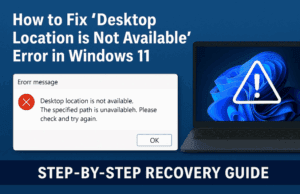
How to Fix “Desktop Location is Not Available” Error in Windows 11 – Step-by-Step Recovery Guide
Have you encountered the error message:“Desktop refers to a location that is unavailable” on your Windows 11 PC? Don’t worry—you’re not alone, and more importantly, your files are safe. This issue usually means Windows...
Read More
Fix Printer Error 0x00000bbb (“Operation Could Not Be Completed”) in Windows 11 & 10 – 5 Proven Methods + Extra Pro Tips
Getting the dreaded Printer error 0x00000bbb – Operation could not be completed. Unable to create print job? You’re not alone. This frustrating message usually appears when Windows can “see” your printer but can’t successfully...
Read More
Google is Merging Android and Chrome OS – Here’s What It Means for Desktop Users
Google has always been known for innovation, and now they’ve dropped a massive update that could redefine how we use our PCs and laptops. The news? Google is merging Android and Chrome OS, and...
Read More

Microsoft Account vs Local Account on Windows 11 – Which One Should You Choose?
When setting up a new Windows 11 PC, one of the very first decisions you’ll face is whether to use a Microsoft account or a local account. While it may seem like a small...
Read More
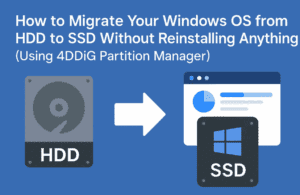
How to Migrate Your Windows OS from HDD to SSD Without Reinstalling Anything (Using 4DDiG Partition Manager)
Upgrading your old, slow laptop or desktop by replacing the hard drive (HDD) with a solid-state drive (SSD) is one of the smartest ways to boost performance. But let’s be honest — the hassle...
Read More
Reset Software Document Defaults – Don’t Let the Software Design for You
This article is a part of “The 12 Golden Rules of Desktop Publishing Every Designer Should Know“ You’ve chosen your fonts carefully, balanced your line lengths, added the right spacing, and picked a color...
Read More

Use More White Space – Give Your Design Room to Breathe
This article is a part of “The 12 Golden Rules of Desktop Publishing Every Designer Should Know“ In design, white space isn’t wasted space — it’s breathing space. It’s what gives your content clarity,...
Read More
Use Less Clip Art – Visuals Should Support, Not Distract
This article is a part of “The 12 Golden Rules of Desktop Publishing Every Designer Should Know“ Clip art can be charming, quirky, and even nostalgic — but when overused or misused, it can...
Read More
Use Frames, Boxes, and Borders with a Purpose – Don’t Box In Your Design
This article is a part of “The 12 Golden Rules of Desktop Publishing Every Designer Should Know“ Ever seen a flyer where everything is in a box? Maybe even boxes within boxes? It might...
Read More
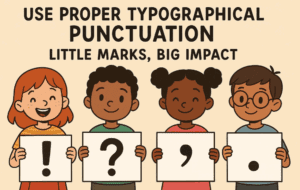
Use Proper Typographical Punctuation – Little Marks, Big Impact
This article is a part of “The 12 Golden Rules of Desktop Publishing Every Designer Should Know“ Imagine designing a beautifully laid-out magazine or brochure — only to fill it with straight quotes, hyphen...
Read More
Use All Caps with the Right Fonts – When Shouting Works (and When It Doesn’t)
This article is a part of “The 12 Golden Rules of Desktop Publishing Every Designer Should Know“ YOU’VE SEEN TEXT LIKE THIS, RIGHT?IT FEELS LIKE SOMEONE’S YELLING AT YOU. That’s the power — and...
Read More

Balance Line Length with Type Size – The Secret to Effortless Reading Flow
This article is a part of “The 12 Golden Rules of Desktop Publishing Every Designer Should Know“ Ever found yourself rereading a sentence multiple times, even though the words were simple? It might not...
Read More
Use Centered Text Sparingly – Just Because It’s Symmetrical Doesn’t Mean It Works
This article is a part of “The 12 Golden Rules of Desktop Publishing Every Designer Should Know“ Let’s be honest — centered text looks elegant at first glance. It’s symmetrical, formal, and feels… balanced....
Read More

Use Ragged-Right or Fully Justified Text Appropriately – It’s Not a Battle, It’s About Balance
This article is a part of “The 12 Golden Rules of Desktop Publishing Every Designer Should Know“ If you’ve ever had a debate about text alignment, you’re not alone. Some designers swear by justified...
Read More
Use Fewer Fonts – Mastering Typography with Simplicity
This article is a part of “The 12 Golden Rules of Desktop Publishing Every Designer Should Know“ If your design looks chaotic and cluttered, there’s a good chance it’s suffering from font overload. In...
Read More
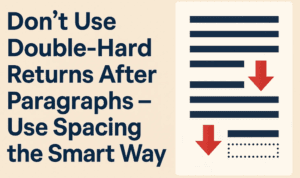
Don’t Use Double-Hard Returns After Paragraphs – Use Spacing the Smart Way
This article is a part of “The 12 Golden Rules of Desktop Publishing Every Designer Should Know“ If you’ve ever tapped the Enter key twice to create a gap between two paragraphs — you’re...
Read More
Use Only One Space After Punctuation – The Typography Rule You Didn’t Know You Were Breaking
This article is a part of “The 12 Golden Rules of Desktop Publishing Every Designer Should Know“ Have you ever hit the spacebar twice after typing a period? You’re not alone — and you’re...
Read More
The 12 Golden Rules of Desktop Publishing Every Designer Should Know
Whether you’re creating a flyer, designing a brochure, or working on a multi-page newsletter, good design principles can make or break your project. Desktop publishing isn’t just about making things look pretty — it’s...
Read More