
Artificial Intelligence is no longer limited to standalone chatbots or separate apps. Microsoft has now brought AI directly into Excel, one of the most widely used business tools in the world. The newly introduced...
Read More

How to Lock Font Size in Excel to Prevent Accidental Changes
When sharing Excel sheets with colleagues or collaborators, it’s easy for formatting—especially font size—to be unintentionally changed during editing. If you’re working on a report, form, or template where font consistency is important, it’s...
Read More
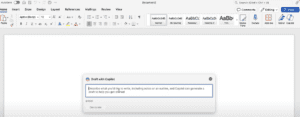
How to Work Faster with Microsoft Copilot in Word, Excel, and PowerPoint
In today’s fast-paced work environment, completing hours of work in mere minutes can be a game-changer. Many professionals have discovered how Microsoft Copilot revolutionizes productivity. Here’s a step-by-step guide on how to use this...
Read More

Merging Two Address Columns in MS Excel for Student ID Card Automation
When creating ID cards for students, having all relevant information streamlined and organized in a single place is crucial for efficiency. Often, address data might be split across multiple columns, such as “Address Line...
Read More