If you’ve ever felt that your SSD is quick but not always as snappy as you expected — especially when installing big games, applying Windows updates, or copying a pile of small files —...
Read More
How to Fix Bluetooth Not Working in Windows 11 (and Windows 10): A Complete Step-by-Step Guide
Bluetooth not working on your Windows 11 or 10 PC? Whether you’re trying to connect your wireless earbuds, mouse, or share files, a faulty Bluetooth connection can be incredibly frustrating. But don’t worry —...
Read More
How to Fix Blurry or Stretched Screen Display Issues on Windows 10 or 11
If your screen looks blurry, stretched, or distorted on your Windows 10 or 11 computer, you’re not alone. This issue is quite common, especially after a Windows update, graphics driver malfunction, or incorrect display...
Read More
How to Fix Laptop Keyboard Keys Not Working in Windows 11/10 – Step-by-Step Solutions
Having keyboard issues on your laptop can be extremely frustrating—especially when certain keys stop working out of nowhere. Whether it’s your spacebar, Enter key, or any letter, don’t worry. This guide will walk you...
Read More
How to Fix “No Audio Device is Installed” Error in Windows 11 (5 Easy Methods – Updated 2025)
Imagine booting up your PC only to be greeted by a frustrating message — “No audio device is installed.” No sound, no audio icon, no joy. If you’re facing this issue in Windows 11,...
Read More
How to Fix “We Couldn’t Find a Fingerprint Scanner Compatible with Windows Hello” on Windows 11/10
Struggling to set up your fingerprint scanner using Windows Hello, only to be met with the frustrating error:“We couldn’t find a fingerprint scanner compatible with Windows Hello”?You’re not alone — and the good news...
Read More
How to Fix “Device Descriptor Request Failed” USB Error in Windows 11/10
If you’re plugging in a USB device and Windows throws a “Device Descriptor Request Failed” error, you’re not alone. This common issue can prevent USB devices (like flash drives, external hard disks, or even...
Read More
How to Fix No Audio Output Device Error in Windows 10 and 11
Are you getting a “No Audio Output Device Found” error in Windows 11? Or maybe your sound settings are greyed out, and your PC refuses to play any sound? Don’t worry — you’re not...
Read More
How to Fix Screen Resolution Issues in Windows 10: Step-by-Step Guide
If you’re experiencing screen resolution problems in Windows 10 — like blurry visuals, limited resolution options, or improper scaling — you’re in the right place. These issues are common, especially after Windows updates or...
Read More
The Complete Beginner’s Guide to Using and Managing External Storage Devices on Windows
Looking to expand your computer’s storage or transfer files more easily between devices? External storage devices like USB flash drives, external hard disks, and SD cards are your best friends. Whether you’re backing up...
Read More
How to Fix Microphone Not Working Issue on Windows 11 (Complete Troubleshooting Guide)
If you’re trying to join an online meeting, record a voiceover, or chat with friends and your microphone suddenly stops working, it can be incredibly frustrating. But don’t worry — this guide is here...
Read More
💡How to Fix Missing Brightness Slider in Windows 11 or Windows 10 Laptop
Is your brightness slider missing from the quick settings or display options in Windows 10 or Windows 11? You’re not alone. This issue can be frustrating, especially when working on a laptop without dedicated...
Read More
Complete Guide to Windows Computer Management Tools and Troubleshooting
Windows provides a centralized utility called Computer Management that allows users to access a suite of administrative tools to monitor, configure, and troubleshoot their system. Whether you’re a beginner or an IT professional, knowing...
Read More
How to Fix Missing Bluetooth Toggle in Windows 10/11
Are you facing a frustrating issue where the Bluetooth on/off toggle is missing from the Windows Settings? This common problem can occur due to various reasons such as disabled services, driver issues, or even...
Read More
How to Fix “Can’t Connect to This Network” Error on Windows Laptop – A Step-by-Step Guide
If you’re encountering the frustrating “Can’t connect to this network” error on your Windows laptop—even when you’re entering the correct password—don’t worry. This article will guide you through a few simple steps to troubleshoot...
Read More
How to Update Graphics Drivers on the Windows 10 PC: A Step-by-Step Guide
Keeping your graphics drivers up to date is essential for ensuring smooth performance, enhanced gaming experiences, and overall system stability. Whether you’re using an Intel, AMD, or Nvidia graphics card, updating your drivers doesn’t...
Read More
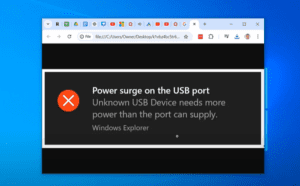
How to Fix Power Surge Error on USB Ports in Windows 10
If you have recently encountered a power surge error notification on your USB ports in Windows 10, this guide will walk you through the steps to resolve the issue effectively. Follow the instructions below...
Read More
How to Fix the Disappearing Mouse Curser Issue in Windows 11
If your mouse pointer disappears in Windows 11 and you are unsure of how to resolve the issue, this article will guide you through detailed steps to troubleshoot and fix the problem. Whether you’re...
Read More