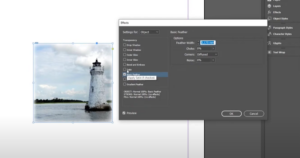
IntroductionWhile Adobe Photoshop is often the go-to tool for image effects like blurring, you can achieve similar results directly in Adobe InDesign. Whether you want to soften the edges of an image or create...
Read More
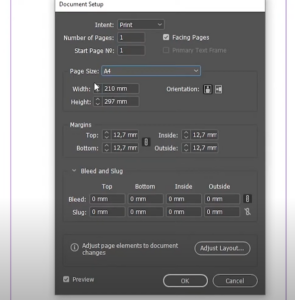
How to Change the Page Size in Adobe InDesign: A Step-by-Step Guide
Changing the page size in Adobe InDesign is a common task that can be accomplished with ease. Whether you need to adjust the size for an entire document or specific pages, this guide will...
Read More
A Step-by-Step Guide to Adding and Using Color Swatches in Adobe InDesign
Color swatches in Adobe InDesign are invaluable tools for designers, allowing you to save, reuse, and manage colors effectively across your projects. This guide explains how to create and apply swatches, along with the...
Read More
A Comprehensive Guide to Creating Grids in Adobe InDesign
Grids are essential tools in design, ensuring your layouts are balanced, organized, and visually appealing. Adobe InDesign provides powerful tools to create and customize grids for any project. This article walks you through the...
Read More

How to Create Shapes from Images in Adobe InDesign: A Step-by-Step Guide
Transforming images into creative shapes is a great way to enhance your designs in Adobe InDesign. This guide explains how to use the Pathfinder tool to create various shapes from your images and optimize...
Read More
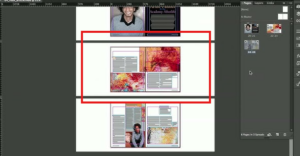
How to Fix Broken Image Links in Adobe InDesign: A Comprehensive Guide
Broken image links can disrupt your workflow in Adobe InDesign, especially when working on complex projects with multiple assets. Fortunately, fixing these issues is a straightforward process. This guide provides a step-by-step walkthrough to...
Read More
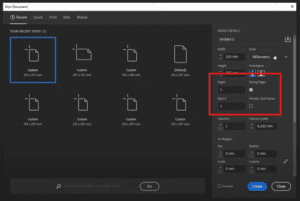
How to Add Pages in Adobe InDesign: A Step-by-Step Guide
Adding and managing pages in Adobe InDesign is a fundamental skill for creating professional designs such as books, magazines, and brochures. This guide details all the methods to add and manage pages in InDesign,...
Read More
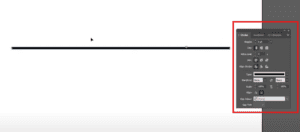
How to Use the Line Tool in Adobe InDesign: A Step-by-Step Guide
Creating clean and precise lines is an essential skill for any designer using Adobe InDesign. This article walks you through how to use the line tool effectively, from basic line creation to customizing its...
Read More
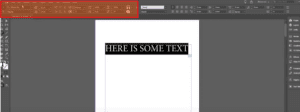
How to Change Fonts in Adobe InDesign
IntroductionAdobe InDesign offers powerful tools to manage and style text, including the ability to change fonts efficiently. Whether you’re designing a book, flyer, or magazine, knowing how to adjust fonts is essential for creating...
Read More
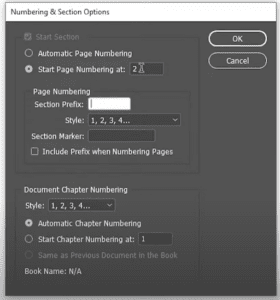
How to Change the Page Number Start in Adobe InDesign
IntroductionIn Adobe InDesign, the ability to customize the starting page number of a document is crucial for creating professional layouts, especially for books, catalogs, or reports. This detailed guide will show you how to...
Read More
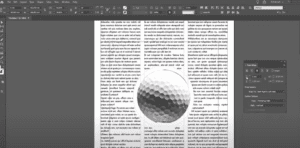
How to Create Text Wrap in Adobe InDesign
IntroductionText wrapping is an essential skill for graphic designers and content creators working with Adobe InDesign. This tutorial will guide you through the process of creating text wraps around an image, from masking the...
Read More
How to Replace Multiple Spaces with a Single Space in Adobe InDesign
When working with text in Adobe InDesign, you may often encounter documents with multiple spaces—double, triple, or even more—causing uneven formatting. Manually fixing these spaces can be time-consuming, especially in lengthy documents. Fortunately, Adobe...
Read More
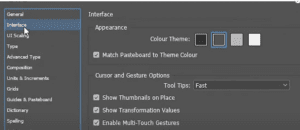
How to Change the Interface Appearance Color Theme in Adobe InDesign
Adobe InDesign allows users to customize the interface appearance color theme to match their preferences or workspace lighting. The interface appearance color is the background color and other visual elements outside the document area....
Read More
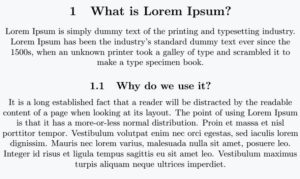
How to Center Align Text in Adobe InDesign
Centering text in Adobe InDesign is a simple yet essential skill for creating balanced and professional designs. Whether you’re working on a brochure, a flyer, or a book layout, aligning your text correctly can...
Read More
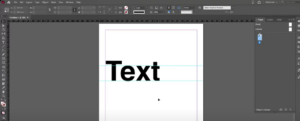
How to Hide and Show Guides in Adobe InDesign
Guides in Adobe InDesign are a useful tool to align and structure your design elements. However, during certain stages of your workflow, you might want to hide them to get a cleaner view of...
Read More
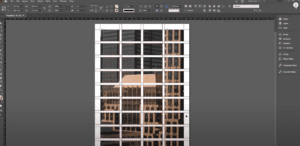
How to Insert an Image into Multiple Frames in Adobe InDesign
Inserting an image into multiple frames in Adobe InDesign is a fantastic way to create visually engaging layouts, such as collages or grid designs. This article provides a detailed guide on how to seamlessly...
Read More
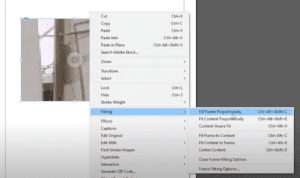
How to Add and Adjust an Image in Adobe InDesign: A Step-by-Step Guide
Adding images to your design projects in Adobe InDesign is essential for creating visually engaging layouts. Whether you’re designing brochures, posters, or books, InDesign makes it easy to insert and manipulate images within your...
Read More
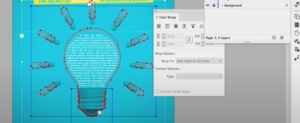
27. How to Type Text Inside Shapes and Adjust It in Adobe InDesign
In this detailed guide, you’ll learn how to type text inside various shapes in Adobe InDesign and adjust it effectively. This tutorial is perfect for beginners and intermediate users who want to enhance their...
Read More

25. Mastering Numbered Lists in Adobe InDesign: A Step-by-Step Guide
In this article, we’ll dive into how to create and edit numbered lists in Adobe InDesign. Whether you’re designing documents, manuals, or templates, mastering this feature can greatly enhance the readability and organization of...
Read More
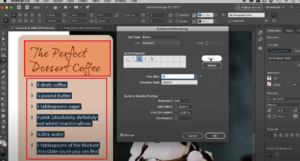
24. How to Create and Edit Bulleted Lists in Adobe InDesign
In this article, we’ll walk through creating and customizing bulleted lists in Adobe InDesign. Whether you’re using the latest features or working with traditional methods, you’ll learn how to tailor lists to your specific...
Read More
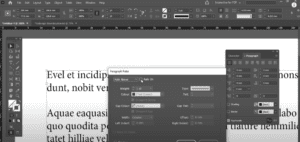
19. How to Use Paragraph Rules in Adobe InDesign: A Detailed Guide
If you’ve ever worked with text in Adobe InDesign, you may have noticed the limitations of basic underlining options, such as a lack of control over gap color, thickness, or alignment. Enter Paragraph Rules,...
Read More