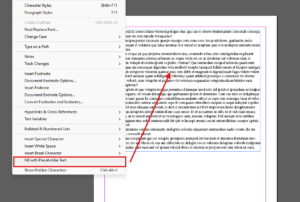
Adding placeholder text in Adobe InDesign is a quick and easy way to visualize how your design will look with text content. Placeholder text serves as a temporary stand-in for your final text, helping...
Read More

How to Create a Clipping Mask in Adobe InDesign: A Step-by-Step Guide
Adobe InDesign offers powerful tools to help you design with precision and creativity. One of the essential techniques is creating a clipping mask, which allows you to fit an image into a specific shape....
Read More
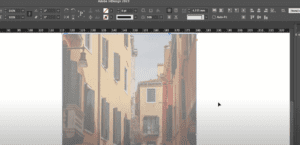
How to Fade an Image in Adobe InDesign
Fading an image, or reducing its opacity, in Adobe InDesign can add a professional touch to your design. This feature is particularly useful when creating subtle overlays, watermarks, or blending images with text. Here...
Read More
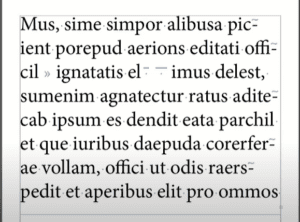
How to Show Hidden Characters in Adobe InDesign
Adobe InDesign offers a useful feature to display hidden characters in your text. These characters, such as spaces, tabs, and paragraph breaks, can help you troubleshoot layout issues and refine your design. This article...
Read More
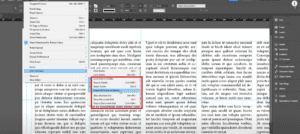
How to Remove Guides in Adobe InDesign
Guides are essential tools in Adobe InDesign for aligning and organizing elements in your design. However, there are times when you may need to hide or remove these guides to declutter your workspace or...
Read More

How to Insert a Trademark Symbol in Adobe InDesign
When working on designs in Adobe InDesign, you may need to include trademark symbols (™ for TM or ® for registered trademarks) in your text. Adding these symbols is a straightforward process, and this...
Read More
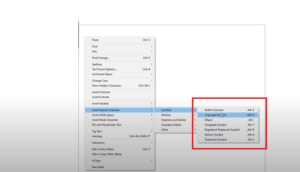
How to Insert a Copyright Symbol in Adobe InDesign
When working on a design project in Adobe InDesign, you may need to insert a copyright symbol for legal or branding purposes. Adobe InDesign makes this process simple with its built-in tools and shortcuts....
Read More
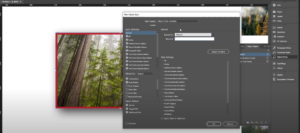
How to Create Object Styles in Adobe InDesign
When working with Adobe InDesign, creating consistent designs can be time-consuming, especially when applying the same styles to multiple objects like images, shapes, or frames. Object Styles make this process seamless by enabling you...
Read More
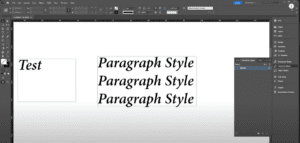
How to Create Character Styles in Adobe InDesign: A Step-by-Step Guide
Adobe InDesign is a powerful tool for creating and managing text styles. In this article, we’ll walk you through the process of creating Character Styles, which are used to format specific words or phrases...
Read More
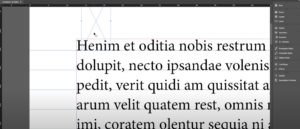
How to Set Up a Baseline Grid in Adobe InDesign
Setting up a baseline grid in Adobe InDesign ensures that all your text is aligned consistently, creating a professional and clean layout. This guide walks you through the steps to configure a baseline grid...
Read More
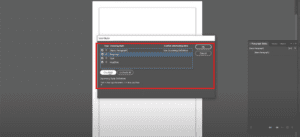
How to Import Paragraph and Character Styles in Adobe InDesign
Adobe InDesign is a versatile tool that allows designers to create stunning layouts with ease. A key feature of InDesign is the ability to reuse paragraph and character styles from one document in another,...
Read More
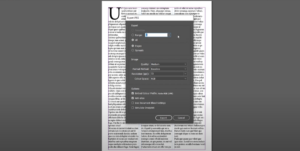
How to Save an InDesign File as a JPEG
IntroductionAdobe InDesign is a go-to tool for creating layouts and designs, but exporting your work in different formats is essential for versatility. In this guide, we’ll walk you through the steps to save an...
Read More
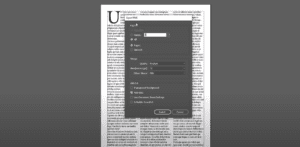
How to Save an InDesign File as a PNG
IntroductionAdobe InDesign is a powerful tool for creating layouts, but sometimes you may need to export your designs as a PNG file. Whether for web usage, sharing with clients, or any other purpose, this...
Read More
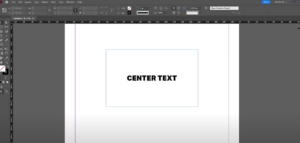
How to Center Text in a Box in Adobe InDesign: A Step-by-Step Guide
Centering text in a box in Adobe InDesign is a simple yet crucial technique for creating visually appealing layouts. Whether you’re working on a brochure, flyer, or any other document, aligning text perfectly enhances...
Read More

How to Zoom In and Out in Adobe InDesign: A Comprehensive Guide
Zooming in and out is an essential skill in Adobe InDesign, allowing you to work on fine details or view your entire layout. Whether you’re working on a complex project or just starting with...
Read More
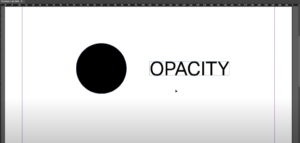
How to Change Opacity in Adobe InDesign: A Complete Guide
Opacity is a versatile feature in Adobe InDesign that lets you adjust the transparency of objects, images, and text. By modifying opacity, you can create stunning design effects, overlays, and subtle visual hierarchy. This...
Read More
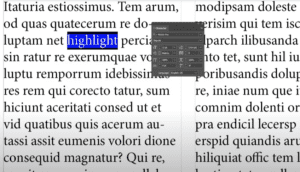
How to Highlight Text in Adobe InDesign: A Detailed Guide
Highlighting text in Adobe InDesign is a simple yet effective way to emphasize certain parts of your content. Whether you’re designing a poster, a magazine, or an interactive PDF, this feature can make key...
Read More
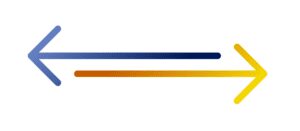
How to Draw an Arrow in Adobe InDesign: Step-by-Step Guide
Drawing arrows in Adobe InDesign can enhance your designs, helping to point out important elements or guide viewers’ attention. This article will walk you through the simple steps to create arrows using InDesign’s built-in...
Read More

How to Group Objects in Adobe InDesign: A Comprehensive Guide
Grouping objects in Adobe InDesign is an essential skill for designers, allowing for more organized layouts and efficient workflows. This article will provide a detailed step-by-step guide on how to group and ungroup objects...
Read More

How to Add Multiple Shapes in Adobe InDesign
IntroductionAdobe InDesign is a powerful tool for designing layouts, and adding shapes is an essential part of creating visually engaging designs. Whether you’re working on a brochure, flyer, or other design projects, knowing how...
Read More
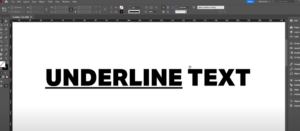
How to Create Underline Text in Adobe InDesign
IntroductionAdding an underline to text in Adobe InDesign is a simple process that can enhance your design’s readability or style. This article provides a detailed guide on how to underline text efficiently using InDesign’s...
Read More