If you’ve ever accidentally deleted an important photo, document, or entire folder — you’re not alone. It’s one of the most common digital disasters. And the question everyone asks afterward is: “Can I still...
Read More
🧩 How to Recover Deleted or Formatted Files for Free UpTo 100+ GB (2025 Full Guide)
Few moments are as stressful as realizing you’ve just deleted or formatted the wrong drive. Maybe it was a collection of precious photos, important project documents, or your favorite videos — and suddenly, it’s...
Read More
🧰 Medicat USB (October 2025 Guide): The Ultimate PC Repair Toolkit with Hidden Features!
Imagine you’re traveling, working on someone’s computer, or facing a system crash on your own PC — and suddenly you can’t boot Windows, remove malware, or even access your files.What if you had a...
Read More
💾 2 USB Boot Drives EVERY Windows PC User Must Create Before It’s Too Late
If you are one of the more than 1.6 billion people worldwide who rely on a Windows PC—whether for work, study, gaming, or keeping up with family—there are two absolute guarantees in the world...
Read More
🧩 How to Recover Your Files When Windows Won’t Boot – Step by Step Guide
When your computer refuses to boot into Windows, panic often follows — especially when you realize that your most recent photos, work documents, or projects haven’t been backed up yet. The good news is...
Read More
How to Recover Accidentally Uninstalled Programs on Windows 10 and 11 – A Complete Step-by-Step Guide
Have you ever uninstalled an application on your Windows PC, only to realize later that it was essential? It’s an easy mistake to make—whether you’re freeing up space, removing bloatware, or cleaning out rarely...
Read More
File History vs Backup & Restore in Windows: Which Backup Tool Should You Use for File-Level Backups?
Keeping your files safe should always be a top priority — especially if you’re working on important documents, personal projects, or work data. Fortunately, Windows offers two built-in file backup tools: File History and...
Read More
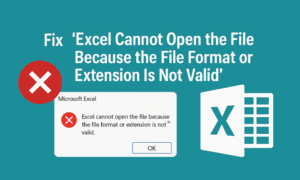
Fix “Excel Cannot Open the File Because the File Format or Extension Is Not Valid” – Proven Methods
Have you ever double-clicked an Excel file only to be greeted with this frustrating error? “Excel cannot open the file because the file format or file extension is not valid.” Don’t panic — you’re...
Read More
How to Recover Data from a Formatted Hard Drive and Protect It Forever Using 4DDiG
Imagine this: You accidentally formatted your hard drive. Years of family photos, work files, and personal documents — all gone in an instant. That sinking feeling in your stomach is all too real. But...
Read More
How to Create and Restore System Image Backups Using Macrium Reflect
When your computer fails to boot, crashes, or becomes unresponsive due to system errors, having a reliable system image backup can save you from a complete disaster. One of the best tools available for...
Read More
Recover Data from a Non-Working Windows PC Using Hiren’s BootCD PE
When your Windows computer crashes unexpectedly and won’t boot up, it can feel like a complete disaster—especially if you didn’t have time to back up your latest work. But don’t worry, your files might...
Read More
How to Fix Windows Boot Errors Without Reinstalling: A Complete Guide Using Hiren’s Boot CD PE
If your Windows PC is stuck in a boot loop or showing a message like “Your PC needs to be repaired”, and it keeps restarting without loading the desktop, you don’t need to reinstall...
Read More
How to Recover Deleted Files from a Formatted Pen Drive (Free & Easy Method)
Have you accidentally formatted your USB drive and lost all your precious photos, videos, or documents? Don’t panic! In this guide, we’ll show you how to recover deleted files from a formatted pen drive...
Read More
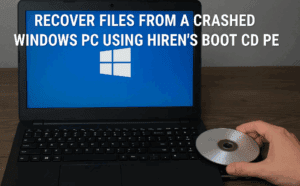
How to Recover Files from a Crashed Windows PC Using Hiren’s Boot CD PE
If your Windows PC crashes and won’t boot, losing access to important files, don’t panic! This guide will show you how to recover your data using Hiren’s Boot CD PE—a powerful free tool that...
Read More
100% Working Method – Repair a Corrupted Pen Drive or Memory Card Using a Free Software Tool
If your USB pen drive or memory card is not showing up, has become corrupted, or is completely unresponsive, don’t worry—this guide will walk you through a simple, effective solution. Using a free utility,...
Read More
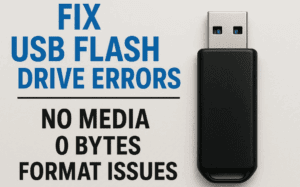
How to Fix USB Flash Drive Errors: No Media, 0 Bytes, and Format Issues (2024 Guide)
If your USB flash drive (pen drive) is showing errors like “No Media,” “0 Bytes,” or “Unable to Complete Format,” this guide will help you repair it. We’ll cover step-by-step solutions, including firmware reinstallation...
Read More
How to Create and Use Medicat USB for System Recovery and Troubleshooting
If you’re an IT professional, a tech enthusiast, or someone who frequently troubleshoots computers, Medicat USB is an essential tool to have in your toolkit. This powerful, bootable USB drive comes loaded with utilities...
Read More
How to Recover Permanently Deleted Files Without Breaking the Bank!
Ever felt that heart-sinking moment when you accidentally delete an important file and realize you’re too broke to pay for professional recovery? We’ve all been there. Whether it’s a cherished video, a crucial document,...
Read More
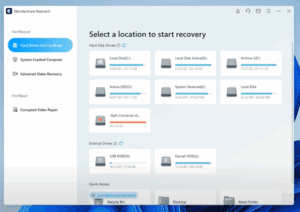
How to Recover Lost, Deleted, or Corrupted Data with Wondershare Recoverit
Losing valuable data—whether it’s from a USB drive, hard disk, or SD card—can feel like a nightmare. Thankfully, tools like Wondershare Recoverit make the recovery process fast, effective, and user-friendly. This article will take...
Read More
Hard Drive (HDD) vs SSD: Which is Better for Data Storage?
When it comes to data storage, one of the most common questions people ask is: “Which is better, an SD card or a hard drive?” To answer this, we need to understand how both...
Read More