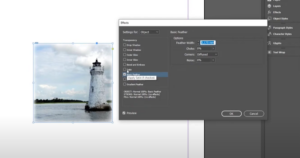
IntroductionWhile Adobe Photoshop is often the go-to tool for image effects like blurring, you can achieve similar results directly in Adobe InDesign. Whether you want to soften the edges of an image or create...
Read More
How to Add a Background Color in Adobe InDesign: A Step-by-Step Guide
IntroductionAdding a background color to your design in Adobe InDesign is a simple yet effective way to enhance your layout. Whether you’re creating a single-page document or a multi-page spread, InDesign offers tools to...
Read More
How to Crop an Image in Adobe InDesign: A Detailed Guide
IntroductionCropping an image is a common task in Adobe InDesign, whether you’re focusing on a specific part of an image or resizing it to fit your design layout. In this article, we’ll cover two...
Read More
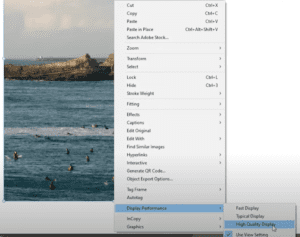
How to Fix Pixelated Images in Adobe InDesign
IntroductionHave you ever opened an InDesign document only to find that the images you inserted appear pixelated or blurry? This common issue often happens when you reopen a project after saving it, but the...
Read More
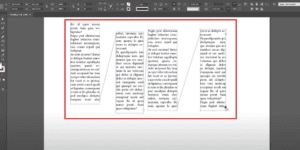
How to Check and Visualize Linked Text Boxes in Adobe InDesign
IntroductionWhen working with multi-frame text layouts in Adobe InDesign, it’s essential to manage linked text boxes effectively. You might sometimes forget which boxes are linked or need to verify their connections. InDesign’s Show Text...
Read More
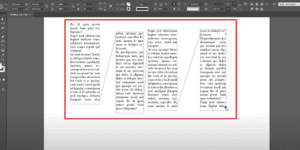
How to View Linked Text Boxes in Adobe InDesign
IntroductionWorking with linked text boxes in Adobe InDesign is essential for managing multi-frame layouts. However, you might forget which text boxes are linked or need to verify their connections. InDesign’s Text Threads feature makes...
Read More
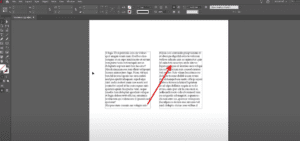
How to Link Text Boxes in Adobe InDesign
IntroductionLinking text boxes in Adobe InDesign is an essential skill for creating seamless, flowing text across multiple text frames. This feature is especially useful for designing newsletters, magazines, and long documents. This article will...
Read More
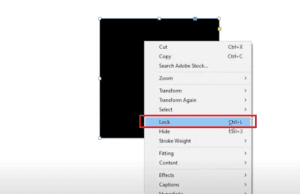
How to Lock and Unlock Objects in Adobe InDesign
IntroductionLocking objects in Adobe InDesign is a vital skill that helps prevent accidental edits or movements while designing. Whether working with shapes, text boxes, or other elements, locking and unlocking objects ensures your workflow...
Read More
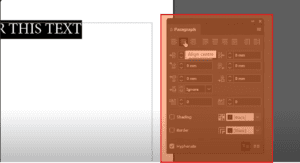
How to Center Text Horizontally and Vertically in Adobe InDesign
IntroductionCentering text in Adobe InDesign, whether horizontally, vertically, or both, is an essential skill for creating balanced and visually appealing layouts. This guide explains how to easily center text in InDesign using built-in tools...
Read More
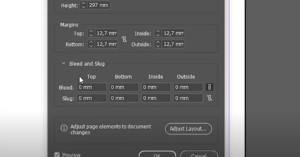
How to Add Bleed to Your Document in Adobe InDesign
When designing professional documents in Adobe InDesign, bleed is an essential element that ensures your artwork extends seamlessly to the edge of a printed page. Adding bleed prevents unwanted white margins when the paper...
Read More

Mastering Typography in InDesign: Seven Practical Techniques for Professional Typesetting
Good typography is like good design—it’s often invisible. It seamlessly integrates into the reading experience, allowing the message to be consumed effortlessly. When typography goes wrong, it can result in amateur layouts and uncomfortable...
Read More
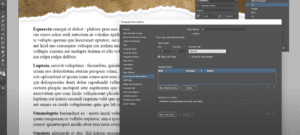
10 Essential Tips to Master Adobe InDesign for Better Workflow
Adobe InDesign is a powerful desktop publishing tool, and mastering it can significantly improve your design speed, workflow efficiency, and expertise. In this article, we’ll explore 10 practical tips to help you enhance your...
Read More
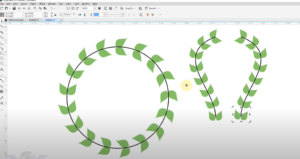
Mastering Fit to Object on Path: Graphics & Designing Course in CorelDraw
Welcome back to another engaging session of our Graphics & Designing course. In today’s lesson, we will dive into an essential concept that every designer should master—fitting an object to a path. What is...
Read More
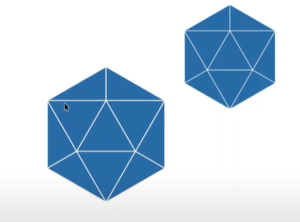
CorelDRAW Tips & Tricks: Creating a 6-Sided Polygon with 4 Triangles
In this article, we’ll guide you through the process of creating a 6-sided polygon with 4 triangles inside it, similar to a design you might find in a logo. While it may look complex...
Read More
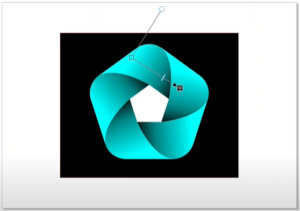
CorelDRAW Tips & Tricks: Creating a 5-Sided Polygon Design
In this article, we’ll explore how to create and manipulate a 5-sided polygon in CorelDRAW. While the 6-sided polygon is often preferred for symmetry and ease of centering, it is also possible to create...
Read More
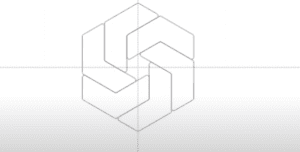
CorelDRAW Tips: Creating a Design Using Three Six-Sided Polygons
CorelDRAW offers endless possibilities for creative designs, including complex geometric shapes. In this guide, we will walk you through creating an intricate pattern using three six-sided polygons. You’ll learn how to manipulate polygons, adjust...
Read More
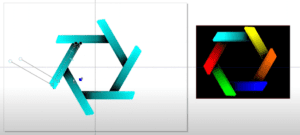
Creating a Stacked Wood-Like Design in CorelDRAW
In this tutorial, we will create a graphic that resembles colorful wooden boards stacked on top of each other using CorelDRAW’s polygon tools, skewing, and interactive fill effects. This is a great way to...
Read More
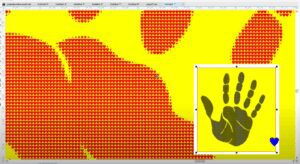
Using CorelDRAW to Create a Custom Handprint Design with Hearts
In this tutorial, we will explore how to transform a simple hand image into a pattern filled with hearts using CorelDRAW’s custom shape features. This technique is perfect for creating personalized designs or adding...
Read More
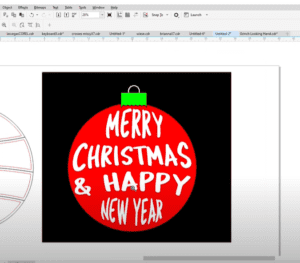
Creating a Festive Design with CorelDRAW: Step-by-Step Guide
In this tutorial, we will walk through the process of creating a festive design using CorelDRAW’s versatile tools. Whether you’re making holiday-themed graphics or experimenting with shapes, CorelDRAW allows for a lot of creativity...
Read More

CGDream AI – Complete Review and Tutorial
In the world of AI-powered creative tools, CGDream AI stands out as a robust platform designed for generating high-quality images from text prompts, images, and even 3D models. Unlike other tools such as MidJourney,...
Read More
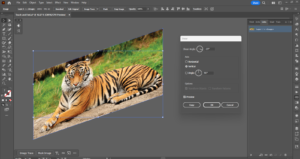
How to Skew Transform and Distort an Image in Adobe Illustrator
Distorting and skewing images in Adobe Illustrator can be a powerful technique to create unique designs and visual effects. Whether you want to give your images a dynamic perspective or make creative adjustments, Illustrator...
Read More