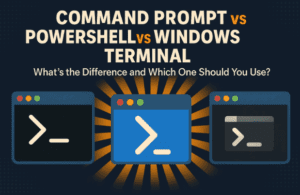
If you’ve ever right-clicked your Start menu in Windows and noticed several confusing options — Command Prompt, PowerShell, or Terminal — you’re not alone. At first glance, all three look similar: black (or blue)...
Read More
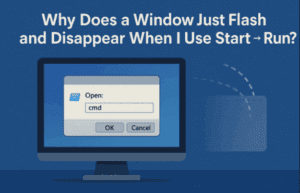
🖥️ Why Does a Window Just Flash and Disappear When I Use Start → Run?
Have you ever typed a command into the Windows Start → Run dialog, only to see a black box flash on the screen and disappear before you could even read what happened? If you’re...
Read More
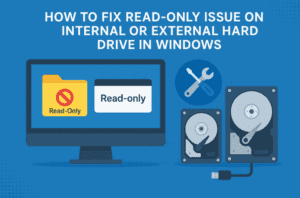
How to Fix Read-Only Issue on Internal or External Hard Drive in Windows
Have you ever tried to copy, delete, or move a file from your hard drive or SSD only to see an error saying the drive is read-only? Don’t worry — this is a common...
Read More

How to Make a Disk or Volume Read-Only in Windows 11 — And How to Remove Read-Only Access Later
Have you ever wanted to protect a disk or volume from accidental changes, file deletions, or formatting? Making a drive read-only in Windows is a smart way to lock it for safety — especially...
Read More

🛠️ Comprehensive Guide to Resolving Windows Update Issues
Experiencing persistent Windows Update errors can be frustrating. This detailed guide provides a step-by-step approach to troubleshoot and resolve common Windows Update problems, ensuring your system remains up-to-date and secure. 🧹 Step 1: Free...
Read More
How to Install and Set Up MySQL Server on Windows: Step-by-Step Guide
MySQL is one of the most popular open-source relational database management systems, widely used in web development, data science, and enterprise software applications. Whether you’re a student, a developer, or a data enthusiast, having...
Read More

How to Fix All BCD Blue Screen Problems, Bootrec and Boot Errors in Windows 11/10
Are you encountering blue screen (BSOD) issues or boot-related errors in Windows 11 or Windows 10? These problems often stem from a corrupted Boot Configuration Data (BCD), especially when dealing with GPT/UEFI-based systems. This...
Read More
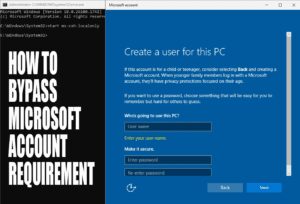
How to Bypass Microsoft Account Requirement in Windows 11 (Updated for 24H2)
Microsoft has once again tightened the screws on users who prefer local accounts over Microsoft accounts during Windows 11 setup. With the release of Windows 11 version 23H2 and the upcoming 24H2, most of...
Read More

6 Powerful Windows 10 & 11 Hacks That Most Users Don’t Know
Windows is packed with powerful features—many of which are hidden beneath the surface. Whether you’re using Windows 10 or Windows 11, there are useful tricks that even seasoned users often overlook. In this article,...
Read More
Top Command Prompt Commands to Troubleshoot and Fix Windows 10/11 Issues
If you’re a Windows 10 or Windows 11 user, chances are you’ve encountered your fair share of system hiccups—be it performance lags, connectivity issues, system crashes, or hard drive failures. While many rely on...
Read More
18 Powerful Windows Command Prompt Tricks You Need to Know
If you thought you were done learning Windows commands—think again. The Command Prompt (CMD) isn’t just a relic from a bygone computing era; it’s still packed with useful, powerful tools that can streamline your...
Read More
Unlocking the Power of Command Prompt: Tips and Tricks You Should Know
Command Prompt, also known as CMD, might seem old-school, but it’s still a powerful tool hidden in your Windows system. Whether you’re a budding techie or someone who just loves discovering cool tricks, this...
Read More
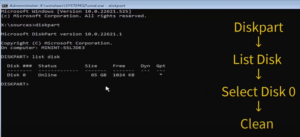
Clean Is Not Allowed on the Disk Virtual Disk Service Error When Installing a New Windows
When installing a fresh version of Windows, you might encounter an error that prevents the process from proceeding. This article walks you through a detailed step-by-step solution to fix this issue. Follow these instructions...
Read More
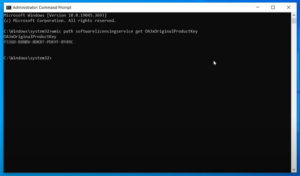
How to Find Your Windows 11 Product Key Using Command Prompt
If you need to reinstall Windows 11 or keep a record of your product key, you can retrieve it easily without any additional software. This guide will walk you through using the Command Prompt...
Read More
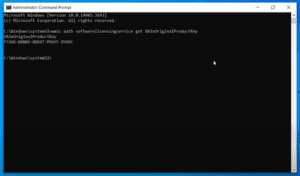
How to Find Your Windows 10 Product Key Using Command Prompt
If you need to retrieve your Windows 10 product key for reinstallation or record-keeping purposes, this guide will show you how to find it using the Command Prompt. Follow the detailed steps below to...
Read More
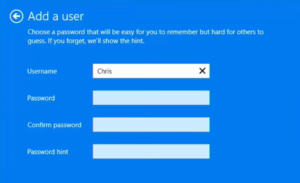
How to Set Up a Local Account on Windows 11 (June 2024 Workarounds)
As of June 2024, setting up a new computer or laptop running Windows 11 with a local account, rather than a Microsoft account, has become more challenging. Microsoft has blocked many of the traditional...
Read More
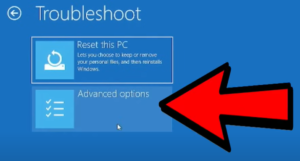
How to fix ANY Windows problem with the built-in repair tool like a PRO
If you’re a Windows user and everything is running smoothly, consider yourself lucky! But at some point, you might encounter the dreaded blue troubleshooting screen. Many people simply wait for the process to finish,...
Read More
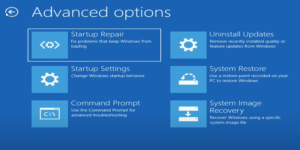
Step-by-Step Guide: How to Rebuild the Windows 10 Startup Partition and Fix Boot Issues
Are you stuck in a Windows 10 boot loop where startup repair fails repeatedly? You’ve probably tried other fixes like restoring the registry, but with no luck. In this guide, I’ll show you how...
Read More

Step-by-Step Guide: How to Reset Windows 10 Password Using Command Prompt (Without Any Software)
Hello friends! Have you forgotten your Windows 10 local account password? Don’t worry, there’s no need to panic. In this guide, I’ll show you how to reset your Windows 10 password using Command Prompt—without...
Read More
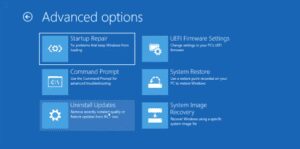
How to Fix Windows 11 “Rail Txt Log Error” – A Step-by-Step Guide
Are you facing the “Rail Txt Log Error” on Windows 11? Don’t worry, we’ve got you covered with some simple and effective solutions. In this guide, we’ll take you through four methods to fix...
Read More

How to Fix Blue Screen of Death (BSOD) Caused by CrowdStrike Update on Windows
If you’re experiencing a Blue Screen of Death (BSOD) on your Windows PC, it might be due to a CrowdStrike update issue. This guide will walk you through a simple fix without needing to...
Read More