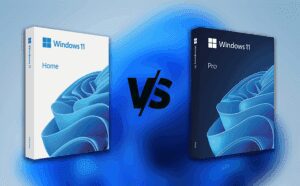
At first glance, Windows Home and Windows Pro look almost identical. The same desktop, same taskbar, same icons. But beneath that surface similarity lies a huge difference — one that most people don’t discover...
Read More
🧩 Hidden Windows 11 Feature: The Magic of Virtual Disks
Virtual disks are one of those features in Windows that most people overlook—yet they’re incredibly powerful once you understand what they can do. Imagine having a hard drive that exists purely as a file....
Read More
🔒 Windows 11 Device Encryption – Should You Keep It On or Turn It Off?
If you’re using Windows 11, there’s a hidden feature that many users overlook, but it could determine whether you can rescue your data in case something goes wrong. I’m talking about Device Encryption (and...
Read More
10 Frustrating Things About Windows 11 (And Why Users Are Upset)
Windows 11 is Microsoft’s most advanced and secure operating system to date. It brings a sleek new design, AI-powered tools, and modern under-the-hood improvements. But despite all its innovations, a large group of users—especially...
Read More
Microsoft Account vs Local Account on Windows 11 – Which One Should You Choose?
When setting up a new Windows 11 PC, one of the very first decisions you’ll face is whether to use a Microsoft account or a local account. While it may seem like a small...
Read More
The Ultimate Windows 11 Optimization Guide: Speed, Security & Stability
Your Windows 11 PC should be fast, secure, and reliable—but out-of-the-box settings don’t always deliver. This step-by-step guide covers startup optimization, security hardening, privacy controls, and system maintenance to maximize performance and protection. 🚀...
Read More
The Ultimate Guide to Optimizing Windows 11: Startup, Security, and System Management
Keeping your Windows 11 system fast, secure, and optimized is essential for smooth performance and data protection. In this article, we’ll walk you through the best settings to customize startup programs, improve security, enable...
Read More
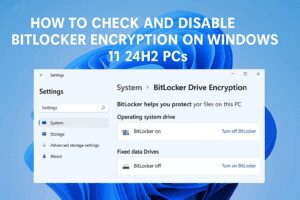
How to Check and Disable BitLocker Encryption on Windows 11 24H2 PCs
If you’ve recently purchased a new PC or reinstalled Windows 11 version 24H2, you might notice that BitLocker encryption is automatically enabled on your system drive. This feature helps protect your data by encrypting...
Read More
How to Fix the BitLocker Recovery Problem in Windows and Recover Your BitLocker Key
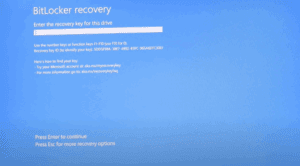
If you are facing a blue screen asking for a BitLocker recovery key when trying to turn on your Windows computer, don’t worry. In this article, we will guide you step-by-step on how to...
Read More
Windows 11 Home vs Windows 11 Pro: Which One Should You Choose?
Hello friends!In this article, we will discuss an important topic for anyone considering upgrading or installing Windows 11: Windows 11 Home vs Windows 11 Pro.Which version is better? Which one should you use? What...
Read More