Despite rapid advancements in technology, several outdated computer myths continue to circulate among users—especially non-tech-savvy individuals. These misconceptions not only lead to unnecessary worry but also prompt users to spend money on tools or services they don’t really need.
In this article, we’re busting five of the most common computer myths that are still believed in 2024. We’ll also guide you on what actually works, so you can enjoy a faster, safer, and more optimized PC experience.
Myth 1: Paid “Cleaner” Software Improves PC Performance
You’ve probably seen ads claiming that their software will make your PC “300x faster” by cleaning junk files, fixing registry errors, and updating drivers. These promises are misleading.
Reality:
Most cleaner software is unnecessary and does nothing you can’t already do with built-in Windows tools.
✅ Here’s what you can do instead:
- Delete temporary files: Go to Settings > System > Storage and remove temporary or unwanted files manually.
- Update drivers: Right-click the Start menu > Device Manager, select any hardware (like Bluetooth or Display adapters), right-click it, and choose Update driver.
- Uninstall apps: Go to Settings > Apps > Installed apps to uninstall unnecessary programs.
- Use a trusted uninstaller: If you want a thorough uninstallation process, use Revo Uninstaller — a free tool known for completely removing leftover files and registry entries.
Conclusion: Stop relying on paid PC cleaners. They rarely improve performance and often serve as nothing more than marketing gimmicks.
Myth 2: You Need to Defragment Your Drive Frequently
Many users believe they need to manually defragment their drives to keep their systems fast.
Reality:
Modern computers come with SSDs (Solid State Drives), which should not be defragmented. Doing so can actually reduce the lifespan of the drive.
- What happens automatically: Windows already has a built-in optimization utility that runs in the background and knows when and how to handle SSDs and HDDs appropriately.
- For SSDs: Defragmentation is not needed and not recommended.
Myth 3: Turning Your Computer On and Off Regularly Is Bad
Some people think that shutting down their computer frequently causes hardware wear and tear, so they prefer to keep it in Sleep Mode.
Reality:
Turning off your computer when it’s not in use is actually beneficial in many scenarios.
- Sleep mode does save time but still consumes minimal power and system resources.
- If you’re facing issues like Wi-Fi or audio not working properly, a full shutdown and reboot can often fix the problem. This is because certain components (like the kernel) only reset during a shutdown—not sleep or restart.
- Lifespan matters: Regular shutdowns can help prolong the lifespan of your hardware components by reducing unnecessary usage.
Myth 4: Deleting Files From Your Hard Drive Completely Erases Them
It’s a common belief that once you delete a file from your PC, it’s gone forever.









Reality:
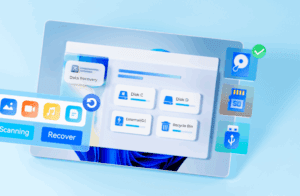
Deleting a file only removes the visible trace. The data itself remains on the storage device until it’s overwritten by new data.
- This means someone with the right tools could recover deleted files, which is a serious risk for sensitive or confidential information.
✅ Want to permanently delete files?
Use secure data-wiping tools like Magnet AXIOM (mostly used by digital forensics professionals) or similar data erasure software that overwrites the file multiple times to ensure it cannot be recovered.
Myth 5: More Cores and RAM Always Mean Better Performance
Adding more RAM or CPU cores sounds like a smart upgrade for faster performance—but that’s not always the case.
Reality:
Performance depends on how you use your PC.
- If you don’t use heavy software or multitask frequently, adding more RAM or CPU cores won’t make much of a difference.
- On the other hand, if you’re a gamer, video editor, or power user, and you notice 100% usage in Task Manager, then an upgrade might be necessary.
Quick Tips:
- Check current usage: Open Task Manager > Performance tab to see if RAM or CPU usage is maxed out during normal use.
- If you have 8GB or 16GB RAM and a decent processor and still face slowness, you likely need software optimization, not hardware upgrades.
Conclusion
Don’t fall for these outdated myths. Whether it’s cleaner software, defragmentation, or hardware upgrades, understanding the truth behind these beliefs can help you save money and make smarter tech decisions.
Your computer is a powerful machine—maintain it wisely, and it will serve you well for years to come.
Tags:
computer myths, PC optimization, SSD tips, Windows performance, delete files securely, RAM upgrade, PC maintenance, Revo Uninstaller, Magnet AXIOM, tech tips
Hashtags:
#ComputerMyths #PCTips #WindowsOptimization #TechMythsBusted #SSDtips #PCPerformance #SecureDelete #TaskManager #RAMUpgrade #CleanYourPCRight
Disclaimer:
This article is for informational purposes only. The tools mentioned are based on general user experience and are not officially endorsed. Please ensure to download software only from their official websites to avoid security risks.








