If you’re a handheld gaming fan, the recent official expansion of Steam OS 3 beyond the Steam Deck is worth bookmarking. Valve’s latest release (version 3.7.8) formally supports third‑party AMD handhelds like the Lenovo Legion Go S and Asus ROG Ally—introducing new features and improved compatibility across the ecosystem. Here’s everything you’ll want to understand—and what it means for your gaming device.
1. What’s New in Steam OS 3.7.8
Valve’s Steam OS website has undergone a full redesign, replacing the old Debian‑8 copy with a modern showcase of its console‑style UI and new compatibility ratings. While you still can’t download a desktop ISO directly, Steam Deck recovery images are now supported for select AMD handhelds—but with a few caveats:
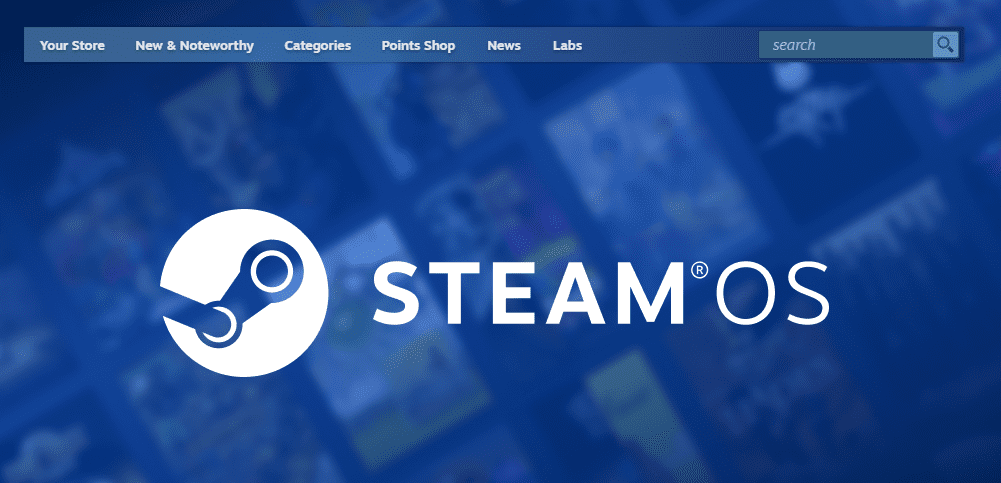
- Official support is currently limited to AMD‑based handhelds with NVMe SSDs—Intel and Nvidia support aren’t included yet.
- There’s no non‑destructive installation method: the installer wipes the entire drive, so dual‑boot isn’t supported.
- The system is optimized for handheld form factors, not general desktop use.
2. Which Handhelds Are Now Supported?
✅ Legion Go S
Launched in May 2025 at $499 with Steam OS pre‑installed, it’s the first officially licensed third‑party device using Valve’s OS.
🔄 Lenovo Legion Go (Original) & Asus ROG Ally
Support has expanded to include these devices (especially AMD-based models like the Z1 Extreme or Z2 Go), though “Powered by Steam OS” certification is not final for them yet.
3. Slick New Features for Handhelds & Steam Deck
This update delivers several quality‑of‑life improvements:
- Bluetooth headset mic support in Desktop mode via HFP/HSP profiles.
- Bluetooth controller wake‑up for the LCD—no more physical presses needed (originally just OLED devices).
- Battery Charge Limit: Cap charging at 80% for better long‑term battery health.
- Variable Refresh Rate frame‑rate limiting, AMD P‑state CPU controls, kernel 6.x, updated Mesa drivers, and upgraded Plasma desktop (now v6.2.5).
- Steam now surfaces a “Steam OS Compatible” tab in your game library to highlight devices with verified support—including outside the Steam Deck ecosystem.
4. Desktop vs. Gaming Mode: What’s the Difference?
By default, Steam OS boots into a controller-centric GameScope session, optimized for performance and simplicity. You can switch to KDE Plasma desktop, but not all GameScope features—like FSR scaling or certain overlays—carry over seamlessly to desktop mode.
If you’re more interested in desktop use, community distributions like Bazzite deliver a ready-to-go experience with broader hardware compatibility—including Intel and Nvidia systems—and offer both Game and Desktop modes.
5. What’s on the Horizon with Steam OS?
Valve is clearly aiming to create a wider Steam OS ecosystem:
- It’s working with select partners on “Powered by SteamOS” devices beyond Lenovo and Asus.
- Rumors suggest future Steam OS hardware like a wireless VR headset (“Deckard”) or Steam Machines‑style console could be in the works.
6. Should You Install Steam OS Now?
For handheld users (Legion Go S, ROG Ally w/ AMD):
✅ If you want an official, Steam‑optimized Linux experience and can accept full‑drive installs.
For desktop/laptop users:
❌ Not ready for general platforms yet. Intel/Nvidia support remains limited—better to use community Linux gaming distros like Bazzite, Nobara, or Pop!_OS for broader compatibility.
7. Frequently Asked Questions
Q: What hardware is required to install Steam OS 3.7.8 on a handheld?
A: An AMD processor and GPU, NVMe SSD, and an enabled UEFI mode (plus preferably disabled Secure Boot).







Q: Can I dual‑boot Steam OS and Windows?
A: Not currently—Steam OS installer wipes the entire drive, so dual‑booting isn’t supported out-of-the-box.
Q: Why doesn’t Valve support Intel/NVIDIA broadly yet?
A: Driver support for Intel and open-source Nvidia on Linux is still limited. Valve says it’s working closely with hardware partners before rolling out full support).
Q: Is Steam OS better than Windows for handheld PCs?
A: For some users—yes. Linux-based Steam OS is more battery‑efficient, handles sleep/wake better, and delivers a cleaner gaming UI, though anti‑cheat compatibility and Windows‑only titles remain issues.
8. Wrap-Up: Where Are We Headed?
Valve’s move to officially support third‑party handhelds marks a turning point. Steam OS is no longer just the Steam Deck’s operating system—it’s a platform in development.
The update to 3.7.8 brings enhanced features, improved battery and input handling, and better game compatibility across devices. That said, Steam OS is still shaped around AMD-powered handhelds, and full desktop compatibility is a work in progress.
If you’re eager to try a Steam Deck‑style experience on a non‑Valve device and your hardware aligns (AMD + NVMe), now is a great time to dive in. Just be aware of the limitations—and don’t forget to back up your drives before installing!
🧷 Disclaimer
This post reflects the state of Steam OS support and compatibility as of May 2025. Valve’s roadmap may evolve—support for broader hardware (Intel/Nvidia) and new installation options could arrive in future updates. You’re strongly advised to back up all data and confirm your device is fully supported before attempting to install Steam OS.
🔖 Tags & Hashtags
Tags: SteamOS, Linux Gaming, Legion Go S, ROG Ally, Proton, AMD Handheld Gaming, GameScope, SteamPlay, Valve ecosystem
Hashtags: #SteamOS #LinuxGaming #SteamDeck #LegionGoS #ROGAlly #SteamPlay #Valve #HandheldGaming








