Is your Squarespace website live but invisible on search engines like Google or Bing? You’re not alone—an estimated 85% of Squarespace websites don’t appear on search engines simply because their owners skip a few critical SEO steps. The good news is, fixing it is straightforward if you follow this comprehensive 5-step guide.
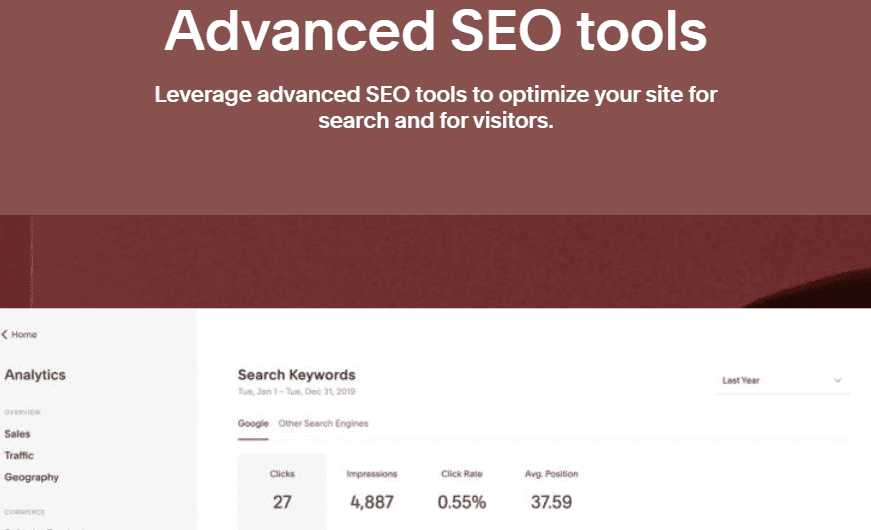
By the end of this guide, your site won’t just be visible on Google and Bing—it will also be optimized for emerging AI search platforms like ChatGPT, Gemini, and Perplexity.
✅ Step 1: Check if Your Site Is Already Indexed by Google
Before optimizing, check if Google has indexed your site:
How to Check:
- Open Google and type:
site:yourdomain.com - Replace
yourdomain.comwith your Squarespace website URL. - This will show all the pages of your website that Google has indexed.
If no results show up, don’t panic—follow the steps below.
✅ Step 2: Connect to Google Search Console
Google Search Console is a free tool that helps monitor your website’s performance on Google and enables you to submit your site directly to be indexed.
How to Connect:
- Go to Squarespace > Settings > Third-Party Tools > Connected Accounts.
- Select Google Search Console and connect your Google account.
Submit Your Sitemap:
- Go to Google Search Console and click “Start Now.”
- Select your property (your website).
- Click on Sitemaps in the left menu.
- Enter:
sitemap.xmland press Submit.
Speed Up Indexing:
- Copy your homepage URL.
- Paste it into the URL Inspection Tool.
- Click Request Indexing.
- This forces Google to crawl and index your page immediately.
✅ Step 3: Connect to Bing Webmaster Tools
Even though Google dominates, Bing powers many AI search tools like ChatGPT and Copilot.
Steps to Connect:
- Visit Bing Webmaster Tools.
- Sign in using the same Google account.
- Choose Import from Google Search Console.
- Select your Squarespace site and authorize access.
- Submit your sitemap again by adding
sitemap.xmlafter your URL.
This ensures your site appears on Bing and AI-powered tools like ChatGPT, which heavily rely on Bing for data.
✅ Step 4: Run a Full SEO Audit with SEO Space
SEO Space is a dedicated SEO plugin for Squarespace that helps you identify critical SEO issues.
How to Use It:
- Visit SEO Space and start a site audit.
- Connect your website to Google Search Console.
- SEO Space will:
- Analyze every page
- Identify pages not indexed
- Suggest critical tasks to boost rankings
This helps eliminate any hidden roadblocks preventing your site from ranking.
✅ Step 5: Perform a Backlink Audit and Build Authority
Backlinks are links from other reputable websites to yours, and they significantly improve your authority in Google’s eyes.
Using SEO Space’s Backlink Tool:
- Enter your site to check your current backlinks.
- Analyze spammy backlinks (and disavow if needed).
- Search for competitor sites using your target keyword (e.g., “Wedding Photographer London”).
- Discover where your competitors are listed (like Yelp or industry blogs).
- Try getting your site featured on similar platforms.
Pro Tip: Use the tool to analyze what’s working for your competitors and replicate those strategies.










✅ Step 6: Improve Page Quality and Match User Intent
Google and AI search engines reward high-quality, relevant content. Ensure your website answers the questions your ideal visitor is searching for.
How to Match User Intent:
- Identify what your target audience wants to know:
- Services you offer
- Pricing
- FAQs
- Reviews and testimonials
- Add detailed content sections addressing these needs.
Boost With SEO Space AI:
Use SEO Space AI directly inside your Squarespace dashboard to get tailored content suggestions.
Steps:
- Open the SEO Space AI Extension.
- Click on AI Recommendations.
- Review and implement suggestions like:
- Improving content depth
- Adding service breakdowns
- Matching searcher expectations
The better your content aligns with what users search for, the higher your chances of ranking.
Final Thoughts
By following these 5 essential steps, your Squarespace site can:
- Get discovered by Google and Bing
- Rank higher for relevant keywords
- Gain visibility in AI search engines
- Build lasting domain authority
All of this starts by getting the technical foundations right—indexing, content quality, and backlinks.
🔗 Useful Links
🏷️ Tags:
Squarespace SEO, Google Search Console, Bing Webmaster Tools, SEO plugins, AI search engines, backlinks, SEO audit, SEO Space, indexing issues
# Hashtags:
#SquarespaceSEO #GoogleSearchConsole #Backlinks #AISEO #SEOForSquarespace #SEOPlugins #SEO2025 #WebsiteRanking #DigitalMarketing #ChatGPTSEO
📌 Disclaimer:
This article includes references to third-party tools and services such as Google Search Console, Bing Webmaster Tools, and SEO Space. The content is for educational purposes only and not sponsored or endorsed by these services. Always review terms and ensure tools meet your needs before use.