If you’re building or maintaining a PC with an AMD processor, you’ve probably wondered: Do I really need to install AMD’s chipset drivers, or are the ones included with Windows good enough? While Windows does a solid job at installing most drivers automatically, there might be hidden performance benefits to manually updating your chipset drivers—especially for gaming.

In this article, we’ll explore whether installing AMD’s official chipset drivers can improve gaming performance, how to install them properly, and what kind of gains (if any) you can expect.
💡 What Are Chipset Drivers and Why Do They Matter?
Chipset drivers are software packages that allow your operating system to communicate correctly with your motherboard’s components. These include things like PCIe lanes, USB controllers, SATA interfaces, and power management features.
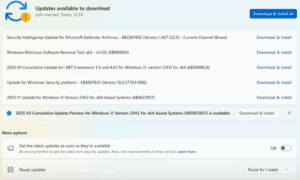
While Microsoft does bundle many of these drivers with Windows, these are often generic versions or slightly outdated. That’s because, even though Microsoft provides the drivers through Windows Update, they are initially developed and maintained by the hardware manufacturers—like AMD.
Installing the latest AMD chipset drivers can potentially unlock performance improvements, better latency, and improved stability in games and applications.
🧪 The Experiment: Stock Windows vs AMD Chipset Drivers
To test the theory, a fresh install of Windows 10 Pro was used, with the only update being the latest GPU drivers. Initially, the system ran on the default chipset drivers provided by Windows. Then, the official AMD chipset drivers were installed, and performance benchmarks were compared.
System Specs:
- CPU: AMD Ryzen 5 5600
- GPU: NVIDIA RTX 3060 (Water-cooled)
- RAM: 32GB DDR4 at 3200MHz
- OS: Windows 10 Pro (clean install, no tweaks except driver updates)
🔧 How to Check and Install AMD Chipset Drivers
Step 1: Identify Your Chipset
To find your chipset model:
- Download and install CPU-Z.
- Launch the app and go to the Mainboard tab.
- Note down the Chipset and Socket type.
For example: Socket AM4, Chipset B450.
Step 2: Download the Drivers
- Visit the official AMD Chipset Drivers page.
- Scroll down and choose:
- Category: Chipsets
- Socket type (e.g., AM4)
- Your chipset model (e.g., B450, X570)
- Choose your operating system (Windows 10/11).
- Download the driver package (typically ~60MB).
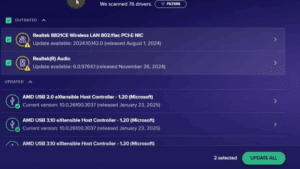
Step 3: Install the Drivers
- Run the installer.
- Leave all default options selected (recommended).
- Click Install and wait for the process to complete.
- Reboot your system after installation.
That’s it! Your chipset drivers are now up to date.
🎮 Benchmark Results: Do Chipset Drivers Help in Gaming?
Below are the results comparing default Windows chipset drivers vs AMD’s latest drivers.
1. Black Mesa (Older Game)
- Average FPS: No noticeable change
- 1% Low: +3.5%
- 0.1% Low: +12.3%
➡️ Slight improvements in frame consistency, not raw FPS.








2. Counter-Strike 2
- Average FPS: +1.9%
- 1% Low: +20.3%
- 0.1% Low: +49.8%
➡️ Significant improvements in frame timing and stability.
3. Cyberpunk 2077
- Average FPS: +1.3%
- 1% Low: +2.4%
- 0.1% Low: -1.5%
➡️ Marginal difference; within the margin of error.
4. GTA V
- Average FPS: +1.9%
- 1% Low: +1.1%
- 0.1% Low: -14.7%
➡️ Inconsistent results; some regression in low frame performance.
5. Red Dead Redemption 2
- Average FPS: +2.1%
- 1% Low: +4%
- 0.1% Low: +64.9%
➡️ Major gains in smoothing out frame dips and micro-stuttering.
📊 Final Thoughts: Is It Worth It?
While average FPS gains from installing AMD’s chipset drivers are modest at best, frame timing and consistency improvements are very real, especially in newer or fast-paced games like Counter-Strike 2 and Red Dead Redemption 2.
These improvements can translate into a smoother gaming experience by reducing micro-stutters and latency spikes—things that can seriously affect competitive gaming.
Conclusion:
Yes, you should install AMD’s official chipset drivers. Even if the benefits aren’t drastic in every game, better system stability, compatibility, and improved frame timing make it worth your while.
⚠️ Disclaimer
Performance gains from driver updates may vary based on system configuration, specific hardware, and game optimizations. Always ensure that your drivers are downloaded from official sources to avoid compatibility or security issues.
🔗 Useful Links
🏷️ Tags
amd chipset drivers, update amd drivers, install chipset drivers, windows 10 performance, amd gaming optimization, ryzen drivers, improve gaming performance, pc gaming tips, cs2 performance, driver benchmark
📣 Hashtags
#AMD #ChipsetDrivers #PCGaming #Windows10 #GamingPerformance #Ryzen #DriverUpdate #Benchmark #TechTips #GamersGuide








