If you’ve been thinking about switching to Jio AirFiber in 2025, hold on a second before making that decision. I recently got Jio AirFiber installed at my home, and the experience turned out to be a mix of convenience, confusion, and a few unexpected surprises.
In this detailed guide, I’ll walk you through everything about Jio AirFiber — how it works, how it differs from traditional Jio Fiber, installation steps, real speed and latency performance, pricing, hidden issues, and whether it’s truly worth it.
Let’s dive right in.
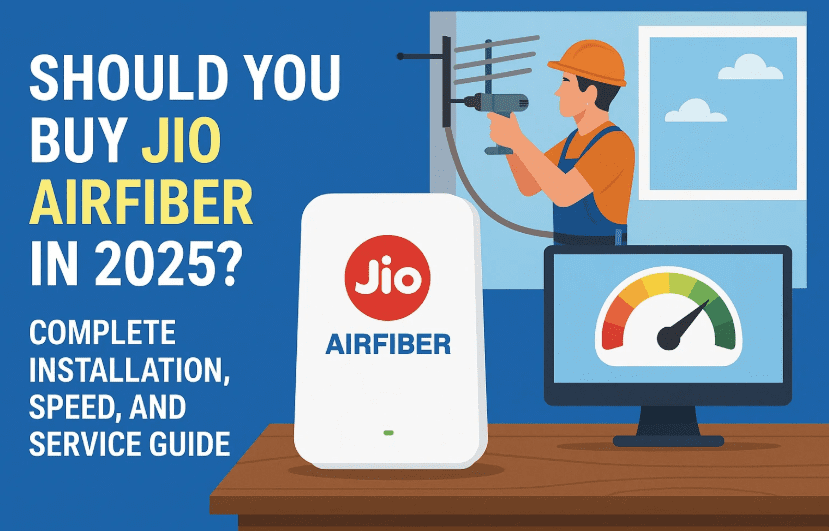
1. What is Jio AirFiber and How It Works
Before diving into pros and cons, let’s understand what Jio AirFiber actually is. Many people think it’s some kind of wireless fiber connection — but that’s not entirely true.
Jio AirFiber works more like a large Wi-Fi hotspot. Instead of a direct underground fiber cable, it connects your rooftop antenna to a nearby Jio tower — the same tower that handles your mobile network — but with better equipment and priority routing.
Once the antenna is fixed on your rooftop, it connects via a CAT6 cable to an indoor router. That’s where the signal is converted into Wi-Fi for your home or office.
So technically, AirFiber is not “fiber” at all. It’s still a wireless connection between your house and the tower, just using a wired bridge to your indoor router.
2. Jio AirFiber vs Jio Fiber: The Key Difference
If you’ve used Jio Fiber before, you’ll immediately notice the difference.
Let’s break it down clearly before moving to the next part.
| Feature | Jio Fiber | Jio AirFiber |
|---|---|---|
| Connection Type | Wired (via underground optical fiber) | Wireless (via rooftop antenna to Jio tower) |
| Stability | Very stable, consistent | Varies with signal and weather |
| Ping Latency | 5–20 ms | 15–100 ms (fluctuates often) |
| Speed | Up to 1 Gbps | Usually 30–300 Mbps depending on plan |
| Installation | Requires cable pulling | Easier, just an antenna and router |
| Data Cap | Usually unlimited | 1000 GB/month (FUP applies) |
| Maintenance | Quick resolution | Slower issue response in many regions |
In short, Jio Fiber is faster and more stable, but AirFiber is easier to install and avoids cable cuts — which is why Jio is pushing it in most areas now.
3. The Installation Process: My Real Experience
Now let’s talk about the part everyone wonders about — installation.








In my experience, getting Jio AirFiber installed took around four days, even though the company promised next-day setup. Initially, I applied during a free-trial offer period, but after months of no response, an executive finally called saying there was a “special offer” — ₹1000 for a 3-month 100 Mbps plan with Jio TV.
That sounded good, so I agreed. But once the technician arrived, I realized something important:
- They don’t always honor the same plan.
- In my case, they downgraded the offer to a 30 Mbps two-month pack costing ₹600.
- Installation only started after repeated follow-ups.
Step-by-step installation process
Here’s how it typically works if everything goes right:
- Book the connection on the official site: www.jio.com/airfiber
- A field executive calls to confirm your address and building type.
- Technicians visit your location to assess rooftop access.
- They install a small antenna (CPE unit) on your terrace or wall facing the nearest Jio tower.
- A CAT6 cable runs from the antenna into your home to connect to the AirFiber router.
- The router is configured using the Jio Home Gateway app.
- You receive your login details and first bill cycle immediately after setup.
In my building, the technicians ran the cable loosely over the roof and walls — not through proper ducts — which made it look messy. Ideally, they should have used internal conduits like other fiber providers do.
So far we’ve covered installation; now let’s check what kind of speed you can expect.
4. Speed Test and Latency Results
When everything is working fine, Jio AirFiber speed is decent for everyday use.
In my real-world test:
- Download speed: 30 Mbps (sometimes reaching up to 35 Mbps)
- Upload speed: 20–25 Mbps (occasionally 30 Mbps)
- Average ping: around 30 ms
- Minimum ping: as low as 15 ms
- Maximum ping spikes: up to 100 ms during peak hours
For general browsing, streaming, or even online classes, this is acceptable. However, for competitive gaming or live streaming, you’ll notice lag due to inconsistent ping.
To put it simply — AirFiber performs well for streaming, moderate downloads, and regular work-from-home tasks, but not for latency-sensitive applications.
5. Data Cap and Fair Usage Policy
Now comes the part that many customers overlook — the data cap.
Despite Jio promoting it as “unlimited,” AirFiber actually comes with a 1000 GB (1 TB) monthly limit. Once you cross that, your speed drops sharply, or you’ll need to purchase an additional data top-up, which can get expensive.
If you use Jio TV actively or stream OTT content on 4K, this 1000 GB limit gets exhausted pretty quickly.
So even though the plan looks “unlimited,” you should consider it limited by practical usage — especially for families who stream multiple TVs or use smart devices.
6. Plans, Pricing, and Billing Cycle
As of 2025, here’s a general breakdown of Jio AirFiber plans (pricing may vary slightly by region and taxes):
| Plan Name | Speed | Data Limit | OTT Apps | Monthly Price (excl. GST) |
|---|---|---|---|---|
| AirFiber Starter | 30 Mbps | 1000 GB | None | ₹599 |
| AirFiber Entertainment | 100 Mbps | 1000 GB | 11+ OTTs + 800 TV channels | ₹899 |
| AirFiber Max | 300–1000 Mbps | 1000 GB | 14+ OTTs | ₹1499+ |
Remember, GST adds another 18%, so ₹599 actually becomes around ₹707/month.
Another thing: Jio AirFiber works like a postpaid system, but you have to pay upfront — similar to prepaid recharge within a billing cycle.
Billing cycle advantage
Unlike mobile data plans that run on 28 days, Jio AirFiber uses a true monthly cycle (30–31 days), which is a small but welcome benefit.
7. Hardware and Router Breakdown
Let’s talk about the hardware you get with Jio AirFiber.
The package includes a Wi-Fi 6 router — sleek, slim, and modern in design. Despite being compact, it offers excellent coverage. In my case, the router was installed on the first floor, and I could still get a stable signal even on the ground floor.
Key technical details:
- Dual-band router (2.4 GHz + 5 GHz)
- Automatic band switching based on distance
- Four LAN ports for wired connections
- One USB port for external drives
- Powered via 12 V adapter (also powers the rooftop antenna)
- Green light indicates active status; red means connectivity issue
Customization and settings
One limitation is that you can’t change advanced settings easily. Jio locks most router options. You can modify Wi-Fi name and password, but for IP or port-forwarding changes, you must log in via Jio Home Gateway or request access through support.
You can also attach a pen drive or hard disk to the USB port and use it as shared storage across your home network — though in my case, I haven’t tried this feature yet.
8. Jio Set-Top Box and TV Features
Along with the router, Jio provides a 4K Smart Set-Top Box — which doubles as a mini computer.
It’s officially called the Jio STB or Jio PC, and it allows you to watch TV channels and even use it as a basic PC with a keyboard and mouse.
Key highlights:
- Runs Android-based Jio TV+ OS
- Supports 4K output via HDMI
- 11+ OTT apps pre-installed (Netflix, Prime Video, Disney+ Hotstar, etc.)
- 800+ live TV channels
- Can connect USB keyboard/mouse
- Can act as a lightweight desktop PC (extra ₹599/month for Jio PC access)
If you have an older non-HDMI TV, this device won’t connect, since it supports HDMI only — no AV ports.
A small positive point — even if your Jio AirFiber data ends, Jio TV can run on any other internet connection, including a mobile hotspot. That’s a clever backup option.
The remote control is also voice-enabled, so elderly users can simply say “Open Sony HD” or “Play Star Sports” and it works smoothly.
9. Service Experience and Problems I Faced
Now, this is the section most people skip — but it’s the most important.
In my experience, Jio AirFiber’s service quality depends heavily on your area. Around Kolkata, it was quite poor.
Here’s what I observed:
- The installation team delayed visits and didn’t use proper ducts for wiring.
- Customer service often ignores complaints until multiple follow-ups.
- If your connection goes down, they usually reschedule visits repeatedly instead of fixing the issue quickly.
- The CAT6 cable installed outdoors is exposed to sun and rain — it can degrade over time and cause disconnections.
Some of my neighbors also faced similar problems — especially when a single rooftop antenna was used to serve multiple homes via a splitter, leading to signal loss.
So while speed may not be the problem, service reliability definitely is.
10. Who Should Buy (and Who Shouldn’t)
Let’s make this simple.
✅ Jio AirFiber is suitable for:
- People in areas without proper Jio Fiber availability.
- Rural or semi-urban homes where 5G coverage is weak.
- Users who need fixed broadband for work-from-home with stable mid-range speeds.
- Families wanting TV + Internet combo with OTT apps in one plan.
❌ You should avoid Jio AirFiber if:
- You already have Jio Fiber or a stable local broadband option.
- You’re a gamer, streamer, or heavy uploader who needs consistent low latency.
- You expect quick technical support — service teams can be slow in many regions.
- You rely on truly unlimited data.
If you fit into the first group, AirFiber can be convenient and fast enough. But if you’re in the second group, stick to fiber or a strong 5G mobile hotspot.
11. Frequently Asked Questions
Q1: Is Jio AirFiber truly wireless?
Not completely. It’s wireless up to your rooftop antenna, but a wire still runs from the antenna to your indoor router.
Q2: Can I install Jio AirFiber in any area?
It depends on proximity to a Jio tower (usually within 1 km). Jio may refuse installation if the signal is weak or demand is low.
Q3: What happens after I cross 1000 GB usage?
Your speed drops significantly, or you’ll need to purchase a data add-on pack.
Q4: Does Jio provide compensation for downtime?
No. Even if your connection remains inactive for days, it still counts in your billing cycle.
Q5: Can Jio AirFiber handle multiple devices?
Yes, it supports many devices through Wi-Fi 6, but performance depends on signal and total bandwidth.
Q6: Is the 4K Set-Top Box mandatory?
It’s optional, but highly recommended if you want to access the OTT and TV bundle included in higher plans.
12. Final Verdict
After using Jio AirFiber for a while, here’s my honest take:
Pros:
- Easy to install — no digging or cable pulling
- Decent speed for browsing, streaming, and work
- Powerful Wi-Fi 6 router with good coverage
- Smart TV box with OTT support
- Attractive bundled pricing with OTT and TV packs
Cons:
- Inconsistent latency and signal drops
- Poor installation practices in many areas
- Limited customization for advanced users
- Average after-sales service and slow issue resolution
- 1000 GB monthly limit (not truly unlimited)
So, should you buy Jio AirFiber in 2025?
If you live in an area where Jio Fiber or other broadband isn’t available — yes, it’s a convenient alternative. But if you already have stable wired internet or strong 5G coverage, you’ll get better performance and reliability elsewhere.
The technology is promising, but Jio still needs to improve its service quality and after-installation support before it can fully replace fiber internet.
Disclaimer
Performance, installation speed, and service experience may vary by region. The details and prices in this article are based on actual user experience and may change over time. Always verify updated plans on the official Jio AirFiber website: https://www.jio.com/airfiber.
Tags: jio airfiber, jio airfiber 2025 review, jio airfiber vs fiber, jio airfiber installation, jio airfiber speed test, jio airfiber data limit, jio airfiber router, jio airfiber tv box, jio airfiber service issues, jio broadband alternatives
Hashtags: #JioAirFiber #JioFiber #BroadbandIndia #InternetSpeed #JioTV #TechGuide #WiFi6 #HomeInternet








