Welcome back to the dtptips.com Weekly Tech Roundup. Hope you have already noticed the artiles in Part 1 Saturday, August 30, 2025 – Weekend Update Part 1: AI, Linux, FFmpeg, Android Apps & Gaming Highlights, which has variety of artiles like AI’s influence on Linux, open-source tools like FFmpeg, hidden Android apps, and major gaming reviews.
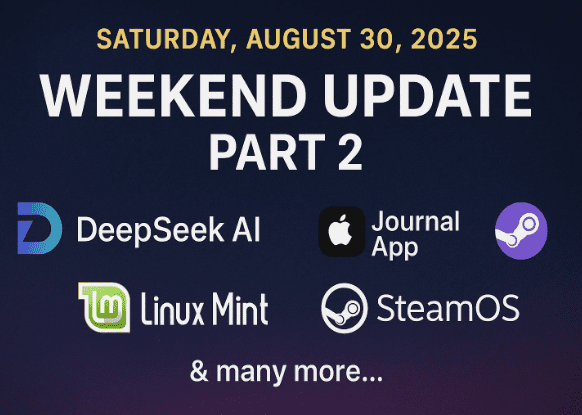
Now in Part 2 (articles 13–24), we continue the journey — covering cutting-edge AI releases, Apple’s journaling app, Linux Mint’s latest updates, experiments with SteamOS, and YouTube’s new AI-driven verification rules.
Let’s get started 👇
13. The Silent Dawn: How DeepSeek V3.1 Quietly Unleashed an AI Revolution
In a quiet pre-dawn upload to Hugging Face, the AI landscape was fundamentally reshaped by the release of DeepSeek V3.1. This 685-billion-parameter model stunned the tech world by not only rivaling but surpassing giants like GPT-5 and Claude Opus 4 in critical benchmarks, all while operating at a staggering 68 times lower cost. The immediate economic shock was profound, erasing hundreds of billions in market value from major tech firms almost overnight. This event marked far more than a technical achievement; it signaled a complete paradigm shift, proving that elite AI performance was no longer the exclusive domain of corporations with billion-dollar budgets.
At the heart of this revolution lies DeepSeek V3.1’s groundbreaking hybrid architecture, which combines a Mixture of Experts (MoE) model for efficiency, a massive 128K context window for unparalleled memory, and native web search capabilities for integrated, real-time reasoning. This technical genius, built on a surprisingly modest budget, challenges the entire closed, expensive ethos of the AI industry. By democratizing access to top-tier AI, DeepSeek V3.1 has ignited a global movement, empowering developers and businesses and firmly positioning an open, accessible, and collaborative future as the new benchmark for artificial intelligence.
14. iPadOS 26 Journal App: A Complete Guide to Apple’s New Digital Journaling Experience
The arrival of the Journal app on iPadOS 26 feels like a natural but long-awaited step from Apple. What started as a simple iPhone feature has grown into a much more practical tool on the iPad, where the larger screen, Apple Pencil, and keyboard support truly unlock its potential.
What makes the app stand out is its balance of simplicity and versatility. You can use it for quick notes like “changed the air filter” or dive into more personal reflections, complete with photos, locations, and even voice recordings. Over time, these little snippets add up to something far greater—a personal archive of memories, achievements, and milestones.
Of course, there are still limitations. Advanced features like tags, rich formatting, and better exporting tools may come later, but for now, Apple has delivered a clean, reliable, and privacy-focused journaling app that works right out of the box. For most users, that simplicity is the biggest strength.
If you’ve ever thought journaling wasn’t for you, this app may change your mind. By breaking the process down into small, easy steps, it encourages consistency without pressure. Whether you’re tracking family events, home projects, or simply your own mood and reflections, the Journal app can quietly become one of the most valuable apps on your iPad.








15. Mac Mini M4 vs MacBook Air M4 vs Windows PC Build Under ₹60K – Which One Should You Buy in 2025?
Apple’s new Mac Mini M4 has quickly become one of the most talked-about budget desktops of 2025, but how does it really compare with the MacBook Air M4 and a custom Windows PC build under ₹60,000? In our detailed breakdown, we explored performance, ports, editing capability, gaming, and long-term value. While both Apple devices shine for video editing, productivity, and efficiency, the Windows build still dominates in gaming and hardware flexibility.
The article highlights that the Mac Mini M4 is the cheapest way into Apple’s ecosystem, perfect for editors and coders, while the MacBook Air M4 wins on portability for students and professionals on the go. On the other side, a Windows PC build with a dedicated GPU offers unmatched gaming and upgradability in the same budget range. The final verdict? Your choice depends on whether you value Apple’s ecosystem and efficiency or Windows’ raw power and flexibility.
16. Switching from Windows to Linux: Common Problems and Their Solutions
Switching from Windows to Linux can feel intimidating, but the reality is most of the problems new users face are solvable. From hardware driver issues and confusion with the command line to software availability and gaming limitations, this article breaks down the six most common challenges you’ll encounter when moving to Linux. More importantly, it explains step-by-step solutions — like choosing the right distro, using open-source app alternatives, and taking advantage of tools such as Proton for gaming.
The key message is clear: Linux today isn’t the complicated system it once was. With polished desktop environments, bundled drivers, and a growing ecosystem of apps, it’s entirely possible to make a smooth transition. Whether you’re dual-booting to test the waters or planning a complete migration, this guide shows why Linux is worth the move for anyone who values privacy, control, and long-term flexibility.
17. Kiwix: How to Carry the Internet in Your Pocket – Even Without Wi-Fi
Kiwix is a free and open-source tool that lets you download and browse entire websites offline, turning your device into a portable library. From Wikipedia and Project Gutenberg to medical guides and repair manuals, it compresses content into ZIM files that remain fully searchable and easy to navigate. Whether on a laptop, smartphone, or even a Raspberry Pi hotspot, Kiwix provides reliable access to knowledge without relying on an internet connection.
The article explores how this offline solution is useful in many scenarios—long flights, camping trips, homeschooling, or even disaster situations where connectivity is lost. It emphasizes Kiwix’s strengths such as cross-platform support, privacy-friendly design, and scalability from personal use to classrooms. At the same time, it acknowledges trade-offs like large file sizes and manual updates. Ultimately, Kiwix stands out as a powerful reminder that information can remain accessible and empowering even when the internet is out of reach.
18. The 1999 Microsoft “NSA Key” Controversy
In 1999, Canadian cryptographer Andrew Fernandez uncovered something alarming inside Windows NT Service Pack 5: a second cryptographic signing key embedded in the code, labeled “NSA Key.” Since such keys determine which software Windows trusts, the discovery triggered widespread fears of a potential backdoor that could let the U.S. National Security Agency install code without detection. Fernandez demonstrated the key worked, and the revelation quickly spread through tech forums and mainstream media.
Microsoft denied any secret government involvement, insisting the “NSA Key” was merely a poorly named internal backup. Yet critics questioned why it was hidden and labeled after a U.S. agency, especially at the height of the 1990s “crypto wars,” when the government was pressuring companies to weaken encryption. Though no proof ever surfaced that the key was abused, the episode became part of cybersecurity folklore and raised lasting concerns about whether closed-source software can ever truly be trusted.
19. Massive Update to Linux Mint 22.2 “Zara” – FIRST LOOK
Linux Mint 22.2 “Zara” is shaping up to be one of the most refined and user-friendly releases in Mint’s history. The team has tackled long-standing issues head-on, most notably the GTK4/LibAdwaita theming problem. Thanks to the new LibAdapta patch, even Flatpak and modern GNOME apps now respect Mint’s system themes, finally delivering a consistent look across the desktop. The Mint-Y theme also received a subtle refresh with cooler metallic tones, while the login screen has been polished with a blur effect and user avatars. New features like the FingWit fingerprint authentication tool and Sticky Notes syncing with Android devices push Mint further into modern, practical use cases.
Beyond visuals and usability, Mint 22.2 makes strong under-the-hood improvements. Built on Ubuntu 24.04.3 with Linux Kernel 6.14 HWE, it delivers top-tier compatibility for the latest CPUs, GPUs, and Wi-Fi drivers out of the box. Hypnotix IPTV introduces theater and borderless modes, Warpinator now extends to iOS, and Nemo File Manager, Update Manager, and XViewer all see smart refinements. Altogether, Linux Mint 22.2 “Zara” feels faster, more polished, and more convenient—making it an ideal upgrade for both new users and long-time Mint fans.
20. Can SteamOS Turn a $100 Trash PC Into a Gaming Machine? Full Experiment Explained
Installing SteamOS on unsupported desktop hardware quickly turned into a marathon of errors. The mouse froze, the cursor glitched in bizarre ways, and the installer flat-out refused to recognize a SATA SSD because it only expects NVMe drives. Add to that EFI partition complaints, corrupted scripts from even the smallest typo, and an installer so laggy that every command took nearly two minutes to type—it became obvious that SteamOS was never meant for this kind of machine. After more than six hours of trial and error, the system was still unstable and nowhere near usable.
Most of these problems could be worked around with manual fixes: editing installation scripts to swap nvme0n1 with sda, flagging the EFI partition as ESP, or adding kernel boot options like nomodeset to stop the cursor bugs. Even temporary swap files could ease the unbearable lag. But the truth is, unless you enjoy debugging for hours, SteamOS in its official form isn’t practical for old desktops and outdated GPUs. In such cases, using community-built SteamOS alternatives like Bazzite or ChimeraOS is a far smoother path.
21. The Best Legal Websites to Download and Claim Free PC Games in 2025
Gamers don’t always need to spend money to expand their libraries — platforms like Epic Games Store, Steam, Ubisoft Connect, Battle.net, Prime Gaming, and EA App regularly give away titles for free. From AAA blockbusters like GTA V to indie gems, once claimed, these games remain in your library for life. Some sites also bundle in trials, subscriptions, and discounts, making them valuable beyond just giveaways.
The trade-off? You need to know where to look and when to act. Epic offers weekly rotations, Steam runs free weekends, and Prime Gaming refreshes its catalog monthly. Together, these platforms prove you can legally collect hundreds of dollars worth of games without touching shady download sites — but it requires a little consistency and awareness to catch the deals before they vanish.
22. First Look at PikaOS: A Different Kind of Debian-Based Linux
PikaOS is a new Debian-based Linux distribution that sets itself apart with features like a custom kernel, Btrfs filesystem by default, and a GUI-based kernel manager. Unlike many minimal Debian derivatives, it comes with thoughtful setup tools, multiple desktop environment ISOs, and a welcome screen that streamlines codecs, driver installation, and gaming utilities.
While it shows promise, especially for gaming-focused users, it isn’t flawless. Concerns remain about its incomplete Snapper integration for Btrfs rollbacks and the stability of its custom package manager, Pikman. Still, for users who want Debian’s reliability with a modern, tweak-friendly edge, PikaOS might be one of the most interesting distros to keep an eye on in 2025.
23. 3 Best AI Upscaling Tools to Boost Image Quality up to 400x for Free
AI has transformed how we restore and enhance photos. Free online tools like TinyWow, AI Upscaler, and VanceAI now let anyone increase image resolution by up to 4x, sharpen blurry edges, and add detail without expensive software like Photoshop. Each service comes with unique strengths — TinyWow’s simplicity, AI Upscaler’s built-in filters, and VanceAI’s fast batch processing.
For everyday users, this means old family pictures, low-res downloads, and pixelated artwork can all be refreshed with a few clicks. While the results aren’t magical fixes for extremely damaged images, they’re more than enough for printing, presentations, or social media. In short, professional-level photo enhancement is no longer locked behind a paywall — it’s just a browser tab away.
24. YouTube’s New AI Age Verification: Protecting Children or Expanding Surveillance?
Google is preparing one of the most controversial shifts in Android’s history: mandatory app verification for all developers, even those who never publish on the Play Store. By 2027, any app that hasn’t been verified through Google’s Developer Console and tied to real-world identity checks (KYC) will no longer run on most mainstream Android devices. This marks a major departure from Android’s long tradition of openness, where sideloading APKs was a core feature that set it apart from Apple’s iOS.
While Google argues this move is necessary to combat malware, critics warn that it hands Google unprecedented control over what software users can run. Independent developers, open-source projects, and privacy-focused tools like alternative app stores could all be affected. For users, it’s a trade-off: more security on paper, but less freedom in practice. Many are now asking the uncomfortable question — is Android slowly turning into iOS?
🔚 Closing Thoughts
That concludes Part 2 of our weekly roundup (articles 13–24). From groundbreaking AI like DeepSeek V3.1 to Apple’s journaling app, Linux Mint upgrades, and YouTube’s bold policy shift, this week was packed with innovation and debate.
Together with Part 1, this completes our coverage of all 24 articles posted this week. Stay tuned — next week promises even more exciting updates across AI, Linux, Windows, gaming, and beyond.
Tags: deepseek, ai, ipadOS 26, mac mini m4, macbook air m4, linux mint 22.2, steamos, free games, pikaos, ai upscaling, kiwix, microsoft nsa key, youtube age verification
Hashtags: #AI #DeepSeek #Linux #MacMiniM4 #MacBookAirM4 #LinuxMint #SteamOS #PikaOS #Upscaling #YouTube
