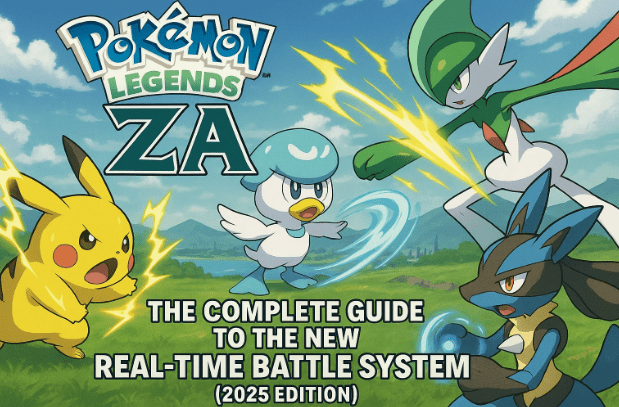
Pokémon Legends ZA is reshaping how we experience Pokémon battles. For the first time, the franchise is moving away from the classic turn-based system and adopting a real-time combat approach. This means that strategy, reflexes, and timing matter more than ever before.
In this comprehensive guide, we’ll break down every aspect of the Pokémon Legends ZA battle system — from targeting and cooldowns to Mega Evolutions and status effects. Whether you’re a returning Pokémon veteran or new to the world of Lumiose City, this article will help you master the mechanics that make this game unique.
1. Introduction to Pokémon Legends ZA Battle System
Pokémon Legends ZA marks a dramatic evolution in how battles are fought. Instead of waiting for your turn to issue commands, combat unfolds in real time, requiring quick decision-making and spatial awareness. Every move, dodge, and attack feels fluid and alive — a refreshing shift from the traditional turn-based rhythm we’ve seen in Pokémon games for decades.
This new system changes several core mechanics, including how moves recharge (no more PP!), how the Speed stat works, and even how you manage Mega Evolutions. Let’s explore each of these in detail.
2. Moving, Targeting, and Commanding Pokémon
Before diving into advanced mechanics, let’s first understand how to move and control your Pokémon in battle.
Unlike earlier games, where battles take place on a static field, Pokémon Legends ZA lets you and your Pokémon freely move within the arena. This adds a layer of action and awareness to every fight.
How to Target and Command:
- Lock onto your target using the ZL button. Once locked, your Pokémon’s four available moves appear on screen.
- Press the corresponding face button (A, B, X, or Y) to activate a move.
- To switch targets, move the right stick while holding ZL.
When battling trainers, your own movement is limited — you can’t dodge roll or evade directly. However, by repositioning slightly, you can encourage your Pokémon to follow you and help avoid attacks.
In contrast, during wild Pokémon battles, movement becomes crucial. You’ll often need to dodge attacks aimed directly at you. Use:
- B to sprint.
- Y to dodge incoming moves.
⚠️ Tip: Alpha Pokémon and rogue Mega Pokémon are far more aggressive. Half of your success in these encounters depends on keeping yourself safe.
3. Understanding Cooldowns vs. PP
The biggest mechanical shift in Legends ZA is the removal of Power Points (PP). Instead, the game introduces cooldown timers for every move.
What Does This Mean?
Previously, moves had a limited number of uses before needing an Ether or a trip to a Pokémon Center. In Legends ZA, moves can be used infinitely — but you must wait a few seconds before using them again.








Each move displays a cooldown timer, visible when you’re locked onto an enemy (bottom-right corner of your HUD).
Let’s break down some typical cooldowns:
| Move Type | Example Move | Cooldown Duration |
|---|---|---|
| Priority Moves | Quick Attack | ~3 seconds |
| Standard Moves | Thunder Shock, Bite | ~6 seconds |
| Defensive Moves | Spiky Shield | ~15 seconds |
| High Power Moves | Hyper Beam | ~20 seconds |
| Buff/Debuff Moves | Tail Whip | ~7 seconds |
| Protect-Type Moves | Protect | ~15 seconds |
| Fast Guard Moves | Detect | ~10 seconds |
🧠 Strategy Tip: Balance short and long cooldown moves. Use fast attacks to maintain pressure while stronger ones recharge.
This new cooldown system encourages a rhythmic flow of combat — alternating between attack, repositioning, and defense.
4. How Speed Affects Battles (It’s Not What You Think)
In previous Pokémon titles, Speed determined which Pokémon attacked first. But in Pokémon Legends ZA, it works differently.
Here, Speed influences how quickly a Pokémon executes its moves, not the cooldown duration. Think of it like “casting speed.”
For example:
- A Houndour (Speed 53) executes Tackle almost instantly — about 2 seconds before impact.
- A Honedge (Speed 12) takes nearly 3 seconds for the same move.
That single second difference can determine the outcome of fast-paced fights, especially when dodging and countering enemy moves.
⚡ Fast Pokémon can chain attacks faster and interrupt opponents more effectively, giving them a natural advantage in real-time combat.
5. Long-Range vs Close-Range Moves
Distance and positioning now matter more than ever. Every move has its own range and wind-up time, affecting how battles unfold.
Before jumping into strategy, here’s a quick overview:
- Close-Range Moves: Bite, Tackle, Scratch
- Long-Range Moves: Ember, Water Gun, Bubble Beam
Key Differences
- Close-range moves execute faster and allow quicker combos, but expose your Pokémon to counterattacks.
- Long-range moves take longer to charge but let you maintain distance — useful when fighting dangerous opponents like Alphas.
For example:
- Bite executes faster than Ember due to shorter casting time.
- Bubble Beam travels slower after being launched, meaning it’s easier to dodge.
🎯 Tip: Mix your move types. Chain close-range moves for damage bursts and use long-range attacks to control spacing or retreat safely.
6. Understanding Status Effects
Status conditions are back — but they now play a deeper role due to the game’s real-time nature. Each affliction affects your Pokémon’s movement, cooldowns, or attack power, making quick recovery crucial.
| Status Effect | Impact on Pokémon |
|---|---|
| Poison | Continuous damage over time. |
| Burn | Reduces physical attack power and deals slow damage. |
| Sleep | Increases cooldown times drastically (“drowsy” state). |
| Paralysis | Slows movement, making dodging harder. |
| Frozen | Completely immobilizes Pokémon for a short time. |
💡 Always carry healing items. Neglecting a single burn or paralysis could completely shift the tide of battle.
Question: Can I recover from a status effect mid-battle?
Answer: Yes. Use healing items like Antidotes, Burn Heals, or specific berries to instantly cure your Pokémon during real-time combat.
7. Mega Evolution and Plus Moves Explained
Mega Evolution makes a triumphant return in Pokémon Legends ZA — but with a new twist. It’s not limited to one Pokémon per battle anymore.
Unlocking Mega Evolution
You’ll gain access to Mega Evolution after completing Main Mission 9, where you receive Absol’s Mega Stone (Absolite). Once unlocked, you can Mega Evolve any eligible Pokémon holding its respective stone.
To activate:
- Build your Mega Power Meter (bottom-right corner) by using moves.
- When full, press the Right Stick (R3) to trigger Mega Evolution.
During rogue Mega Pokémon fights, collect glowing energy orbs to fill your meter faster.
Unlike older games, you can now Mega Evolve multiple Pokémon in one battle — as long as you have enough Mega Power.
Plus Moves System
Even non-Mega Pokémon can power up through Plus Moves — enhanced versions of normal attacks.
- These are indicated by a small “+” icon beside the move name.
- They require Mega Power to activate.
- Press the “+” button before selecting the move to unleash it.
To permanently upgrade a move into a Plus Move, give a Seed of Mastery to Josie at the Justice Dojo, located near the Prison Tower in the Jon District.
| Feature | Mega Evolution | Plus Moves |
|---|---|---|
| Requirement | Mega Stone + Mega Power | Mega Power only |
| Who Can Use | Specific Pokémon | Any Pokémon |
| Effect | Stat boosts + enhanced moves | Stronger individual moves |
| Frequency | Multiple times per battle | As long as you have Mega Power |
8. Advanced Battle Tips and Tactical Advice
Now that you know the mechanics, let’s discuss a few advanced strategies that can elevate your gameplay.
1. Timing Pokémon Swaps
After you knock out an opponent’s Pokémon during a trainer battle, there’s a short downtime before the next one appears. Use this window to safely switch Pokémon or heal without taking damage.
2. Watch Out for Traps
Certain trainers and wild Pokémon can lay traps such as Spikes or Stealth Rock. Always reposition your Pokémon to avoid taking passive damage while standing on these hazards.
3. Manage Cooldowns Smartly
Avoid spamming one move repeatedly. Rotate between short and long cooldown abilities to maintain offensive pressure while staying mobile.
4. Balance Offense and Defense
Don’t forget to include protective moves like Detect or Protect in your move sets. These can buy time for cooldowns to reset or for Mega Power to recharge.
5. Use the Environment
Lumiose City’s battle zones have unique terrains — use obstacles to break line-of-sight or to dodge long-range attacks effectively.
9. Frequently Asked Questions (FAQ)
Q1: Can I still use held items in real-time battles?
Yes. Pokémon can hold items like Leftovers or Berries, and they activate automatically when conditions are met.
Q2: Does the Speed stat make cooldowns shorter?
No. Speed affects execution time, not cooldowns. Cooldowns are tied to the specific move.
Q3: Can every Pokémon learn Plus Moves?
Eventually, yes. You’ll unlock the option to upgrade TM and learned moves into Plus Moves using Seeds of Mastery.
Q4: Are Mega Evolutions permanent once activated?
No, Mega forms last for a limited time but can be reactivated once your Mega Power Meter refills.
Q5: How do I know if my move missed?
Visual indicators will appear — projectiles like Ember or Bubble Beam visibly miss if they fly past your target.
10. Conclusion
Pokémon Legends ZA’s battle system represents a bold step forward for the franchise. With its real-time mechanics, cooldown-based strategy, and fluid Mega Evolution system, it bridges the gap between action RPGs and classic Pokémon strategy.
It may take some time to unlearn the turn-based habits of the past, but once you adapt, the experience feels thrillingly dynamic and deeply rewarding.
So the next time you find yourself in Lumiose City, remember — it’s not just about choosing the right move. It’s about when, where, and how you execute it.
Disclaimer:
Pokémon Legends ZA is a property of Nintendo and Game Freak. All game-related names, visuals, and mechanics discussed are for educational and informational purposes only. For official updates, visit the Pokémon official website.
#PokemonLegendsZA #PokemonGuide #RealTimeBattle #MegaEvolution #GamingTips #NintendoSwitch







