The dream of running PS3 games on Android devices has finally come true! Thanks to the APS3 Emulator, officially available on the Google Play Store, Android users can now emulate PlayStation 3 games directly on their smartphones. In this article, we’ll walk you through how to install, configure, and optimize the APS3 emulator for the best gaming experience possible. We’ll also cover the newly introduced Premium version, minimum requirements, and real-world performance insights.

What is APS3 Emulator?
APS3 Emulator is the first official PlayStation 3 emulator released for Android devices. Developed with a focus on open-source principles, the emulator is now live on GitHub, and the latest version (1.20) brings in massive updates including:
- Support for ISO game files
- Performance optimizations
- Bug fixes
- Enhanced stability
There is also a Premium Version available for approximately $7 (in India), aimed at supporting further development. It comes ad-free and is otherwise similar in performance to the standard version.
Minimum System Requirements
To run APS3 Emulator efficiently on your Android device, make sure your phone meets these minimum specifications:
- Android Version: 9 or above
- CPU Architecture: ARM64
- Graphics Support: Vulkan compatible
Step-by-Step: Setting Up APS3 Emulator on Android
1. Install the Emulator
Head over to the Google Play Store and install the APS3 Emulator.
2. Initial Setup
- Open the app and tap the three horizontal lines (menu).
- Tap on “Select ISO Directory” – this is where your PS3 ISO games will be stored.
3. Import PS3 Firmware
- The emulator requires official PS3 firmware from Sony. Download it from the official PlayStation website.
- Wait for the firmware to initialize.
- Tap “Refresh List” to update the game directory.
4. Add Your Game
APS3 supports both .PKG and .ISO formats. You can:
- Tap “Import PKG Games” if your game is in
.pkgformat - Or tap “Import ISO Games” to load
.isogame files
In this tutorial, we’ll use Grand Theft Auto V (GTA V) in ISO format.
Best Settings for Maximum Performance
Before launching the game, configure these settings for a smoother experience:
Graphics Settings:
- Resolution: 720x480p
- Renderer: Vulkan
- Shader Mode: Asynchronous Shader Recompiler
- Shader Precision: Low
- Stretch Display Area: Enable
- Resolution Scaling: Set to 50
Performance Settings:
- Performance Overlay: Enable (to monitor FPS)
- Custom Driver: Use Mesa Turnip Adreno (for Snapdragon devices)
- Force FIFO Present Mode: Disable
Core Settings:
- BPU Threads: Set to 8
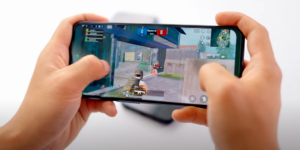
Gameplay Experience: Running GTA V on Android
Upon launching GTA V:
- The game begins compiling PPU models, which can take 5 to 30 minutes depending on your phone’s specs.
- On the first run, expect stutters, lags, and graphical issues due to shader compilation.
- Touch controls might not respond initially. A quick restart of the game usually resolves this.
- Once the shaders and SP cache are compiled, subsequent runs become significantly smoother.
However, in our case, although GTA V successfully booted, there were multiple crashes after the game loaded. This suggests that while performance has improved, compatibility issues still remain for demanding games like GTA V.
Frequently Asked Questions (FAQs)
❓ Can APS3 Emulator run all PS3 games?
Not yet. The emulator is in active development, and while many games boot successfully, not all are fully playable due to performance or compatibility issues.



❓ Is the premium version worth it?
If you’d like to support the developers and get an ad-free experience, the Premium version is a good option. Performance-wise, it’s largely the same as the free version.
❓ Why is the game crashing after launching?
This can happen due to shader compilation issues or if your device isn’t powerful enough. Restarting the game after the first load often helps. Also ensure you’re using the recommended settings.
❓ Where can I download PS3 firmware legally?
From the official PlayStation website. Avoid unofficial sources for legal and security reasons.
Final Thoughts
The APS3 Emulator is a major milestone in Android emulation. While not perfect, it shows tremendous promise, especially for mid to high-end Android users who want to experience console-quality games on the go. With continuous updates and an open-source roadmap, things will only get better.
If you’re curious to try it out, ensure you meet the requirements, follow the setup guide above, and don’t forget to tweak the settings for optimal performance.
Tags:
PS3 emulator, APS3 emulator, PlayStation 3 Android, Android gaming, emulator tutorial, GTA V Android, PS3 games ISO, APS3 premium, PlayStation emulator
Hashtags:
#PS3Emulator #APS3 #AndroidGaming #PlayStation3 #EmulatorSetup #GTA5Android #OpenSourceEmulator #MobileGaming #VulkanSupport #GameOptimization
Disclaimer:
This article is for educational purposes only. Downloading or using copyrighted game files without owning the original is illegal. Always use legally obtained game files and firmware when using emulators.








