The Pi Book, launched by Physics Wallah, has attracted attention for offering a laptop-like device tailored for students at a very affordable price. But is it a good investment for basic computing, online learning, or content consumption? In this article, we explore the Pi Book’s design, build, hardware, software experience, and who it is actually meant for.
What Is the Pi Book?
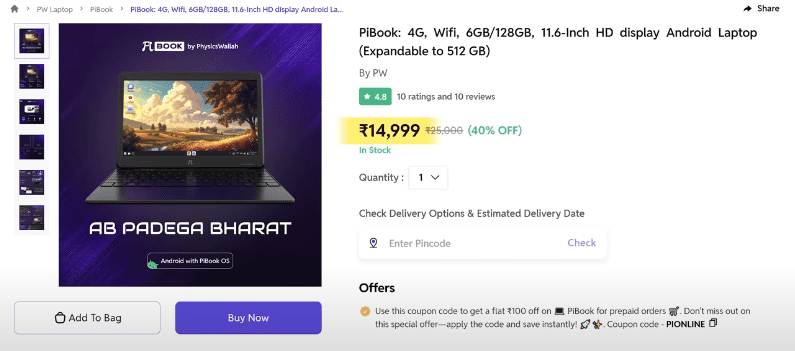
Despite looking like a traditional laptop, the Pi Book is essentially an Android-powered notebook with limited hardware meant for basic tasks. It is priced at just ₹14,999 and is available from the Physics Wallah Store and Flipkart.
The device is clearly targeted toward school-going students who are transitioning into the digital learning space.
If you want Buy Laptop from Amazon check here
What’s in the Box?
The Pi Book comes with:
- A strong multi-layer box
- A 24W USB-C charger
- User manual
- Some stickers
Design and Build
- Design: It features the “Pi” logo in the center, a full-size keyboard, and a trackpad.
- Material: The build quality is average and typical of budget devices.
- Weight: Lightweight and portable for school bags.
- Display: 14.1-inch FHD IPS Display with 60Hz refresh rate and 250 nits brightness. It’s decent for indoor usage but struggles outdoors under sunlight.
- Bezel Size: Thick bezels around the screen make it look dated.
Ports and Connectivity
- Dual USB Type-A ports
- USB-C charging port
- 3.5mm headphone jack
- SIM slot (4G support)
- MicroSD card slot for storage expansion
Supports:
- Dual-band Wi-Fi (2.4GHz + 5GHz)
- Bluetooth 5.3
- 4G LTE via nano-SIM slot (includes basic calling support)
Hardware Specifications
| Component | Details |
|---|---|
| Processor | MediaTek MT8788 |
| RAM | 6 GB |
| Storage | 128 GB eMMC |
| Expandable | Yes (via microSD card) |
| Battery | 4000 mAh (4–5 hours use) |
| Operating System | Android 13 |
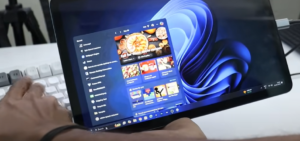
Note: It’s not a Windows or Linux machine – it runs a custom Android-based OS that mimics a laptop interface.
Software Experience
- Custom Interface: Physics Wallah calls it “P Store” instead of Google Play Store, but the backend mirrors the same apps.
- Pre-installed Apps: Physics Wallah app and LearnOS (includes “Tapasya Mode” – a focus mode).
- Updates: Security patch from May 2024; unclear if future updates are promised.
Keyboard & Trackpad
- Very basic plastic keys
- Pre-applied stickers for letters
- Supports gestures like zoom-in/out and multi-touch
- Home button & shortcut keys are available
Performance
The MT8788 processor is very old, and the eMMC storage further limits the speed.
- Antutu Benchmark Score: ~200,000
- Use Cases: Light browsing, PDFs, YouTube (max 1080p), video calls
- Limitations:
- Cannot render 4K videos
- Crashes when using apps like Lightroom or Canva
- Not suited for multitasking or heavy apps
Side-by-Side Comparison
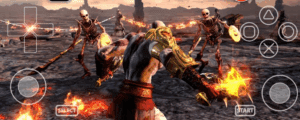
A similarly priced smartphone (e.g., Lava Blaze or Infinix) can easily outperform this device in rendering and general app support.
Who Should Buy the Pi Book?
The Pi Book is NOT for advanced users or those expecting laptop-level performance. It’s primarily suited for:
- Students in Class 6–10
- Basic online classes
- Form-filling and educational videos
- Learning typing and basic computer skills
Major Drawbacks
- Outdated processor
- No support for advanced Android apps
- Not a replacement for a real laptop
- Limited usage beyond educational videos and browsing
Final Thoughts
The intention behind the Pi Book is commendable – making learning more accessible and affordable. However, for ₹14,999, users can explore smartphones or tablets that offer more power and versatility.








If Physics Wallah could collaborate with an OEM like Lenovo or HP and offer a basic Windows-based machine at a subsidized rate, it would truly empower students preparing for competitive exams or learning digital skills.
Frequently Asked Questions (FAQs)
Q1. Can I install Windows on the Pi Book?
No, it runs on Android and does not support Windows or Linux.
Q2. Does it support Google Play Store?
It has a custom store (“P Store”) that mirrors Google Play apps, but it’s not the official Play Store.
Q3. Can I use it for video editing?
No, the processor is too weak for editing or rendering tasks.
Q4. Is it suitable for college students?
Only if their needs are extremely basic like attending online lectures, typing assignments, or watching YouTube tutorials.
Here are some alternatives and accessories that can enhance or replace the Pi Book experience:
1. Entry-Level Budget Tablet (with keyboard support):
Samsung Galaxy Tab A9+
2. Budget Wireless Mouse:
Logitech M221 Silent Wireless Mouse
3. Bluetooth Keyboard for Android Devices:
Logitech K480 Multi-Device Keyboard
4. Low-Cost Android Smartphones:
Redmi A3 4G
Disclaimer: Some of the links above are affiliate links. If you make a purchase through them, we may earn a small commission at no extra cost to you. This helps support the website.
Tags
pi book review, android laptop for students, physics wallah pi book, low cost student laptop, budget educational device, android vs windows laptop, tech review, pi book alternatives
Hashtags
#PiBook #PhysicsWallah #StudentLaptop #BudgetLaptop #AndroidDevice #TechReview #EducationalTech #StudyDevices
Let us know in the comments if you’ve used the Pi Book or would recommend it to a student. Stay tuned for more unbiased tech reviews!