OpenAI just made history again — and not with ChatGPT this time. Instead, they’ve released a groundbreaking open-weight model called GPT-OSS, and it’s shaking up the AI world. Whether you’re a developer, a privacy-conscious user, or simply someone tired of API fees, this is big news.
This post is your complete breakdown of GPT-OSS: what it is, why it matters, how it compares to GPT-4-level models, and how you can run it yourself completely offline. So grab your coffee — this is not just another model. This could very well be the start of a new open-source AI revolution.
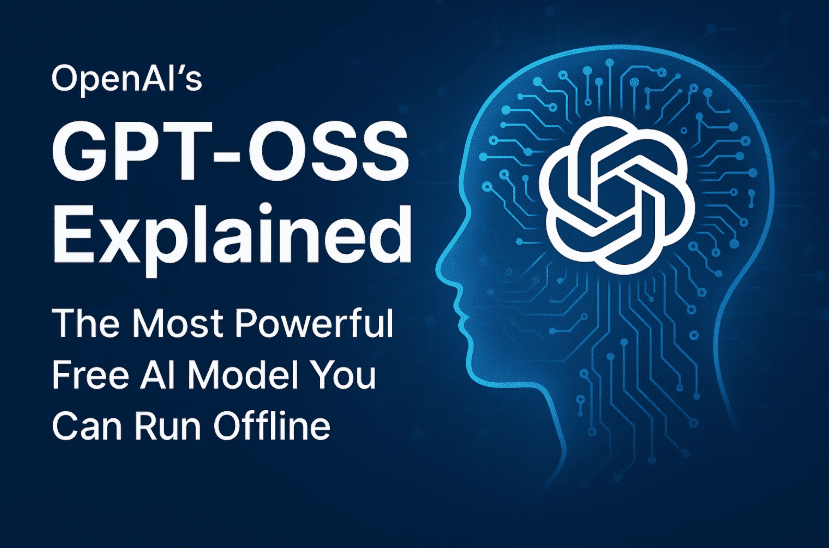
🚀 What is GPT-OSS?
Let’s begin with the basics.
GPT-OSS is OpenAI’s first major open-weight model — meaning the raw model files are publicly available for anyone to download, run locally, fine-tune, and use freely under the Apache 2.0 license.
It comes in two sizes:
- GPT-OSS-120B: 120 billion parameters — powerful, but requires very high-end hardware (think 80+ GB VRAM)
- GPT-OSS-20B: 20 billion parameters — more accessible and can run on modern consumer GPUs with 16 GB VRAM
Both models use a Mixture of Experts (MoE) architecture, which allows them to only activate part of the model for each task, significantly improving inference speed and memory usage.
🧠 Why Should You Care About an Open-Weight Model?
Before we dive into benchmarks and setup instructions, let’s discuss the “why.”
Here’s what makes GPT-OSS a game changer:
- ✅ Full offline access – Run it on your local machine, even without internet (perfect for planes, remote areas, or security-sensitive tasks).
- 🔒 Privacy – No data is sent to OpenAI, Google, or Microsoft. Your prompts stay local.
- 💰 Completely free – No API charges, subscriptions, or per-token fees.
- 🧩 Customizable – You can fine-tune it, adapt it for specific use cases, or integrate it into your own apps.
- 🔓 Open license – Apache 2.0 allows commercial use.
So yes, it’s essentially like having a free version of ChatGPT that you control completely — if your hardware supports it.
🧪 Model Performance: Benchmarks Breakdown
So how powerful is GPT-OSS really?
Let’s take a look at some benchmark scores comparing GPT-OSS to GPT-3.5, GPT-4 Mini, and other proprietary models.







| Test Benchmark | GPT-OSS-120B | GPT-3.5 (03) | GPT-4 Mini (04 Mini) |
|---|---|---|---|
| Codeforce (coding tasks) | 2622 | ~2700 | ~2630 |
| GPQA (hard-to-Google questions) | Comparable to GPT-3.5 | ✓ | ✓ |
| HealthBench (medical) | Outperforms 04 Mini | ✓ | ❌ |
| Competition Math | Beats GPT-3.5 | ✓ | Slightly behind |
| Humanities Last Exam | Ties with 04 Mini | ✓ | ✓ |
🧩 Chain-of-Thought Capability: GPT-OSS can reason step-by-step. You can even adjust the reasoning effort (low, medium, high) to match the depth of thinking required.
These aren’t small wins — this is GPT-4-tier performance in an open, local package.
🔧 Let’s Move to the Setup – How to Install GPT-OSS
Now that you’re hyped, let’s walk through the installation process. We’ll use LM Studio, a powerful local AI tool that makes it easy to run large language models offline.
Step 1: Download LM Studio
- Go to: https://lmstudio.ai
- Download the version for your OS (Mac, Windows, Linux)
- Install and launch LM Studio
When you first launch it, you’ll be asked to choose a usage type (e.g., Developer or General User). Choose what fits you.
🧱 Step 2: Download GPT-OSS Models
Inside LM Studio:
- Search for GPT-OSS 20B
- Click Download – it’s around 12 GB, so make sure you have space
- If you want to try the GPT-OSS 120B model, search and download it too (64 GB download, requires 80 GB+ VRAM)
🛑 System Requirements:
- 20B Model: 16 GB VRAM (suitable for RTX 4080, 3090, 7900XTX, etc.)
- 120B Model: 80+ GB VRAM (only possible on data center GPUs or high-end Mac Studios with unified memory)
🖥️ Step 3: Load the Model and Start Chatting
Once the download is complete:
- Go to “Select Model to Load” at the top
- Choose GPT-OSS-20B
- Start a new chat
- Type a prompt (e.g., “How many Rs are in the word strawberry?”)
It responds almost instantly, gives the correct answer (“3 Rs”), and shows its thought process (like “count R letters”).
💡 You can also:
- Upload images or PDFs for multimodal interactions
- Enable JavaScript sandbox for code testing
- Adjust settings like context length, temperature, and reasoning effort
🧪 Let’s Test it with a Coding Prompt
Here’s a real-world test. Let’s ask GPT-OSS to create a game.
Prompt:
Create a Vampire Survivors clone using JavaScript, playable in the browser.
Setup:
- Reasoning Effort: High
- JS Code Sandbox: Enabled
- Context Length: 20,000 tokens (to allow full code generation)
The result?
The 20B model generated:
- An HTML file (
index.html) - A JS file (
main.js) - Fully functional code in under a minute
After copying the code into a local folder and opening the HTML file in a browser — voilà — a simple survival game with enemies coming toward the player.
It’s not AAA quality, but for a one-prompt, offline, free AI? That’s impressive.
🧪 Round 2: GPT-OSS 120B Model Test
After a long download (64 GB), we loaded the 120B version.
- This model runs slower (35 tokens/sec)
- But the result was even better — it generated the full game logic in one file with smoother behavior
Enemies move, character shoots, everything works.
🤯 In one prompt, GPT-OSS generated a working mini-game offline, with no internet, using no OpenAI or Google servers.
💡 Advanced Settings You Can Tweak
GPT-OSS via LM Studio gives you power-user features:
- Reasoning Effort: Low, Medium, High (affects logic depth)
- Temperature: Creativity level of output
- Sampling Settings: Top-p, top-k for generation randomness
- Speculative Decoding: Enable for speed boosts
- Structured Output: Helpful for JSON, tables, etc.
- Integrations: Enable RAG, local file searching, JS execution, etc.
It’s like ChatGPT with DevTools.
🔒 Privacy, Control, and Real Use Cases
What makes GPT-OSS truly revolutionary is its usability:
- You can build chatbots, dev tools, games, and assistants without internet
- You can modify it, finetune it for your startup, your team, or your product
- You’re not paying API fees or worrying about usage limits
- You get data privacy by default
This model isn’t just for tinkerers. It’s usable, powerful, and a potential ChatGPT or Claude replacement for developers.
📥 Where to Download GPT-OSS?
- Official Page: https://openai.com/index/introducing-gpt-oss/
- Hugging Face Model Link: https://huggingface.co/openai
- LM Studio: https://lmstudio.ai
🤔 Frequently Asked Questions (FAQs)
Q1: Can I use GPT-OSS without internet?
Yes! Once downloaded, you can use it 100% offline.
Q2: Is it really free for commercial use?
Yes. It’s released under Apache 2.0 — free for personal and commercial use.
Q3: What’s the difference between 20B and 120B?
- 20B = Lighter, faster, runs on consumer GPUs
- 120B = Smarter, better output, needs extreme hardware
Q4: Is GPT-OSS as good as GPT-4?
It performs comparably to GPT-4 Mini (04 Mini) in many benchmarks — close enough for most use cases.
Q5: Can I fine-tune GPT-OSS for my company?
Yes, and that’s one of its biggest advantages. You have full access to weights.
🔮 Final Thoughts – This Changes Everything
GPT-OSS is more than a model drop. It’s a signal from OpenAI that the future of open-source AI is real, powerful, and in your hands.
- Want ChatGPT-style responses offline? ✅
- Want to build apps without OpenAI restrictions? ✅
- Want full control and no API fees? ✅
OpenAI just democratized AI development again — and this time, you don’t need a data center to take advantage of it. The open-source future is here, and it’s fast, intelligent, and entirely in your control.
Tags: OpenAI GPT-OSS, GPT-OSS 20B, GPT-OSS 120B, offline AI, open-weight model, Apache 2.0 license, LM Studio setup, AI coding test, ChatGPT alternative, GPT-OSS benchmarks, Hugging Face model, chain-of-thought reasoning, local AI model
Hashtags:
#GPTOSS #OpenSourceAI #ChatGPTAlternative #OfflineAI #LMStudio #OpenAIModel #AIPrivacy #AIDevelopment #FreeAI #CodeGeneration #GPT120B #GPT20B #LocalLLM #HuggingFace
Disclaimer:
This article is intended for educational and informational purposes only. Ensure your system meets the requirements before attempting to install large AI models. While GPT-OSS is open and freely licensed, users are responsible for complying with ethical guidelines and usage laws in their jurisdiction.








