If you’ve searched anything on Google recently, you might’ve noticed something new: instead of just showing links, Google now often shows a summary box at the top of the page. This summary is called the AI Overview, and it pulls answers directly from the web—often without users needing to click through.
As a website owner or SEO professional, your goal is no longer just to rank in the top 3 results or get on the first page of Google. Today, you also need to aim to get your site featured in that AI Overview box as a reference.
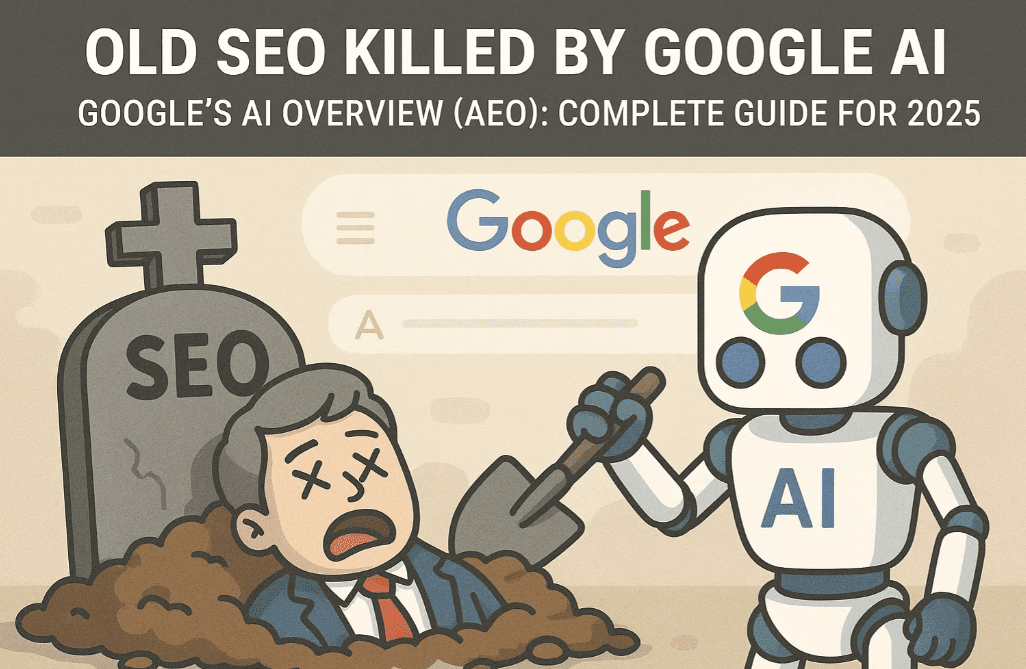
This detailed guide will show you exactly how to optimize your website content, structure, and SEO strategy to get your site mentioned in AI Overviews using Answer Engine Optimization (AEO).
🧠 What Is Google’s AI Overview?
Google’s AI Overview uses generative AI to answer search queries directly, often citing web sources. These summaries can significantly reduce the number of clicks to websites unless your site is included in the cited references.
So now the challenge is clear:
How do you get your website featured as a reference in AI Overviews?
✅ Top Strategies to Rank in Google’s AI Overview
1. Create Unique, In-Depth & Helpful Content
Google’s official May 2025 blog titled “Top Ways to Ensure Your Content Performs Well in Google’s AI Experiences on Search” outlines that content must be:
- Unique
- Trustworthy
- Written with experience and expertise
- Truly helpful, not just promotional
💡 Tip: Don’t just write a short blog with basic info. Extend your article by:
- Addressing different use cases (e.g., best phones by camera, battery, speed)
- Providing FAQs, pros & cons, and real user reviews
- Writing long-form, multi-perspective articles
2. Adopt an AEO (Answer Engine Optimization) Approach
Instead of only targeting search engines, now think about:
- How can your content become a direct answer?
- Can your blog become a part of Google’s AI training data?
Make your content scannable and easy to train from:
- Use bullet points
- Include answer-ready formatting
- Write answers for question-based queries
3. Boost Authority with Reviews, FAQs, and Testimonials
Especially for businesses, don’t just describe your services. Instead:



- Add detailed customer testimonials
- Include video reviews, case studies, and Q&As
- Showcase certificates, results, and trust signals
4. Add Detailed Structured Content Sections
Let’s say you’re promoting a digital marketing course:
- Add sections like: “Who should join?”, “Course highlights”, “What will you learn?”, “How does it work?”, “Career Assistance”, etc.
- Use internal links and proper H2/H3 headers to improve structure
Example structure for a course page:
- Course Overview
- Learning Modules
- Practical Projects
- Certification Value
- Reviews & Alumni Success Stories
- FAQ with real search queries
5. Improve Website Page Experience
If your site is slow, unresponsive, or not mobile-friendly—forget about ranking.
Ensure:
- Fast loading times
- Mobile responsiveness
- Good Core Web Vitals
- No technical issues like broken links, redirect loops, etc.
6. Fix Technical SEO & Crawlability
Google and AI bots must be able to read and crawl your website easily.
Check:
- XML sitemap is submitted
- Broken links are fixed
- Robots.txt is not blocking important sections
- Pages are not marked
noindexby mistake
7. Use Meta Tags to Control Snippet Display
Google now honors:
max-snippettag: control how much content shows in the previewnosnippettag: block specific sections from showing
Example:
<meta name="robots" content="max-snippet:250">
Use these tags wisely to control how much content shows in search previews and potentially in AI summaries.
8. Implement Relevant Schema Markup
Schema (structured data) helps Google understand your content deeply.
Depending on your content type, use:
Organizationschema for company infoProductschema for ecommerceFAQPageschema for FAQsRecipe,Course, orHowToschema if relevant
Use Schema.org for documentation and Google’s Rich Results Test Tool to validate.
📌 Bonus Tips for 2025 AI SEO
- Use long-form content that offers more value than competitors
- Group related questions using People Also Ask ideas from Google
- Add expert quotes, statistics, and visuals
- If you’re writing recipes, include:
- Ingredient lists
- Step-by-step (short & long versions)
- Side dishes or alternatives
- Images & video snippets
🧾 FAQs
Q: Is AI Overview replacing Google Search?
No, it’s an enhancement. Regular blue link rankings still matter, but AI Overview grabs user attention first.
Q: Can I opt out of AI Overview?
Yes, by using nosnippet or data-nosnippet tags. But you might miss traffic opportunities.
Q: What is AEO?
Answer Engine Optimization is the process of optimizing your content so AI bots can understand and reference it in summaries or direct answers.
📣 Final Thoughts
To get featured in Google’s AI Overviews:
- Think like an educator, not a promoter
- Write with depth and break content into usable blocks
- Fix your technical SEO and ensure bots can crawl all useful data
- Use schema to describe your content in a machine-readable format
AI Overview is the future of search. If your website isn’t adapting to this change, you’re likely missing out on massive traffic and visibility.
🛠️ Suggested Tools:
- ✅ Google Search Console – To monitor indexing issues
- ✅ PageSpeed Insights – To test page speed & Core Web Vitals
- ✅ Schema.org – For implementing structured data
- ✅ Rich Results Test – To verify schema implementation
📢 Learn More
Want to learn how to create such content from scratch and rank it both in traditional Google Search and AI Overview? Consider joining WS Cube Tech’s Digital Marketing Mentorship Program – offering 20+ modules including AEO, SEO, Google Ads, and more.
📑 Tags:
seo optimization, ai overview google, answer engine optimization, structured content, seo 2025, google ranking, schema markup, technical seo, digital marketing course, ws cube tech
📢 Hashtags:
#SEO2025 #GoogleAIOverview #AnswerEngineOptimization #DigitalMarketing #TechnicalSEO #SchemaMarkup #WebsiteRanking #WSCTips