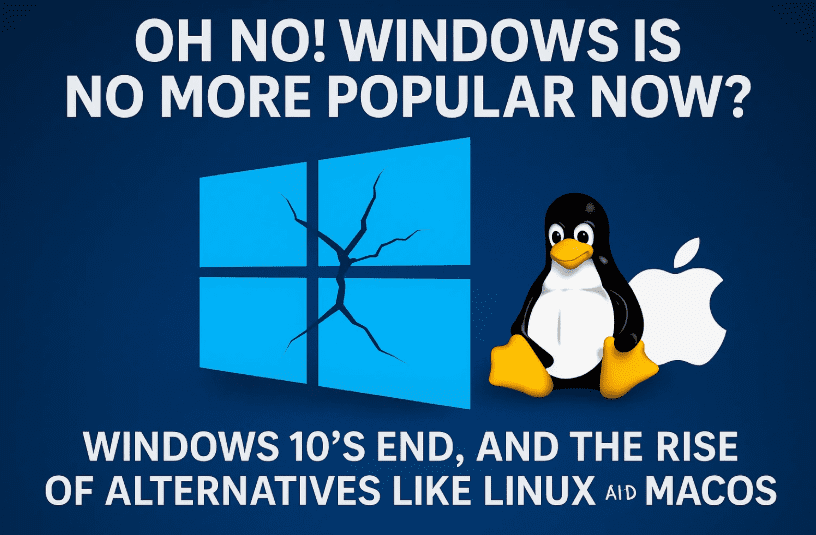
The era of Windows dominance might finally be coming to a turning point. With Windows 10 reaching its end-of-life (EOL), Microsoft has triggered a mix of panic, frustration, and rebellion in users across the world. For many, this marks a critical moment—not just a forced OS upgrade, but a wake-up call to re-evaluate if Windows is even worth sticking with anymore.
In this article, we’ll take a deep dive into the decline of Microsoft’s grip on the desktop market, the strategic mistakes behind Windows 11, the shady history of Microsoft’s dominance, and the unstoppable rise of Linux, macOS, and even Chromebooks as viable alternatives.
Let’s walk through it all step-by-step.
Windows 10 Is Dying — What That Really Means
Let’s start with the most urgent matter: Windows 10 is officially dying.
What is happening?
Microsoft is ending mainstream support for Windows 10. This means:
- No more security updates (except via extended security programs).
- No new features or enhancements.
- No official tech support from Microsoft.
Sure, your computer will still work. But it will be vulnerable. Think of it like driving a car that’s no longer street legal—it’ll run, but you’re putting yourself and others at risk.
So Why Not Just Upgrade to Windows 11?
That’s what Microsoft wants you to do.
But here’s the catch—many systems are not eligible for Windows 11 because of strict hardware requirements like TPM 2.0, Secure Boot, and newer CPUs. This leaves millions of users stranded.
Yes, tools like Rufus let you bypass these requirements during USB creation. But let’s be honest: how long will these workarounds stay viable?
Microsoft’s Half-Backtrack: Extended Support for Windows 10 (Sort Of)
In a surprising turn, Microsoft announced that some updates will continue until October 2028:
- Microsoft Defender Antivirus will still get updates.
- Microsoft 365 apps will receive security updates till 2028.
- But regular OS security patches? Dead.
This isn’t an act of kindness—it’s Microsoft trying to stop a mass exodus. Many organizations still rely on Windows 10. Forcing them to upgrade would mean losing Microsoft 365 subscriptions and enterprise revenue.




So, yes, you get limited lifelines until 2028—but that doesn’t mean you’re safe.
What Happens When You Keep Using Unsupported Windows?
This is where things get risky.
Old systems like Windows XP and Vista are literal magnets for malware, ransomware, and botnets. The moment they connect to the internet without protection, they become easy targets.
And the same will happen to Windows 10 users after support ends. Even if Microsoft pretends to still care via Defender updates, your system will be increasingly exposed.
Q: Can I still use Windows 10 safely after 2025?
Answer: Only if you take advanced precautions like offline usage, strict firewall rules, regular backups, and third-party antivirus—but it’s not practical for most users.
Articles you might intresed in :
- The Ultimate Guide to Installing Bazzite Linux: The Next-Gen Linux Gaming OS for Any PC or Laptop
- How to Remove AutoBox (OOBE) Backups in Windows 11 and Start Fresh
- Select Microsoft Blocking Unsupported Windows 11 PC – What Are Your Real Options Now?
- Select Windows 11 vs Bazzite: The Ultimate OS Battle for Emulator Gaming
Microsoft’s Big Loss: From 1.4 Billion Users to… Less?
In its latest statements, Microsoft said it powers “over 1 billion active devices.” That’s down from the previous 1.4 billion claim.
What does that mean?
It suggests Windows is quietly losing users—potentially hundreds of millions.
They’re not vanishing into thin air. They’re going to macOS, Linux, and Chromebooks. Microsoft’s long-standing dominance is finally cracking.
Why Windows Lost Its Edge
Let’s get real. Windows 7 was the last version people truly loved.
- Windows 8 was a disaster.
- Windows 10 was a forced fix.
- Windows 11 feels like spyware with an AI obsession.
Windows used to be the default, but not necessarily the best. Its market position was propped up by monopolistic practices, not product quality.
The AI Invasion in Windows 11
Microsoft is going all-in on AI.
With Copilot AI and deep integrations across the system, Windows 11 (and the upcoming Windows 12) feels less like your operating system and more like Microsoft’s experiment lab.
Sure, AI can be cool—diagnosing diseases or powering ChatGPT. But it’s also used to:
- Replace artists without consent.
- Track users’ behavior for profit.
- Weaponize drones and military systems.
Do we really need this baked into our OS?
The Hidden Truth Behind Microsoft’s Dominance
Let’s rewind a bit. Why did Windows become dominant?
Was it because it was the best OS? Nope.
Here’s what actually happened:
- Pre-1995, Microsoft forced OEMs to pay license fees even for systems that didn’t ship with Windows.
- Secure Boot was abused to block Linux installations.
- OEM contracts forced companies to preinstall Windows and not offer alternatives like Ubuntu.
- Dual-booting wasn’t even an option for most consumers.
- Per-processor licensing meant OEMs paid Microsoft for every unit—even if it shipped with something else.
These were anti-competitive tactics, and the U.S. government had to step in during the 1990s.
Chromebooks, Linux, and Mac: The Viable Alternatives Are Here
Let’s pause for a moment and talk about choices.
You now have three serious alternatives to Windows:
- Linux
- Free and open-source.
- Runs well even on older hardware.
- Supported by major vendors like Lenovo and Dell.
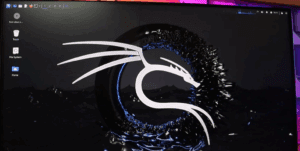
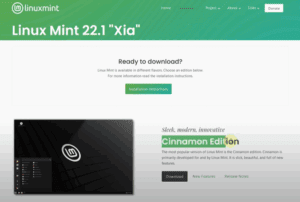
- Popular distros: Ubuntu, Fedora, Linux Mint, and SteamOS.
- macOS
- Great for creators and productivity.
- Apple’s M-series chips are miles ahead in efficiency.
- Rock-solid stability.
- Chromebooks
- Affordable.
- Built-in Linux support.
- Perfect for casual users and education.
Even Valve’s Steam Deck runs Linux and outperforms Windows handhelds in some cases. Linux gaming is no longer a meme—it’s real.
Microsoft’s Own Products Rely on Linux
Ironically, Microsoft’s cloud infrastructure (Azure), GitHub, and even parts of Windows Subsystem for Linux (WSL) run on Linux. Most of the web—including YouTube—is hosted on Linux servers.
The backbone of the internet is open-source. It’s time the desktop caught up.
Microsoft Is Being Forced to React
Because of increasing Linux adoption and competitive pressure:
- Microsoft is finally admitting they must debloat Windows.
- They acknowledge SteamOS as a real threat in the gaming world.
- They’re extending support lifelines just to prevent migration.
It’s a reaction, not a leadership move.
Will Microsoft Improve or Keep Forcing Users?
That’s the big question. Windows could turn things around—but only if they:
- Respect user choice.
- Remove bloatware and telemetry.
- Allow true dual-boot options.
- Stop prioritizing monetization over user experience.
Until then, alternatives will keep gaining ground.
Final Thoughts: You Finally Have a Choice
For the first time in decades, the desktop world has real competition.
You no longer need to stay stuck with Microsoft just because it’s “what came with the PC.” Whether it’s macOS, Linux, or a $200 Chromebook, there’s a world outside Windows waiting for you.
If you’re fed up with forced updates, surveillance features, and bloatware—you can switch. The future is open-source, community-driven, and user-first.
Tags:
Windows 10 end of support, Microsoft vs Linux, Windows history, open-source alternatives, Windows 11 upgrade issues, SteamOS, Chromebooks, secure boot, anti-competitive practices
Hashtags:
#Windows10 #LinuxAlternative #MicrosoftHistory #OpenSource #SteamOS #Chromebook #macOS #TechHistory #OperatingSystems #Windows11
Disclaimer:
This article is intended for educational and informational purposes. It includes analysis and commentary based on publicly available information. Opinions expressed are those of the author and do not constitute legal or financial advice. Always research and verify before making system-level changes to your computer.