Microsoft is once again shaking things up for Windows users. The company has confirmed that it is removing a widely used command-line workaround that allowed users to bypass the requirement of signing in with a Microsoft account during the Windows 11 setup process. This change will significantly affect how users install and configure Windows 11, particularly those who prefer local accounts.
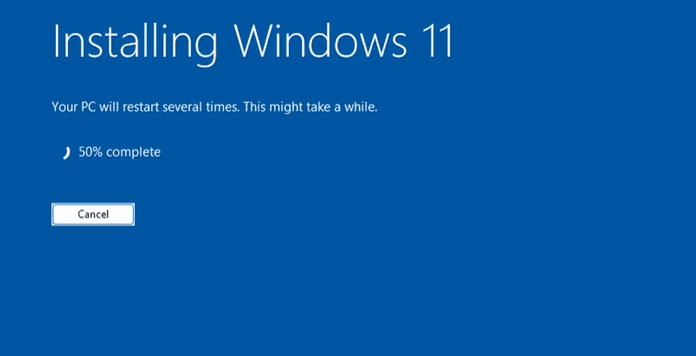
In this article, we’ll break down what’s changing, why Microsoft is making these changes, and what users can expect going forward.
The Current Setup Experience
When installing Windows 11, users typically reach a setup stage that asks for internet connectivity and prompts them to sign in with a Microsoft account. Previously, there were a few tricks to bypass this requirement:
- Disconnecting the internet (such as unplugging an Ethernet cable or disabling Wi-Fi).
- Pressing
Shift + F10during setup to open the Command Prompt. - Entering a command like:
OOBE\BYPASSNRO
This command allowed users to skip the Microsoft account sign-in requirement and continue with setup using a local account.
What’s Changing?
Microsoft has announced that it is removing the OOBE\BYPASSNRO command-line trick in upcoming Windows 11 builds. This change is being introduced in the Windows 11 Insider Preview Build 26000.5516 (Dev Channel). In Microsoft’s own words, this decision is aimed at:
“Enhancing the security and user experience of Windows 11.”
Practically speaking, this change removes the ability to bypass the Microsoft account requirement, ensuring that every user sets up their PC with internet connectivity and signs in with a Microsoft account during installation.
Why This Matters
For years, many users have preferred to use local accounts instead of Microsoft accounts for privacy, performance, or simplicity. Local accounts offer more control and don’t require you to share your email or other personal details with Microsoft.
With this update, Microsoft is making it increasingly difficult for users to opt out of its ecosystem. The company is methodically eliminating every method available to bypass its mandatory account system, clearly favoring a more cloud-connected and telemetry-driven experience.
The Official Reasoning
In the update notes, Microsoft stated:
“We are removing the BypassNRO.cmd script from the build to enhance the security and user experience of Windows 11.”










While the official reasoning is framed around security and experience, many users argue that it is primarily a way to collect user data and enforce dependency on Microsoft services.
Are There Any Workarounds?
At the moment, some users are still managing to bypass the sign-in requirement by using registry tweaks or other advanced configuration techniques. However, these workarounds are likely to be blocked in future updates as well.
Microsoft has shown a clear pattern: once a bypass becomes popular, it’s quickly patched or removed in newer builds. So while you may still be able to use methods like OOBE\BYPASSNRO in older builds, expect this to disappear entirely in upcoming releases (possibly 24H2 or definitely by 25H2).
What Can You Do?
- Install an Older Build: For now, older Windows 11 ISOs may still allow the bypass method, but these versions will eventually become obsolete.
- Use Offline Methods: Use installation media without an internet connection — although this is becoming harder as newer builds demand network drivers.
- Stay Updated on Alternatives: New methods continue to be discovered by tech communities. Keep an eye on tech forums and blogs for fresh solutions.
Microsoft’s Strategy: A Forced Ecosystem?
Microsoft’s strategy to enforce account sign-in raises concerns around user autonomy and digital freedom. Many argue that installing an operating system should not require surrendering personal information or being tied to an account you don’t want.
The core issue isn’t necessarily about Microsoft accounts themselves — some users appreciate the benefits, such as syncing settings across devices or using OneDrive. The problem is the lack of choice. A mandatory Microsoft account sign-in removes an important level of flexibility.
Final Thoughts
The removal of the OOBE\BYPASSNRO command is part of a broader effort by Microsoft to make Windows a more connected and controlled ecosystem. While some may accept this direction, others feel their choices are being stripped away.
If you value the ability to run Windows without a Microsoft account, you may want to consider switching to alternative operating systems like Linux or taking steps to delay updates that remove these bypass methods.
As Microsoft continues this trend, the best you can do is stay informed, keep backup ISOs of older builds, and decide what works best for your needs.
Disclaimer
The information in this article is based on current Windows 11 Insider Preview builds and may change in future public releases. Advanced system tweaks or registry modifications should be performed with caution. Always back up your data and proceed at your own risk.
Tags
windows 11, microsoft account, bypass microsoft account, local account windows 11, windows 11 setup, windows 11 insider build, windows 11 changes, microsoft updates, windows installation tips, command prompt windows 11
Hashtags
#Windows11 #MicrosoftAccount #LocalAccount #WindowsSetup #Windows11Tips #TechNews #WindowsChanges #PrivacyMatters








