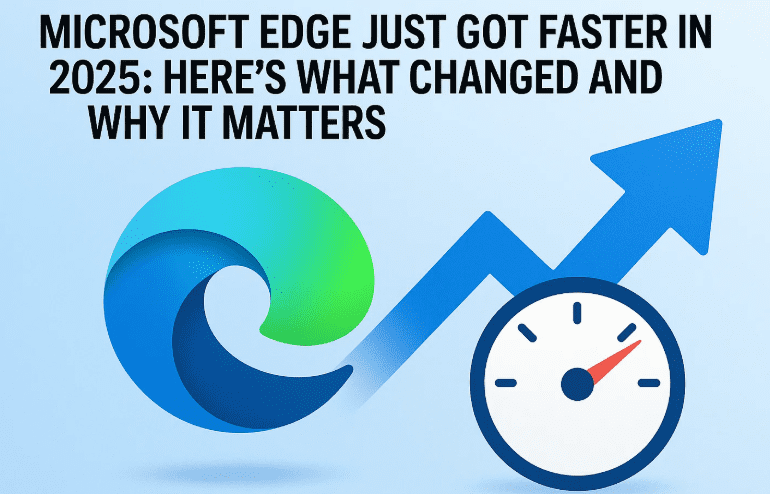
Microsoft has been making serious strides to improve its flagship browser, Microsoft Edge, and the latest update may just be its most impressive yet. With the rollout of Web UI 2.0 and continued backend optimizations throughout 2025, Edge is now being touted as one of the fastest browsers available today.
In this blog, we’ll break down exactly what improvements Microsoft made, how they affect your browsing experience, and how Edge stacks up against other major browsers like Chrome and Firefox.
🚀 The Speed Boost: What Did Microsoft Change?
✅ Web UI 2.0 Optimization
The core of this performance leap is attributed to Web UI 2.0, which was first introduced in February 2025. This update fundamentally improved how Edge handles browser components internally.
Here’s what Web UI 2.0 did:
- Rewrote interface elements to reduce load times.
- Improved how individual browser modules (like bookmarks, settings, extensions panel, etc.) are initialized.
- Reduced internal delays when switching tabs or opening new windows.
⏱️ Faster Than 300ms = Smooth Experience
Microsoft says they’ve tested how long various browser modules take to become fully usable. Why does this matter? Because even delays beyond 300 milliseconds can make an app or browser feel “slow” to users.
With these updates, Microsoft claims that Edge now consistently performs tasks in under 300ms, which translates into a noticeably smoother browsing experience.
💡 What This Means for Everyday Users
Whether you’re a student opening research tabs, a professional jumping between web apps, or a casual user streaming and shopping online — the speed gains can impact your experience in several ways:
- Faster tab switching
- Quick startup times
- Smoother loading of browser settings
- Efficient memory usage
Edge isn’t just optimized for website loading speeds — even internal tools and menus respond faster.
🆚 How Does Edge Compare to Other Browsers in 2025?
Let’s take a quick look at how Microsoft Edge stacks up against its competitors:
| Feature | Microsoft Edge | Google Chrome | Mozilla Firefox |
|---|---|---|---|
| Web UI Responsiveness | ✅ Very Fast | ✅ Improved | ⚠️ Slight Lag |
| Tab Management Performance | ✅ Excellent | ✅ Good | ✅ Good |
| RAM Usage | ⚠️ Moderate | ⚠️ High | ✅ Efficient |
| Battery Optimization | ✅ Optimized | ⚠️ Average | ✅ Balanced |
| Startup Speed | ✅ Fast | ✅ Fast | ⚠️ Slight Delay |
Note: Actual performance may vary by system and OS version.
👀 Real-World Observations
Many users are already noticing a difference. The Edge browser feels snappier, particularly on low to mid-range machines. Websites load faster, and even navigating internal settings pages is more responsive.









If you haven’t tried Edge in a while, it might be worth giving it another shot. As Microsoft continues its focus on performance and stability, Edge is becoming a serious contender for the best everyday browser.
❓ Frequently Asked Questions (FAQs)
Q1: What is Web UI 2.0 in Microsoft Edge?
Web UI 2.0 is Microsoft’s new interface framework for Edge, designed to make the browser faster and more efficient. It enhances the speed at which browser components are loaded and improves the responsiveness of internal tools.
Q2: How do I know if I have the latest version of Edge?
- Open Edge
- Click the three-dot menu (top-right corner)
- Go to Help & Feedback > About Microsoft Edge
Edge will automatically check for and install the latest update if available.
Q3: Is Edge better than Chrome in 2025?
While both browsers have improved, Edge offers better battery optimization and smoother performance on Windows devices, especially with the new UI improvements. However, Chrome still holds an edge in extension support and ecosystem integration.
📝 Final Thoughts
With its recent speed upgrades, Microsoft Edge in 2025 is no longer “just a default Windows browser” — it’s a legitimate powerhouse that combines performance, security, and a clean interface.
Whether you’re a long-time user or someone who’s stuck with Chrome for years, now is a great time to explore what Edge has to offer.
Have you noticed the speed improvements in Edge? Let us know your thoughts in the comments section.
🔗 Download Microsoft Edge
🏷️ Tags
Microsoft Edge, Web UI 2.0, browser speed, Edge vs Chrome, browser performance 2025, Edge update, faster browsing, browser comparison, Edge review
🔖 Hashtags
#MicrosoftEdge #BrowserPerformance #WebUI2 #Edge2025 #FasterBrowsing #TechNews #EdgeVsChrome #EdgeUpdate #Windows11Tips #WebSpeed
Disclaimer:
Performance may vary depending on your system configuration and internet connection. All browser comparisons are based on standard user observations and publicly available update logs as of July 2025.








