Every blogger dreams of seeing their content ranked on Google and earning from it. But a common issue that frustrates many beginners is: “Why aren’t my blog posts getting indexed?”
You create a new blog, publish content regularly for a week or two, and then nothing. No ranking, no traffic, no AdSense approval. Eventually, frustration kicks in and your posting frequency drops, leading to complete inactivity. If this sounds familiar, you’re not alone.
In this detailed guide, we’ll break down everything you need to know about fast indexing, crawler behavior, posting strategy, and technical SEO setups so that your site becomes Google-friendly.
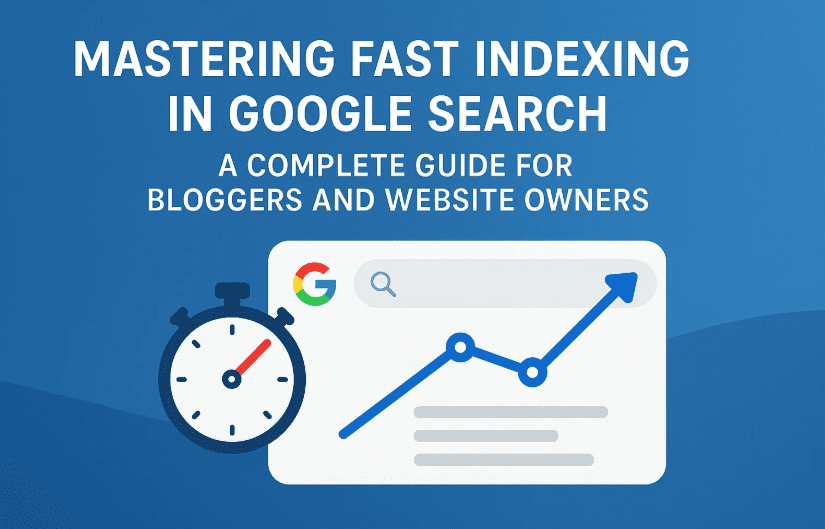
Step 1: Understand How Google Crawlers Work
Before you learn how to get indexed fast, it’s crucial to understand how Googlebots behave:
- Googlebots visit your site based on how often you update it.
- If your posting frequency slows down, the crawler reduces its visit rate.
- If you post daily or multiple times a day, Googlebots learn your routine and sync accordingly.
Example:
One of our sites, schlive.com, received over 4,500 crawl requests in just 15–20 days of launching, while an older site with fewer updates received only 70 requests in 90 days. This shows how consistency boosts crawler activity.
Step 2: Regular Posting and Scheduling Strategy
Let’s move to the next important practice: posting frequency.
Instead of bulk-publishing multiple posts in the morning:
- Spread your posts throughout the day: morning, noon, evening, and night.
- If you only have time in the morning, write 4-5 posts and schedule them for the rest of the day.
Why does this help?
- Googlebots visiting multiple times will find new content every time.
- This keeps your site active and improves crawl priority.
Pro Tip:
Use WordPress scheduling features to automate timed publishing.
Step 3: Keep Your XML Sitemap Updated
Sitemaps guide Googlebots to your new content.
- Install an XML Sitemap plugin (like “XML Sitemap & Google News”)
- Make sure your sitemap includes all post categories, news, and author pages.
- Submit both XML Sitemap and Google News Sitemap to Google Search Console.
After publishing new content:









- Go to your Sitemap page.
- Copy the updated sitemap URL.
- Submit it in GSC under Sitemaps.
Repeat this whenever new posts are published. It shows Google there is fresh content worth crawling.
Step 4: Use GSC Inspect Tool for New URLs
You can manually request indexing for newly published or updated articles using:
- Google Search Console
- URL Inspection Tool
Just paste the URL, let Google fetch it, and click “Request Indexing”. However, this should not be your only strategy.
The goal is to make your site crawl-worthy automatically.
Step 5: Quality Content Matters Most
Many bloggers assume there’s a trick to instant indexing. But even if crawled, low-quality or duplicate content will not get indexed.
Key points to remember:
- News content must reflect facts as they are. Exaggeration leads to rejection.
- Informational content should be unique, in-depth, and helpful.
- Google ranks pages that offer something better than existing results.
AI tools like ChatGPT can help you write drafts, but editing and adding originality is key.
Step 6: Boost Indexing with Internal and External Links
Internal Linking:
- Link new articles to older, indexed posts on your site.
External Linking:
- Get at least 1–2 backlinks from already indexed sites.
- Guest posts, forums, or news sites help.
If the linking site itself isn’t indexed, your backlink won’t count.
Step 7: Use Indexing Services (Optional)
If you’re in a hurry:
- Use tools like FreeLinkIndexer or LinkIndexing.com.
- Or request indexing services on platforms like Fiverr.
Another trick: if your friend has an old Google News-approved site, ask them to publish your article with 1-2 backlinks to your post. These are crawled and indexed quickly.
Note: Indexing tools should be used cautiously. Always prioritize organic methods first.
Step 8: Make Your Site Crawl-Friendly
Ensure:
- Fast loading speeds
- Mobile responsiveness
- Clean navigation
- No broken links or duplicate pages
- Minimal use of unnecessary plugins
Google prefers fast and user-friendly websites.
Step 9: Add Real Authors and Use Proper Attribution
When publishing content:
- Use author boxes with real or consistent author names.
- Add image sources when using featured images from external sites.
- Use proper slugs and meta titles.
This adds credibility and improves your site’s authenticity.
Step 10: Watch Your Crawl Stats & Behavior in GSC
Track:
- Crawl requests
- Crawl frequency
- Sitemap health
This gives insight into how often Google visits your site and how well your indexing setup is working.
Frequently Asked Questions (FAQ)
Q1: Why isn’t my new post getting indexed?
- Poor content quality
- Infrequent posting
- Sitemap not updated
- No internal or external links
Q2: Should I request indexing for every post?
Not necessary if you post regularly and keep your sitemap updated.
Q3: Do backlinks guarantee indexing?
Only if the source page is indexed too.
Q4: Is there any trick to force instant indexing?
No real trick. Just consistent, high-quality posting + sitemap + linking strategy.
Final Thoughts:
Indexing isn’t magic. It’s a combination of:
- Consistency in posting
- Clean technical setup (sitemap, GSC)
- High-quality content
- Proper timing and linking
Avoid shortcuts. Focus on building a crawlable, helpful, and regularly updated site. Eventually, indexing becomes natural and fast.
If you follow the steps mentioned above, you will no longer need to force Google to recognize your content. Google will come to you.
Tags: fast indexing, Google Search Console, sitemap, blogging SEO, crawl budget, indexing plugins, Google News Sitemap, backlink indexing, blog posting schedule, SEO guide
Hashtags:
#Indexing #GoogleSearchConsole #BlogSEO #Sitemap #Backlinks #SEOtips #FastIndexing #GoogleCrawl #BloggingTips #WebmasterGuide