In today’s evolving digital world, maintaining privacy, security, and access to region-specific content is more critical than ever — especially for freelancers, marketers, and business professionals managing multiple client accounts. Traditional browsers aren’t designed to handle multi-account workflows without getting flagged or blocked. That’s where GoLogin, an anti-detect browser, comes into play.
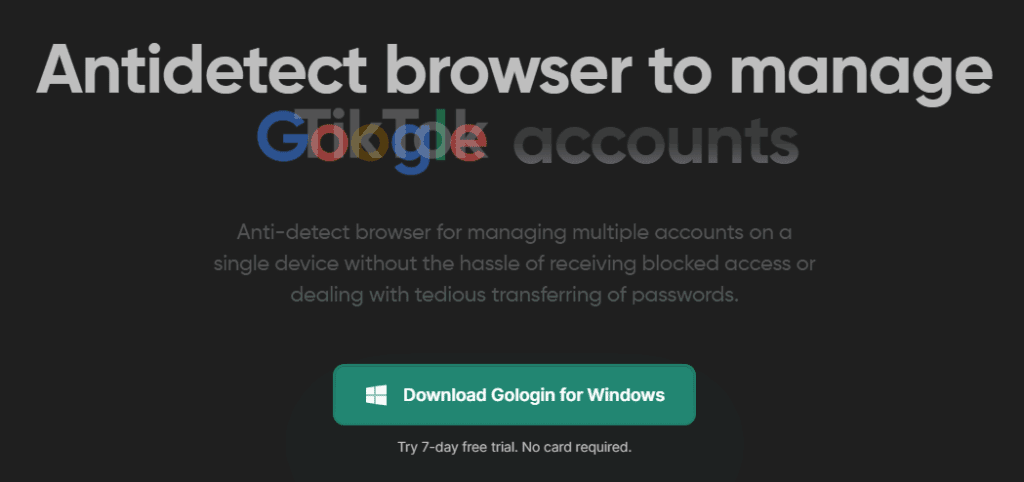
In this article, we’ll explore how GoLogin works, why it’s essential for serious online professionals, and how you can set it up to manage multiple identities on a single system without getting banned or tracked.
🌐 What is an Anti-Detect Browser?
An anti-detect browser is a specialized tool that lets you manage multiple online profiles, each with its own digital identity. Every profile in an anti-detect browser functions as a separate device — complete with unique fingerprints like IP addresses, browser metadata, OS, screen size, and more. This helps prevent sites from detecting that these accounts are being managed from the same machine.
🛡️ Why Traditional Browsers Fail
In today’s internet landscape:
- Websites monitor more than just your IP address.
- They also track your device fingerprint — browser version, cookies, system time zone, OS, and more.
- When they detect suspicious activity — like multiple logins from the same system — they restrict accounts or flag devices.
- Regional restrictions prevent users in one country from accessing services in another.
This is a nightmare for users who manage:
- Multiple social media accounts
- Advertising campaigns across regions
- Freelance or business operations with various client identities
✅ What is GoLogin?
GoLogin is an anti-detect browser that helps professionals manage multiple accounts with unique browser fingerprints. It isolates your digital identity for each profile so you can safely operate multiple accounts without getting flagged.
🧠 Key Features of GoLogin
- Unique Fingerprint Per Profile
Every GoLogin profile is treated as an entirely separate browser with its own IP, time zone, and fingerprint. This makes it appear as if you’re working from completely different machines. - Proxy Integration
You can assign a specific proxy (e.g., US, UK, etc.) to each profile to simulate activity from different regions. - Easy Profile Management
- Create, label, and customize multiple profiles from a single dashboard.
- Run up to 100+ profiles on one machine.
- Each profile can be used for a different project or client.
- Secure Browser Environment
- No data leaks or IP conflicts.
- Profiles run in isolated browser containers.
- Ideal for ad accounts, eCommerce platforms, affiliate marketing, and more.
- Cross-Platform Support
Available for Windows, Mac, and Linux. - Free Trial and Affordable Plans
Offers a 2GB free trial. Paid plans available based on usage needs.
💼 Real-World Use Case: Freelancers and Agencies
Scenario:
A freelancer sitting in India wants to manage:
- A TikTok ad campaign for a client based in the US
- YouTube research targeting US-based trends
- Dropshipping stores with region-specific access
Using GoLogin:
- Create a profile named “Client_US”.
- Assign a US-based proxy.
- Launch the browser — now the system behaves like it’s operating from within the US.
- No flags, no bans, no data leaks.
This method allows smooth, safe, and legitimate management of international accounts from a single machine.
🧪 How to Use GoLogin (Step-by-Step)
Step 1: Download and Install
- Visit https://gologin.com
- Download the software for Windows, macOS, or Linux
- Install and launch the application
Step 2: Create a New Profile
- Click “Create Profile”
- Assign a name (e.g., “Client_TikTok_US”)
- Choose a browser fingerprint template or customize one
Step 3: Assign Proxy
- Select “Proxy”
- Choose a US-based server if your work targets the US
- Save the proxy settings
Step 4: Launch Profile
- Click “Start”
- A new isolated browser window opens
- It behaves as a completely different digital entity
Step 5: Start Working Securely
- Access platforms like TikTok, Facebook, YouTube, Google Ads, etc.
- You’ll appear as a unique user from a region of your choice
🤔 Frequently Asked Questions (FAQs)
Q1: Is GoLogin legal to use?
Yes, GoLogin is legal and widely used by professionals for ethical use cases like ad campaign management, affiliate marketing, and competitive research.
Q2: Can I use GoLogin for Facebook and Google Ads?
Absolutely. GoLogin helps avoid account bans while managing multiple ad accounts — a common issue in standard browsers.






Q3: How many profiles can I run?
You can create and manage up to 100 or more profiles depending on your subscription plan.
Q4: Does it support team collaboration?
Yes, GoLogin allows you to share profiles with your team securely.
🚀 Who Should Use GoLogin?
- Freelancers managing multiple clients
- Digital marketing agencies
- Dropshippers targeting global markets
- Social media managers
- SEO professionals
- Affiliate marketers
- Researchers and developers
🏁 Final Thoughts
GoLogin gives you the freedom to work beyond device, beyond region, and beyond restrictions. It ensures your privacy, protects your accounts from bans, and allows seamless management of multiple online identities from one machine.
If you’re a professional navigating the complexities of today’s web environment — GoLogin is a must-have in your toolkit.
🔗 Software Link:
⚠️ Disclaimer:
This article is for educational and ethical use only. We do not support or encourage any form of misuse, impersonation, or activities that violate the terms and policies of other platforms or services. Please use GoLogin responsibly.
🏷️ Tags:
anti-detect browser, GoLogin, multiple accounts, IP privacy, freelancer tools, dropshipping tools, secure browser, browser fingerprint, digital identity, proxy browser, region-specific access
📌 Hashtags:
#GoLogin #AntiDetectBrowser #MultipleAccounts #FreelancerTools #SecureBrowsing #BrowserFingerprint #ProxyBrowser #OnlinePrivacy #DigitalIdentity #RemoteWorkTools